Money Operations
65
4
Adding Funds
You can add funds to the mailing system by indicating an amount to add. The mailing
system then connects to the Postal Server and validates the operation.
How to Add Funds to the Meter
How to Add
Funds to the
Meter
To add funds to the Meter:
1 Either:
2 Select > Add funds (or type 2 ).
3 If the system asks for a PIN code, enter the code using the
keypad and press [OK] .
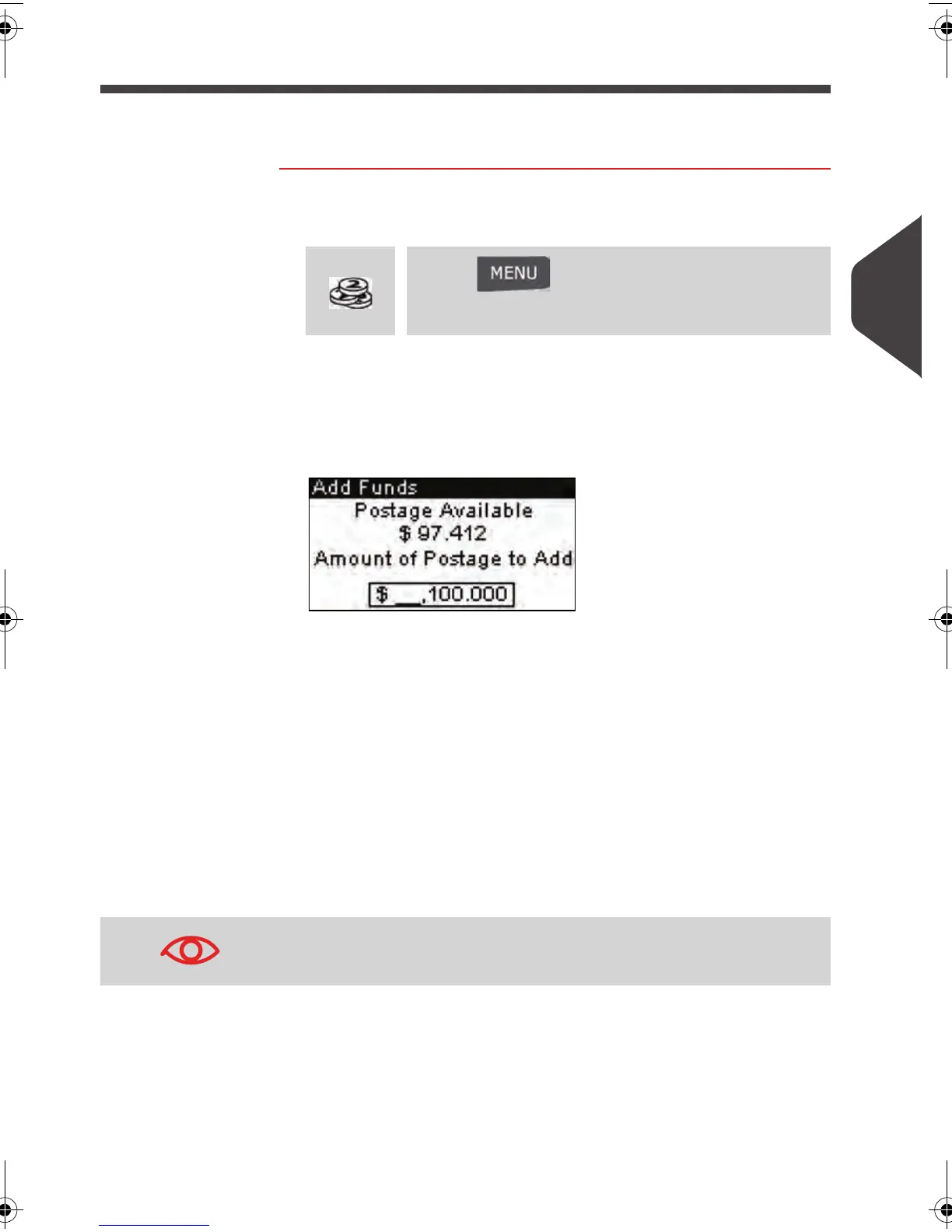
The
Add funds
screen is displayed.
By default, the system proposes the value of the previous
funding operation.
4 Enter the amount to add using the keypad (use C to clear a
digit, twice to clear the field).
5 Press [OK] to start the connection to the Postal Server.
If the funding process is successful, the system displays a
successful message.
If funding process fails, the system displays a failure
message and the value that you may actually add, de-
pending on your postal account balance.
Press
or
Press and type 7 or select the path:
> My Funds
In the case of a communication error, the amount previously
entered cannot be changed.
ALPHA1_US.book Page 65 Mardi, 3. mai 2011 2:23 14



 To Next Page