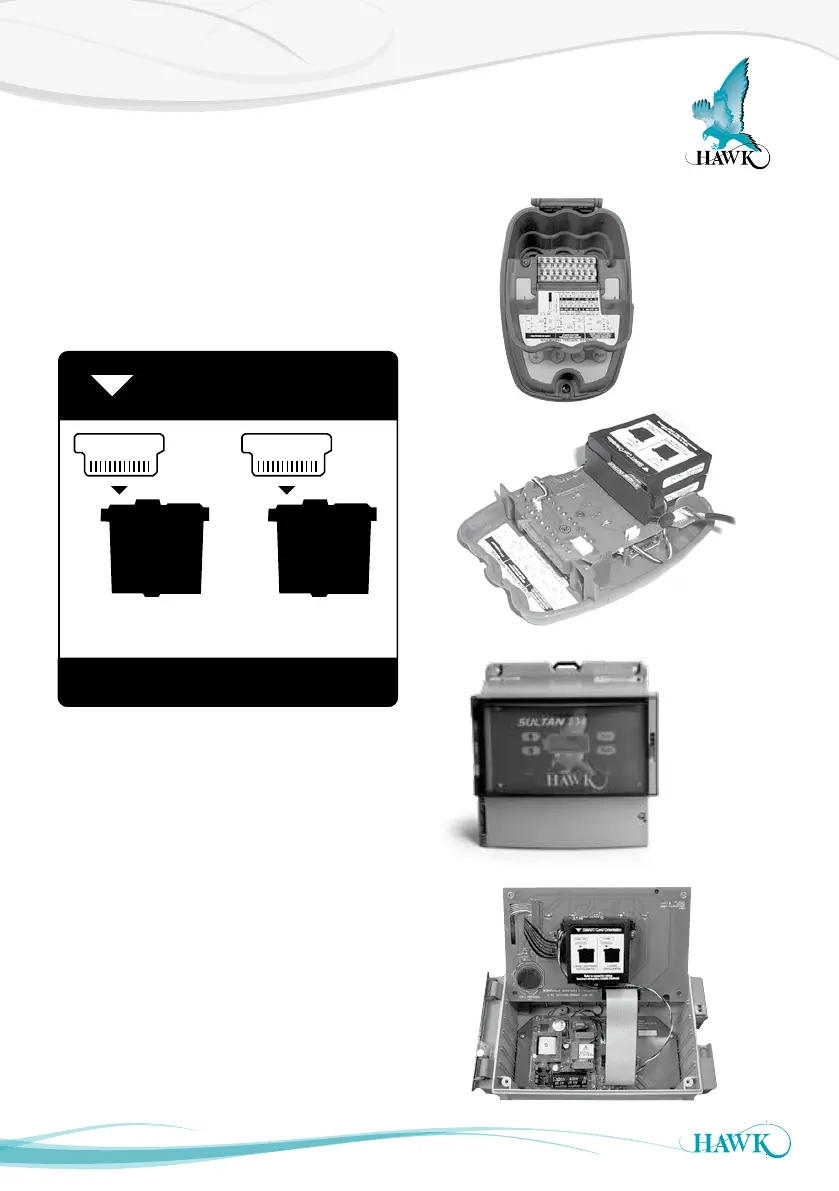
Converting 234 Wire to 2 Wire Loop
Sultan Acoustic Wave Series
41
Sultan234 units can be switched to 2 wire loop mode
by flipping a SMART card on the analogue module.
The module is located behind the display and will
have MOD-AN moulded on the plastic as well as a
sticker indicating the orientation of the SMART card
for both modes
The card is secured by a small brown plastic lock.
Gently lift both tips of the plastic lock until they click
up to release the lock. Gently lift the card out and flip
to the required mode. Place the card back in and
re-lock down the plastic bracket.
The procedure is delicate, it is recommended to be
performed in a workshop or lab and not in the field.
Remove screws
SMART Card Orientation
Refer to manual for wiring
Incorrect wiring WILL CAUSE DAMAGE
2 WIRE LOOP 3, 4 WIRE
2 WIRE LOOP POWER
CONFIGURATION
3, 4 WIRE
CONFIGURATION
Remove screws



 To Next Page