Displays Distance
Sultan Acoustic Wave Series
43
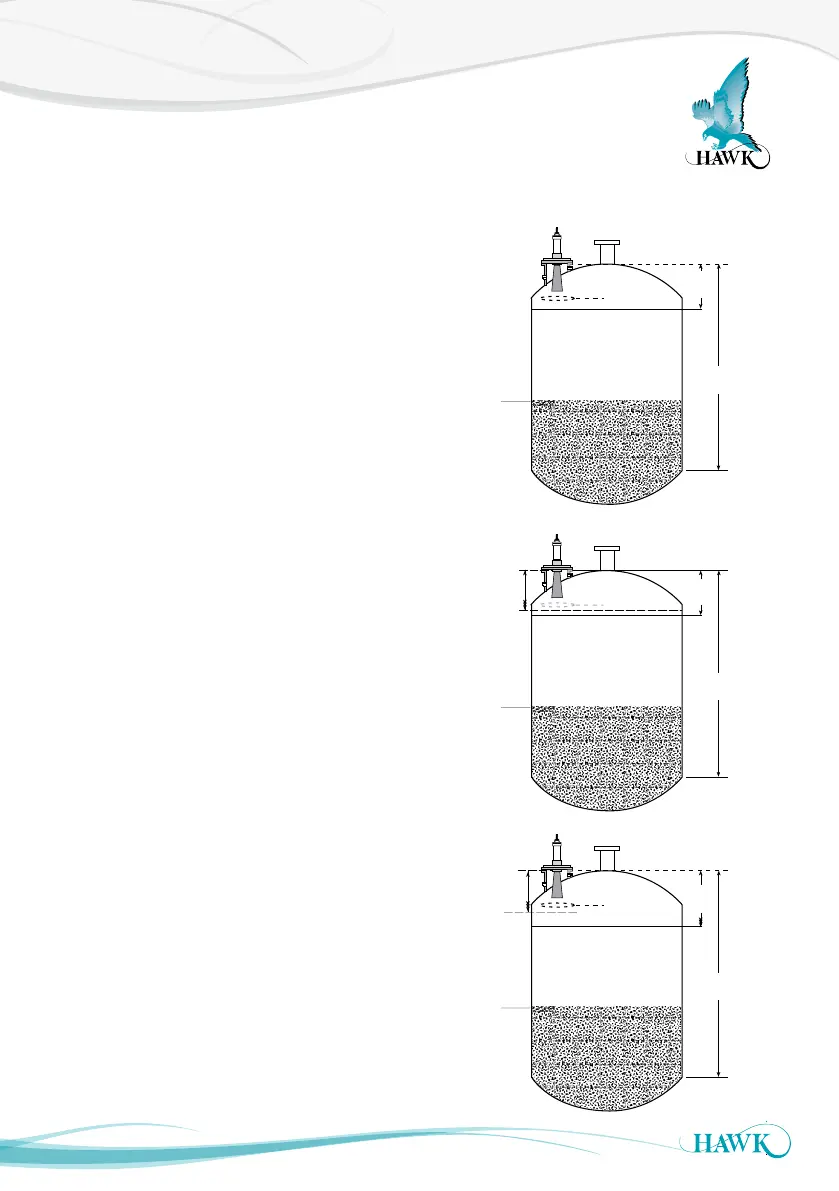
Unit displays or transmits distance that is higher than the actual level / unit is locking on
high level
1. Check the mounting conditions within the vessel.
Are there any obstacles in front or near the front
& side of the face of the transducer? If so, consider
moving the unit to a different location.
2. Check the distance of the false echo. If this is
above your high level you can change the unit
sensitivity to the echo. In ‘Advanced’ change the
‘Dist Step3’ to a distance further than the echo, and
lower the ‘Gain Step3’ to make the unit less
sensitive for the ‘Dist Step’ distance.
If the echo is below the ‘High Level’, you can still
modify the Distance & Gain Steps3 to solve the
problem. Consider lowering the ‘High Level’ value
below the ‘Dist Step3’.
If you cannot do this, lower the ‘Gain4’ value (also
located in ‘Advanced’) incrementally until the unit
cannot see the problem echo.
Lowering the Gain4 % will affect overall sensitivity
of the unit. It will reduce unit capability. If you need
to lower this value by 5-10% to avoid the unit
locking onto an obstacle you must consider step 1
(adjusting mounting location).
3. You can extend the ‘Blanking’ (TX Setup) distance
to ‘blank’ the echo entirely. Anything within this
‘Blanking’ distance will NOT be tracked by the
unit under any circumstances. Consider this in
case of accidental over filling. Never have the
‘Blanking’ distance longer than the ‘High Level’.
Low
Level
High
Level
Actual
Level
Low
Level
High
Level
Actual
Level
Extend Distance
Step beyond
incorrect level.
Lower Gain Step%
Level unit
tracking
Level unit
tracking
Low
Level
Lower
High
Level
Actual
Level
Level unit
tracking
Extend
Blanking
Distance



 To Next Page