6
Wiring The Unit
Sultan Acoustic Wave Series
Sultan Integral Units
The Sultan Integral unit has wiring information printed inside the ip lid of the unit.
Unscrew the lid to expose the facia.
The lid can be snapped back to allow easier access
for wiring. When finished, first re-snap the double
hinge into position before closing the lid. The top half
of the facia is a flip cover which exposes the wiring
terminals.
Ensure your power source is deactivated before
handling power wires.
Pass cables through the cable entry gland before
wiring into the terminal block.
To connect a wire, push down on the button above
the terminal with a small flat head screwdriver and
place the wire in the terminal. Release the pressure
on the button to close the terminal and then pull on
the wire to check that it is secure.
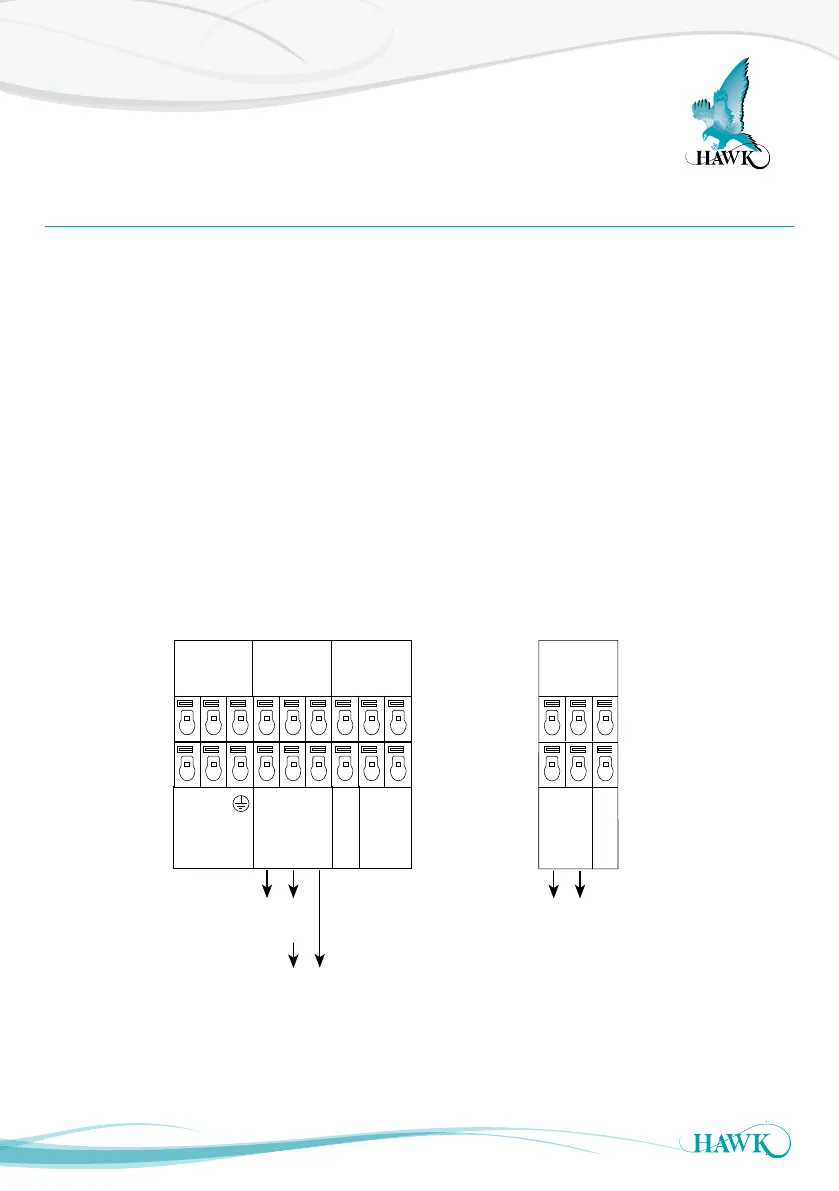
If you are connecting HawkLink communications,
connect the blue wire to B and the white wire to A.
The black wire should be connected to the Shld
terminal.
Tighten cable entry gland(s) and cover to ensure
sealing is effective.
RELAY 1
NC
COM
NO
RELAY 2
NC
COM
NO
COMMS
A
B
Shld
DC-In
+
–
Test In
4-20mA
Is
1L
N
+
–
AC-In
COMMS
A
B
Shld
+
–
4-20mA
Test In
Sourcing 4-20mA
from Sultan
Sinking 4-20mA
from user device
OR
Sinking 4-20mA
from user device
234 wire version
2 wire version
Ensure that any unused cable gland entries are plugged or sealed.



 To Next Page