Configuration and measurement using CANHEADdirect
CANHEAD A01185_11_X00_00 HBM: public 63
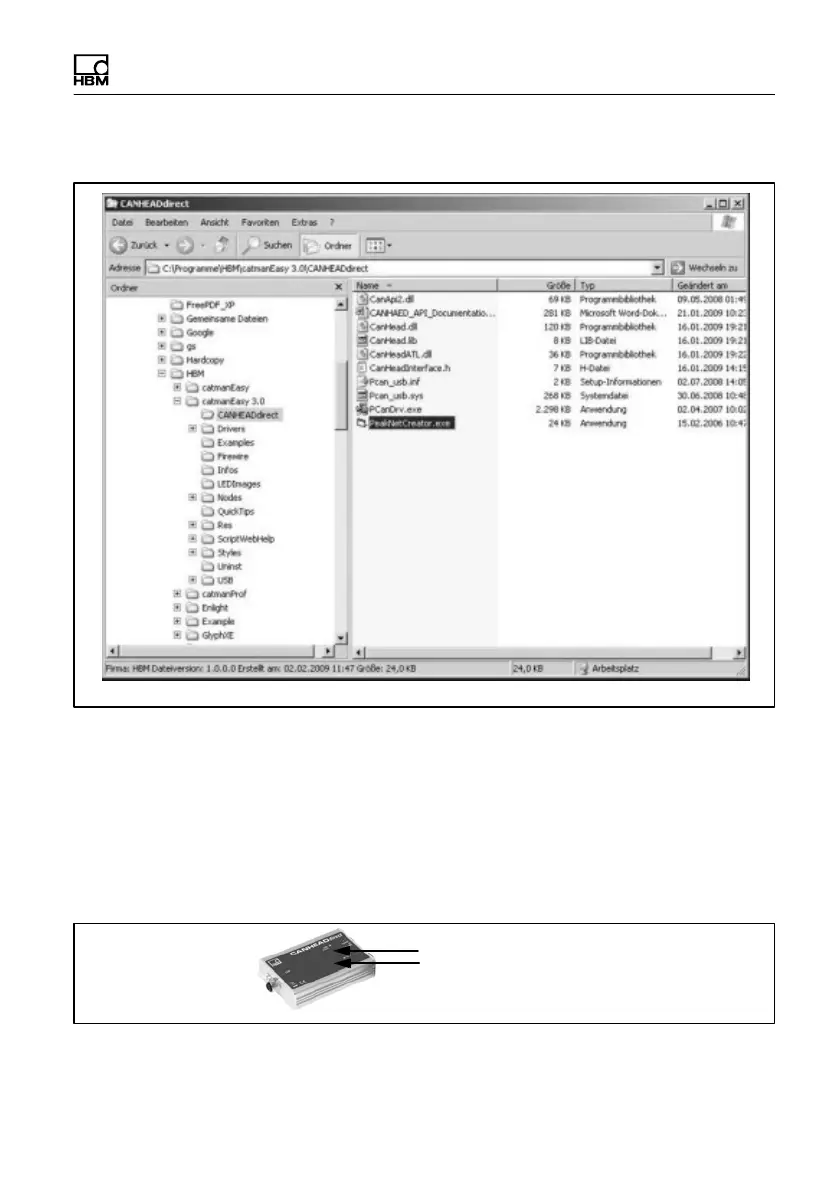
For manual installation, please proceed as follows:
1. Navigate in Windows Explorer to the folder CANHEADdirect in the installa
tion directory catman Easy/AP
(e.g. C:\Programme\catmanEASY\CANHEADdirect).
2. Double-click on the file NETCREATOR.BAT.
The network is set up
Your CANHEADdirect system is now ready for operation.
CAN POWER
USB
The ”CAN POWER” LED and the ”USB” LED light up green.



 To Next Page