Connection
42 A01185_11_X00_00 HBM: public CANHEAD
Loading TEDS data into the amplifier:
- using the display and control panel of the MGCplus:
In the factory settings, you find the F2 TEDS key in the second level of function
keys.
1. Press F4 in measure mode
2. Press the F2 TEDS key
- using the MGCplus Assistant setup software:
- Execute ”Set up channel/channels from TEDS”
- using the catman data acquisition software:
- Execute ”Sensor Scan”
Notice
CANHEADdirect does not support TEDS !
7.4 Connecting CANHEAD to MGCplus or CANHEADdirect
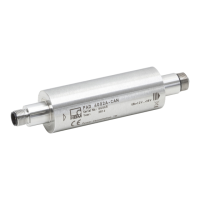
Standard cables or cables of individual lengths can be used to connect the
CANHEAD modules (for the PIN assignment, see the Table below).
Standard cable:
S 1‐KAB267‐2 (2 m long standard connecting cable between CANHEAD and
MGCplus or between two CANHEADs)
To make up individual cables, you need:
S 4‐3301.0180 by the meter, Device Net cable for interconnecting the CAN
HEAD modules
S 1‐CANHEAD‐M12 (male and female connectors)



 To Next Page