Operating Instructions • AT2000 CPK • 07-2019 • v03 • 106-29004
Settings in the display menu
14
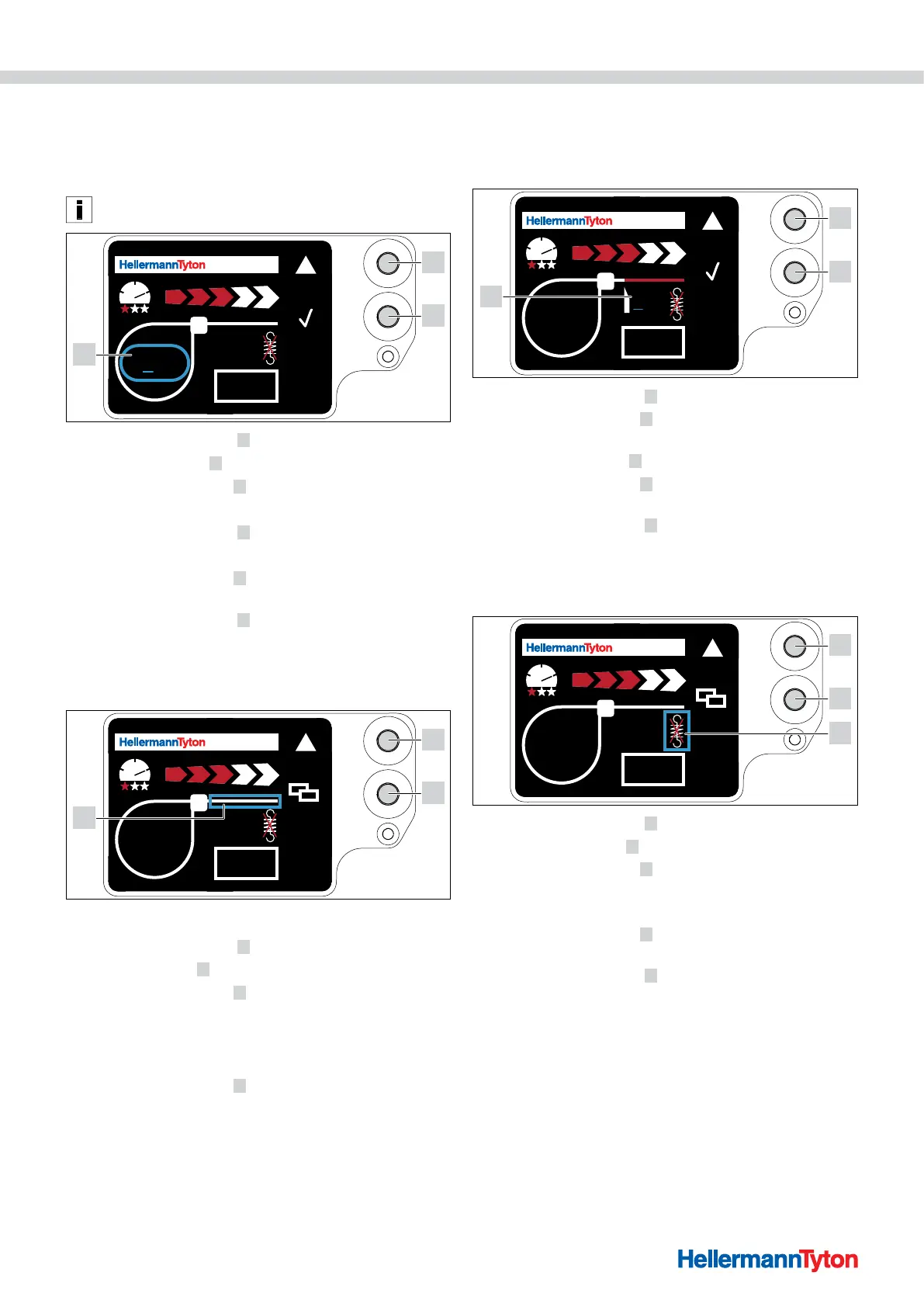
7.5 Setting the loop diameter
The actual diameter may deviate from the set value as
the gearing and the state of the tool and processing
material have an impact on the binding.
Make sure that the binding does not produce a circular loop.
AT 2000 CPK
001
0.1
1
2
3
f Press the Select button 2 .
; The loop diameter
3 is indicated with a blue border.
f Press the Enter button
1 .
; The loop diameter value is activated.
f Press the Select button
2 .
; The adjustable value is underlined.
f Press the Enter button
1 several times until the desired
value is displayed.
f Press the Select button
2 .
; The selection jumps forward one digit.
f Repeat the setting until the desired values is reached.
7.6 Setting the cutting mode
AT 2000 CPK
001
1
2
3
Flush cutting
f Press the Select button 2 .
; The strip section
3 is indicated with a blue border.
f Press the Enter button
1 to activate flush cutting.
; No strip section is displayed when flush cutting is
activated.
Cut-free binding
f Press the Enter button
1 to deactivate flush cutting.
; The projecting cable-tie end is indicated with a blue
border.
Projecting cable-tie ends
The actual projecting cable-tie end may deviate from the
set value as the gearing and the state of the tool and
processing material have an impact on the binding.
AT 2000 CPK
001
3.1
1
2
3
f Press the Select button 2 .
f Press the Enter button
1 to activate the projecting cable-
tie end value.
; The adjustable value
3 is underlined.
f Press the Enter button
1 several times until the desired
value is displayed.
f Press the Select button
2 .
; The selection jumps forward one digit.
f Repeat the setting until the desired values is reached.
7.7 Setting tension-free cutting
AT 2000 CPK
001
1
2
3
f Press the Select button 2 .
; Tension-free cutting
3 is indicated with a blue border.
f Press the Enter button
1 .
; Tension-free cutting is indicated with a crossed-out
tension spring.
f Press the Enter button
1 to deactivate tension-free
cutting.
f Press the Select button
2 to finish configuring the
settings.



 To Next Page