Operating Instructions • AT2000 CPK • 07-2019 • v03 • 106-29004
HT Data Management
20
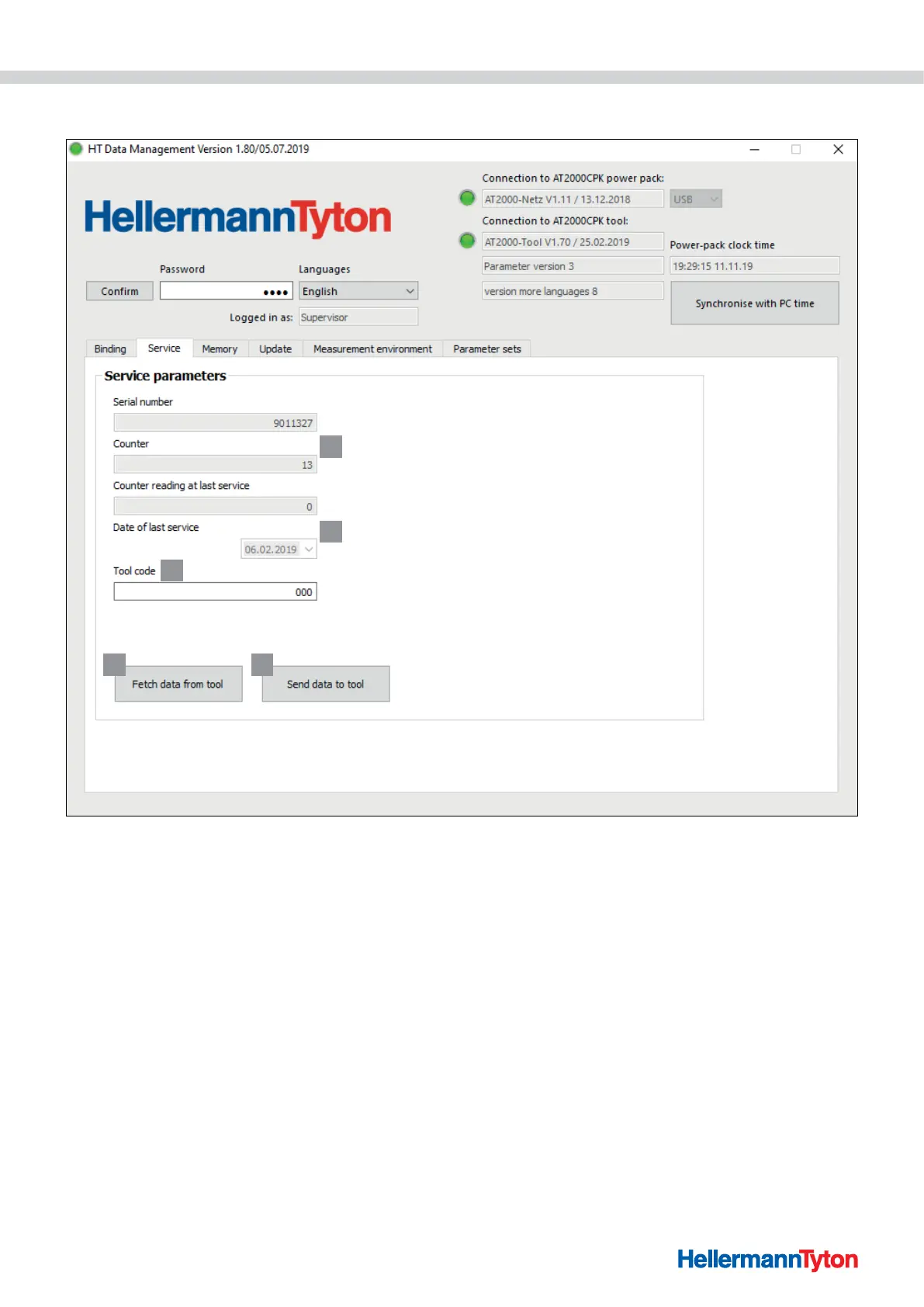
9.4 Service menu
1
2
3
4 5
1 Serial number and counter reading display
2 Information for HellermannTyton service
3 Access code of the AT2000 CPK
4 Refresh the service information and parameters
5 Send data to the AT2000 CPK
9.4.1 Updating service information
f Click on Fetch data from tool.
; The information of the AT2000 CPK about the counter
reading and service is updated.
9.4.2 Changing the access code in the AT2000 CPK
f Enter the new code at Tool code. The code is a
three-digit number and the default setting is 000.
f Click on Send data to tool.
; The access code is changed and transmitted to the
AT2000 CPK.



 To Next Page