Operating Instructions • AT2000 CPK • 07-2019 • v03 • 106-29004
HT Data Management
21
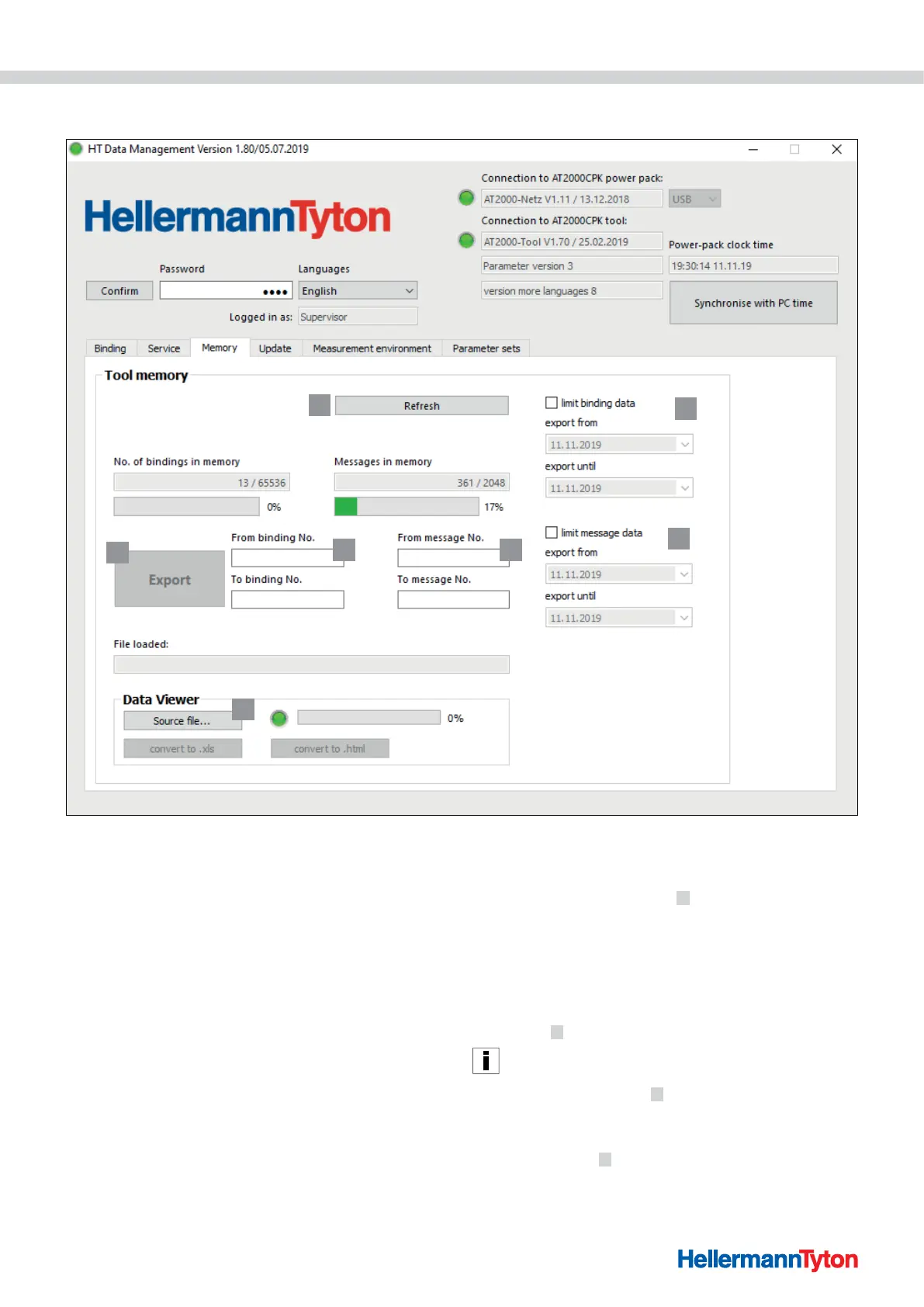
9.5 Memory menu
1
2
3
45
6
7
1 Refresh memory status
2 Limit the time period of the binding information
3 Limit the time period of the messages
4 Select messages
5 Select bindings
6 Export messages and binding data
7 Export created file
9.5.1 Refresh memory of the tool
Updates the number of data records, bindings and
messages stored in the tool's memory.
f Click on the Refresh button
1 .
; The current values and the memory usage are displayed
in the fields No. of bindings in memory and Memory
messages.
9.5.2 Limit the time period of the bindings
Limits the time period for updating the binding
information
2 .
It is advisable to set a filter to restrict the choice if the volume
of data involved is large.
f Activate Limit bindings 2 .
f In the drop-down menus Export from and Export until,
select the start and end dates for the export period.
f Click on Export
6 .



 To Next Page