Operating Instructions • AT2000 CPK • 07-2019 • v03 • 106-29004
Troubleshooting
33
DISPLAY MESSAGE POSSIBLE CAUSE SOLUTION
1. Check battery in power pack
2. Press Reset button
Time loss
• The back-up battery for the
clock in the power pack has
discharged.
f Change the back-up battery, à"Changing back-up
battery" on page34.
f Press the Reset button.
10.4 Possible fault
FAULT PATTERN POSSIBLE CAUSE SOLUTION
Loops form
• Bundle diameter is
unsuitable.
f Use a suitable bundle diameter,à"Positioning and
binding items for bundling" on page12.
• Tie advancer is not in the
correct position.
f Check the position of the tie advancer, à"Checking
tie advancer" on page36.
• Spring in upper jaw is faulty. f Check upper jaw flap in upper jaw with spring,
à"Replacing upper jaw" on page35.
• Lower jaw is blocked.
f Check lower jaw, à"Checking front cap and position
of cutter" on page36.
f Remove blockage.
Binding not possible.
Cable tie shoots straight
out.
• Upper jaw is blocked.
f Check upper jaw, à"Checking upper jaw" on
page35.
f Remove blockage.
Cable tie is not cut off
flush.
• Cutter in front cap is not in
correct position.
f Check position of cutter in front cap and remove
cable-tie residues, à"Checking front cap and position
of cutter" on page36.
10.4.1 Troubleshooting a cable-tie bandoleer
malfunction
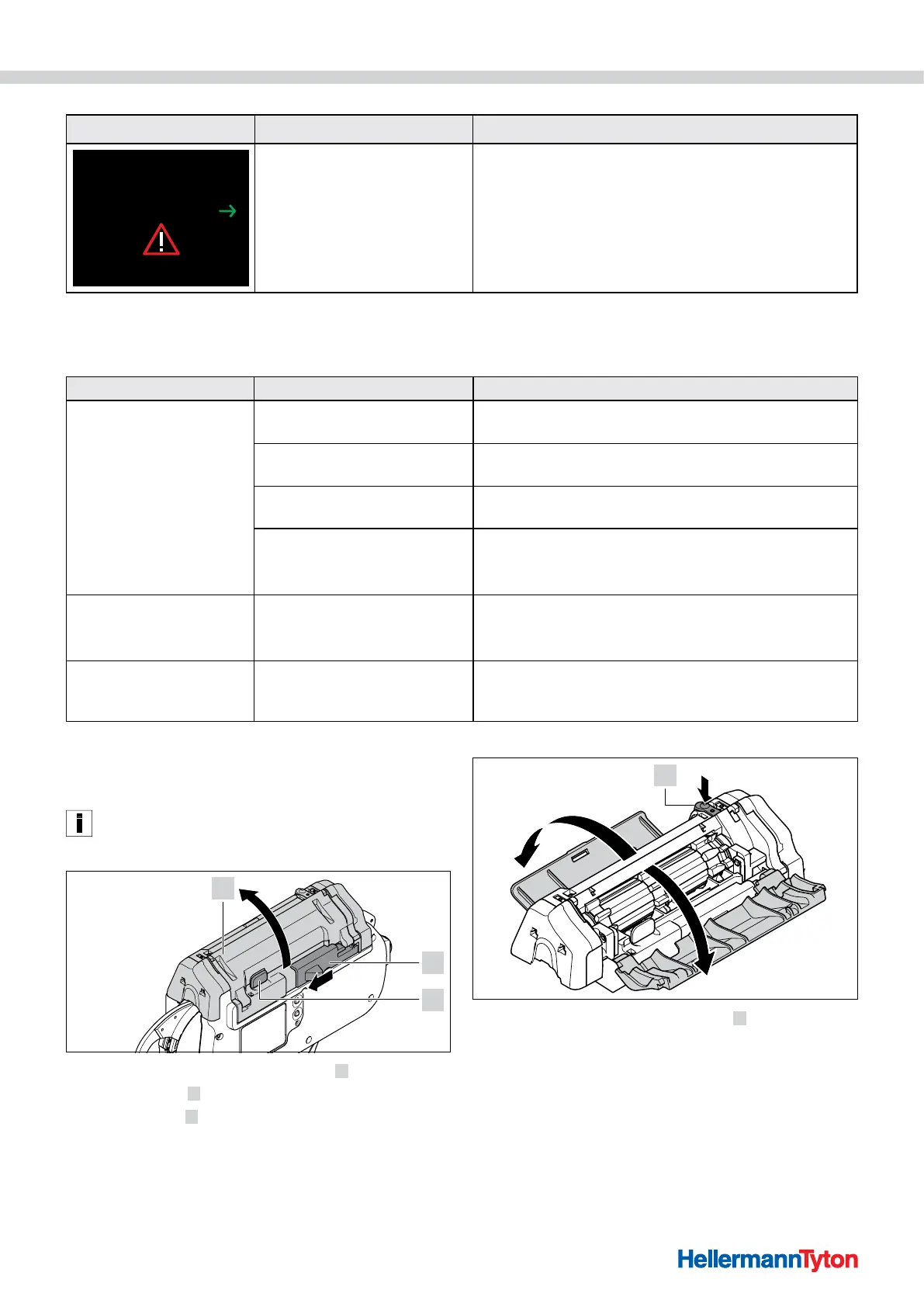
Be sure to check the information on the display, à"Display
messages" on page30.
f Switch the power pack OFF.
f Push the actuator for bandoleer cutter 2 to the left.
f Press the catch
3 .
f Open the gate
1 .
4
f Press the actuator for service flap left 4 .
f Open the left service flap.
f Open the right service flap.



 To Next Page