Operating Instructions • AT2000 CPK • 07-2019 • v03 • 106-29004
HT Data Management
23
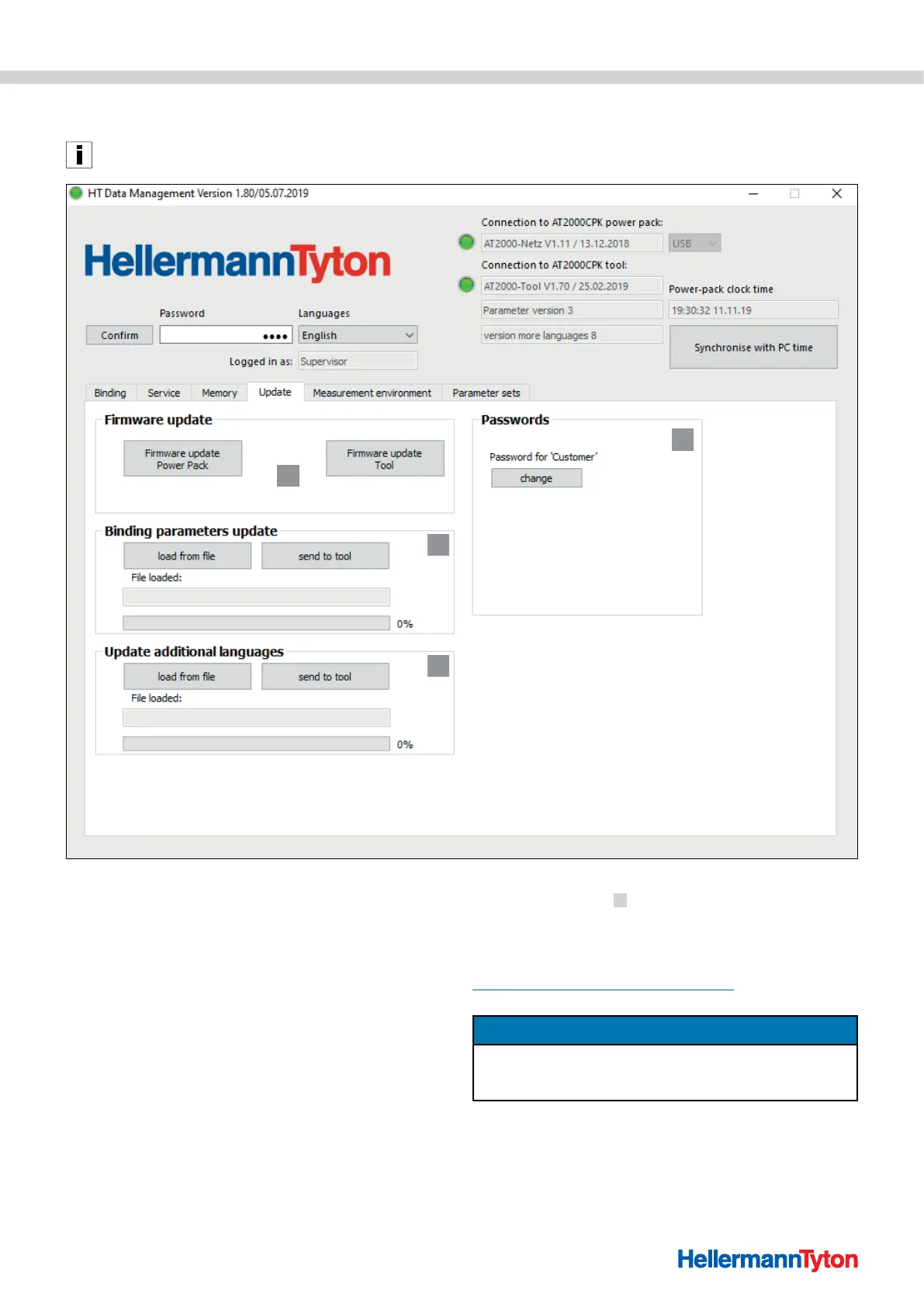
9.6 Update menu
The Update menu appears only if the user has logged on
with the setup specialist's password.
1
2
3
4
1 Update firmware
2 Change password
3 Update binding parameters
4 Install other languages
9.6.1 Update firmware
The firmware updates
1 include the update for the
AT2000 CPK and the power pack.
The current firmware can be found at the following web
address:
www.HellermannTyton.com/autotool-cpk
NOTE
When the firmware for the AT2000 CPK is updated to
Version 1.77 or newer, the existing binding data is deleted
from the ring memory.
f Copy the update files *.hex onto the hard drive.
f Click on Firmware update power pack.
and/or
f Click on Firmware update tool.



 To Next Page