EasyManua.ls Logo

Hitachi VM-E110E - Loading the Lithium Batteries.9

Hitachi VM-E110E
40 pages
Print Icon
To Next Page IconTo Next Page
To Previous Page IconTo Previous Page
Loading...
LOADING
THE
LITHIUM
BATTERIES
You
may
want
to
install
the
lithium
batteries
(provided)
immediately
to
prevent
losing
them.
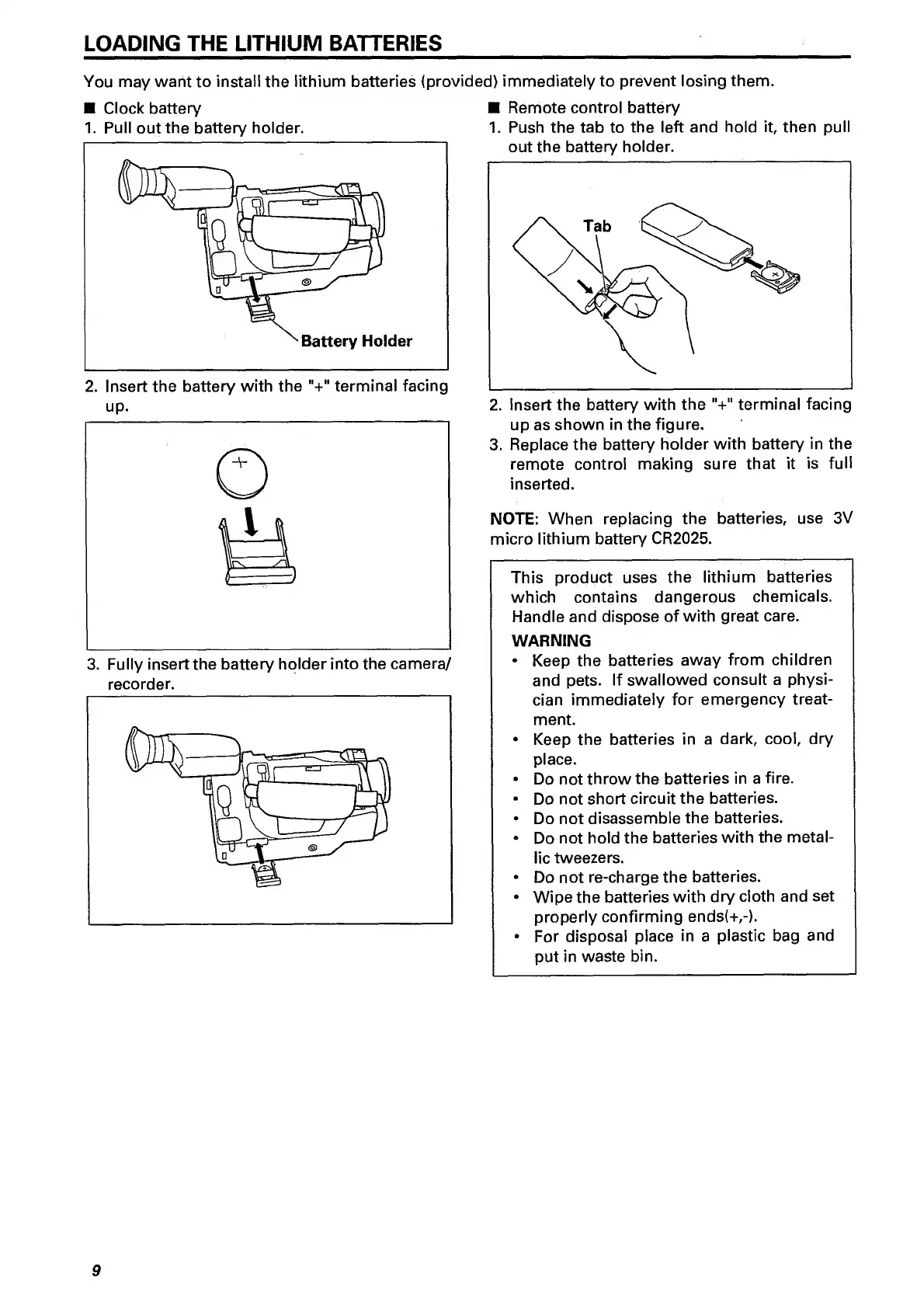
Clock
battery
Remote
control
battery
1.
Pull
out
the
battery
holder.
1.
Push
the
tab
to
the
left
and
hold
it,
then
pull
up.
2.
Insert
the
battery
with
the
"+"
terminal
facing
3.
Fully
insert
the
battery
holder
into
the
camera/
recorder.
up
as
shown
in
the
figure.
3.
Replace
the
battery
holder
with
battery
in
the
remote
control
making
sure
that
it
is
full
inserted.
NOTE:
When
replacing
the
batteries,
use
3V
micro
lithium
battery
CR2025.
This
product
uses
the
lithium
batteries
which
contains
dangerous
chemicals.
Handle
and
dispose
of
with
great
care.
WARNING
Keep
the
batteries
away
from
children
and
pets.
If
swallowed
consult
a
physi¬
cian
immediately
for
emergency
treat¬
ment.
Keep
the
batteries
in
a
dark,
cool,
dry
place.
Do
not
throw
the
batteries
in
a
fire.
Do
not
short
circuit
the
batteries.
Do
not
disassemble
the
batteries.
Do
not
hold
the
batteries
with
the
metal¬
lic
tweezers.
Do
not
re-charge
the
batteries.
Wipe
the
batteries
with
dry
cloth
and
set
properly
confirming
ends(+,-).
For
disposal
place
in
a
plastic
bag
and
put
in
waste
bin.

Related product manuals