EasyManua.ls Logo

Hitachi VM-E110E - F-Search and R-Search; Still.30; Quick Edit.30

Hitachi VM-E110E
40 pages
Print Icon
To Next Page IconTo Next Page
To Previous Page IconTo Previous Page
Loading...
F-SEARCH
AND
R-SEARCH
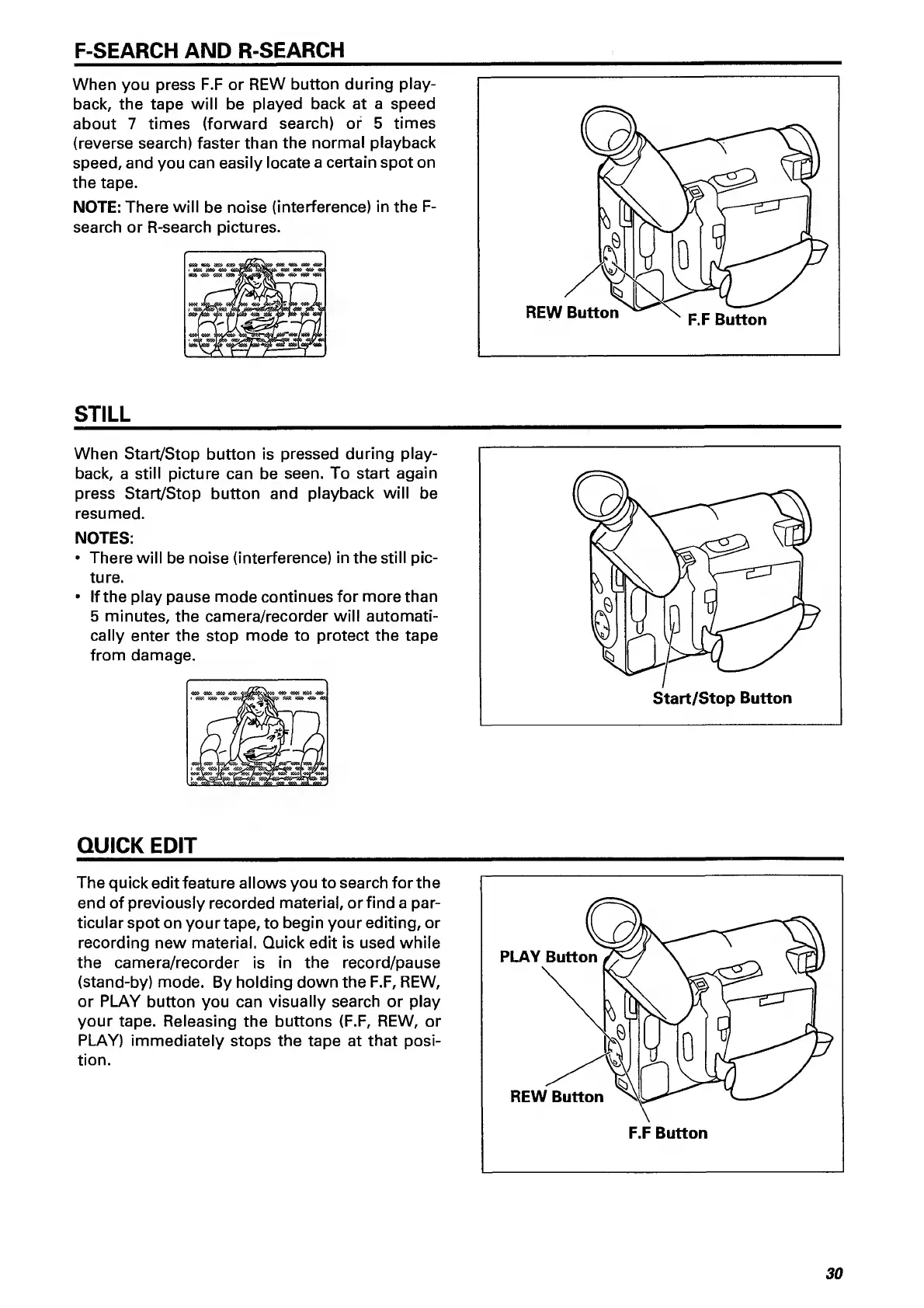
When
you
press
F.F
or
REW
button
during
play¬
back,
the
tape
will
be
played
back
at
a
speed
about
7
times
(forward
search)
or
5
times
(reverse
search)
faster
than
the
normal
playback
speed,
and
you
can
easily
locate
a
certain
spot
on
the
tape.
NOTE:
There
will
be
noise
(interference)
in
the
F-
search
or
R-search
pictures.
STILL
When
Start/Stop
button
is
pressed
during
play¬
back,
a
still
picture
can
be
seen.
To
start
again
press
Start/Stop
button
and
playback
will
be
resumed.
NOTES:
There
will
be
noise
(interference)
in
the
still
pic¬
ture.
If
the
play
pause
mode
continues
for
more
than
5
minutes,
the
camera/recorder
will
automati¬
cally
enter
the
stop
mode
to
protect
the
tape
from
damage.
QUICK
EDIT
The
quick
edit
feature
allows
you
to
search
for
the
end
of
previously
recorded
material,
or
find
a
par¬
ticular
spot
on
your
tape,
to
begin
your
editing,
or
recording
new
material.
Quick
edit
is
used
while
the
camera/recorder
is
in
the
record/pause
(stand-by)
mode.
By
holding
down
the
F.F,
REW,
or
PLAY
button
you
can
visually
search
or
play
your
tape.
Releasing
the
buttons
(F.F,
REW,
or
PLAY)
immediately
stops
the
tape
at
that
posi¬
tion.
30

Related product manuals