EasyManua.ls Logo

Hitachi VM-E110E - Power Zoom

Hitachi VM-E110E
40 pages
Print Icon
To Next Page IconTo Next Page
To Previous Page IconTo Previous Page
Loading...
MANUAL
FOCUSING
1.
Press
the
FOCUS
control
buttons
simultane¬
ously
to
display
"FOCUS"
in
the
viewfinder.
When
"FOCUS"
is
displayed
in
the
view¬
finder,
you
can
adjust
the
focus
manually.
When
the
FOCUS
control
buttons
are
pressed
again,
"FOCUS"
disappears
from
the
viewfinder
and
the
camera
returns
to
the
auto
focus
mode.
2.
Zoom
in
on
the
object
by
pressing
the
power
zoom
switch
on
the
"T"
side.
3.
Press
the
FOCUS
control
F
(far)
or
N
(near)
but¬
tons
to
bring
the
subject
into
focus.
NOTE;
If
focusing
is
performed
without
zoom¬
ing
up
first,
the
picture
may
become
out
of
focus
when
the
zoom-up
is
done
during
actual
picture
taking.
4.
Then,
zoom
back
the
object
as
desired.
NOTE:
After
using
the
manual
focus,
press
the
FOCUS
control
buttons
simultaneously
to
switch
off
"FOCUS"
in
the
viewfinder.
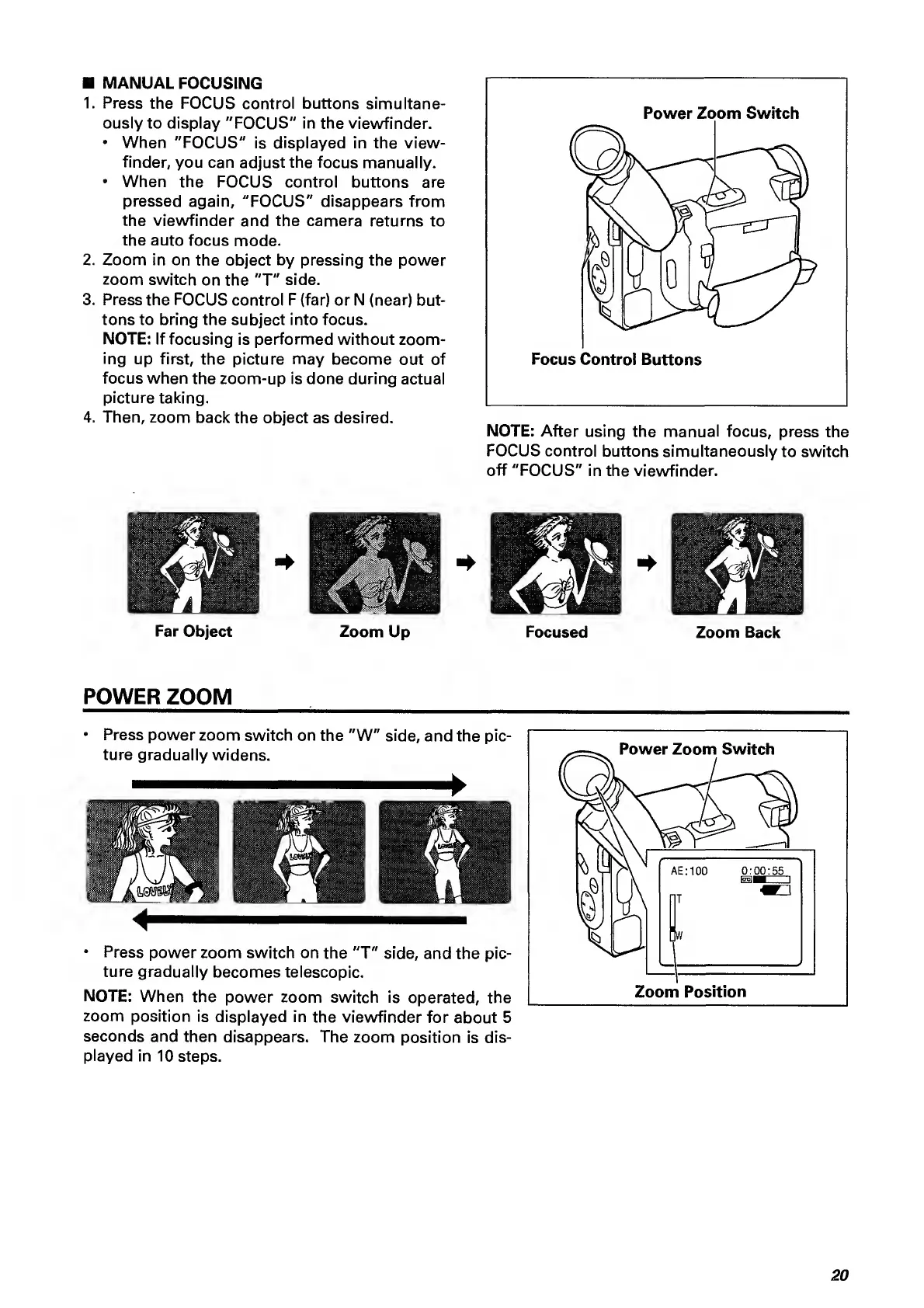
Far
Object
Zoom
Up
Focused
Zoom
Back
POWER
ZOOM
Press
power
zoom
switch
on
the
"W"
side,
and
the
pic¬
ture
gradually
widens.
Press
power
zoom
switch
on
the
"T"
side,
and
the
pic¬
ture
gradually
becomes
telescopic.
NOTE:
When
the
power
zoom
switch
is
operated,
the
zoom
position
is
displayed
in
the
viewfinder
for
about
5
seconds
and
then
disappears.
The
zoom
position
is
dis¬
played
in
10
steps.
20

Related product manuals