EasyManua.ls Logo

Hitachi VM-E110E - Checking the Battery Pack.13

Hitachi VM-E110E
40 pages
Print Icon
To Next Page IconTo Next Page
To Previous Page IconTo Previous Page
Loading...
CHECKING
THE
BATTERY
PACK
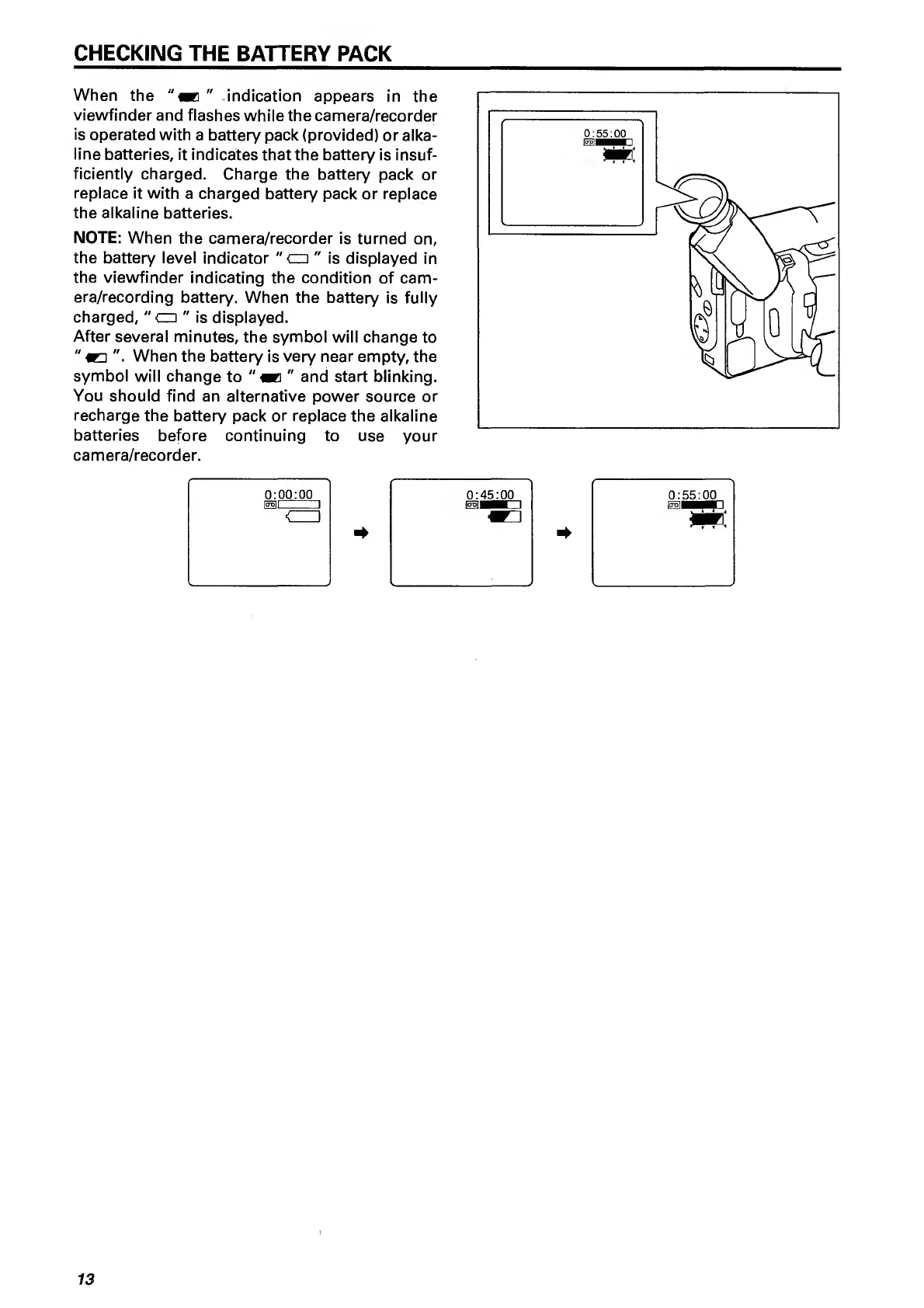
When
the
"
indication
appears
in
the
viewfinder
and
flashes
while
the
camera/recorder
is
operated
with
a
battery
pack
(provided)
or
alka¬
line
batteries,
it
indicates
that
the
battery
is
insuf¬
ficiently
charged.
Charge
the
battery
pack
or
replace
it
with
a
charged
battery
pack
or
replace
the
alkaline
batteries.
NOTE:
When
the
camera/recorder
is
turned
on,
the
battery
level
indicator
"
cz:
"
is
displayed
in
the
viewfinder
indicating
the
condition
of
cam¬
era/recording
battery.
When
the
battery
is
fully
charged,
"
cm
"
is
displayed.
After
several
minutes,
the
symbol
will
change
to
"
WD
When
the
battery
is
very
near
empty,
the
symbol
will
change
to
"
«
"
and
start
blinking.
You
should
find
an
alternative
power
source
or
recharge
the
battery
pack
or
replace
the
alkaline
batteries
before
continuing
to
use
your
camera/recorder.
0:00:00
0:45:00
0:55:00
ICTOll
1
1551^
1
<_1
m:
13

Related product manuals