EasyManua.ls Logo

Hitachi VM-E110E - Instant Review; Macro; Display Button

Hitachi VM-E110E
40 pages
Print Icon
To Next Page IconTo Next Page
To Previous Page IconTo Previous Page
Loading...
INSTANT
REVIEW
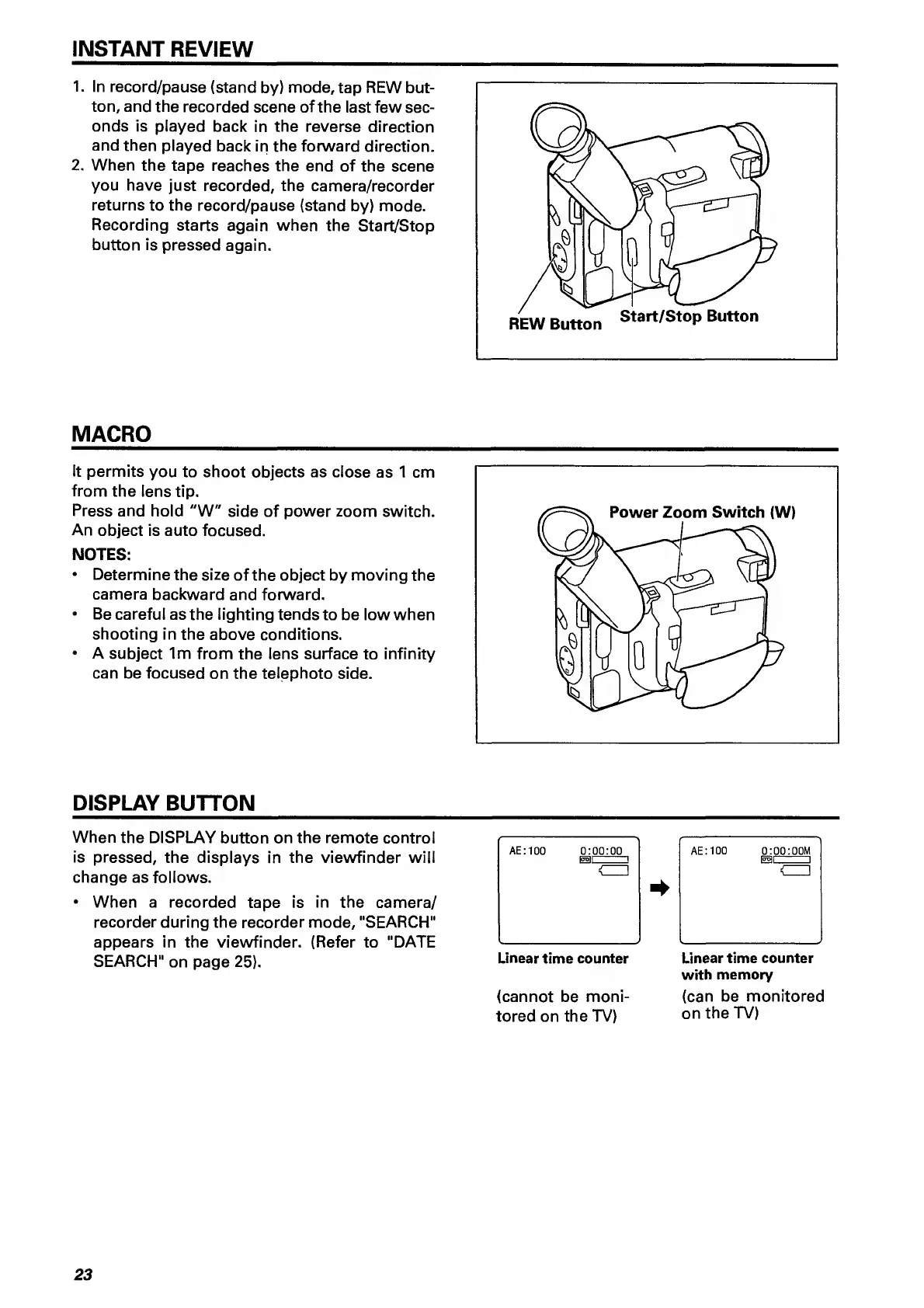
1.
In
record/pause
(stand
by)
mode,
tap
REW
but¬
ton,
and
the
recorded
scene
of
the
last
few
sec¬
onds
is
played
back
in
the
reverse
direction
and
then
played
back
in
the
forward
direction.
2.
When
the
tape
reaches
the
end
of
the
scene
you
have
just
recorded,
the
camera/recorder
returns
to
the
record/pause
(stand
by)
mode.
Recording
starts
again
when
the
Start/Stop
button
is
pressed
again.
MACRO
It
permits
you
to
shoot
objects
as
close
as
1
cm
from
the
lens
tip.
Press
and
hold
"W"
side
of
power
zoom
switch.
An
object
is
auto
focused.
NOTES:
Determine
the
size
of
the
object
by
moving
the
camera
backward
and
forward.
Be
careful
as
the
lighting
tends
to
be
low
when
shooting
in
the
above
conditions.
A
subject
1m
from
the
lens
surface
to
infinity
can
be
focused
on
the
telephoto
side.
DISPLAY
BUTTON
_
When
the
DISPLAY
button
on
the
remote
control
is
pressed,
the
displays
in
the
viewfinder
will
change
as
follows.
When
a
recorded
tape
is
in
the
camera/
recorder
during
the
recorder
mode,
"SEARCH"
appears
in
the
viewfinder.
(Refer
to
"DATE
SEARCH"
on
page
25).
AE:100
0:00:00
15511
n
<ZZ]
Linear
time
counter
(cannot
be
moni¬
tored
on
the
TV)
Linear
time
counter
with
memory
(can
be
monitored
on
the
TV)
23

Related product manuals