EasyManua.ls Logo

Hitachi VM-E110E - Insertion and Removal of Cassettes.15

Hitachi VM-E110E
40 pages
Print Icon
To Next Page IconTo Next Page
To Previous Page IconTo Previous Page
Loading...
INSERTION
AND
REMOVAL
OF
CASSETTES
Before
inserting
or
removing
a
cassette,
be
sure
to
connect
the
power
source.
When
a
power
source
is
connected,
the
cassette
can
be
ejected
and
removed
whether
the
power
is
on
or
off.
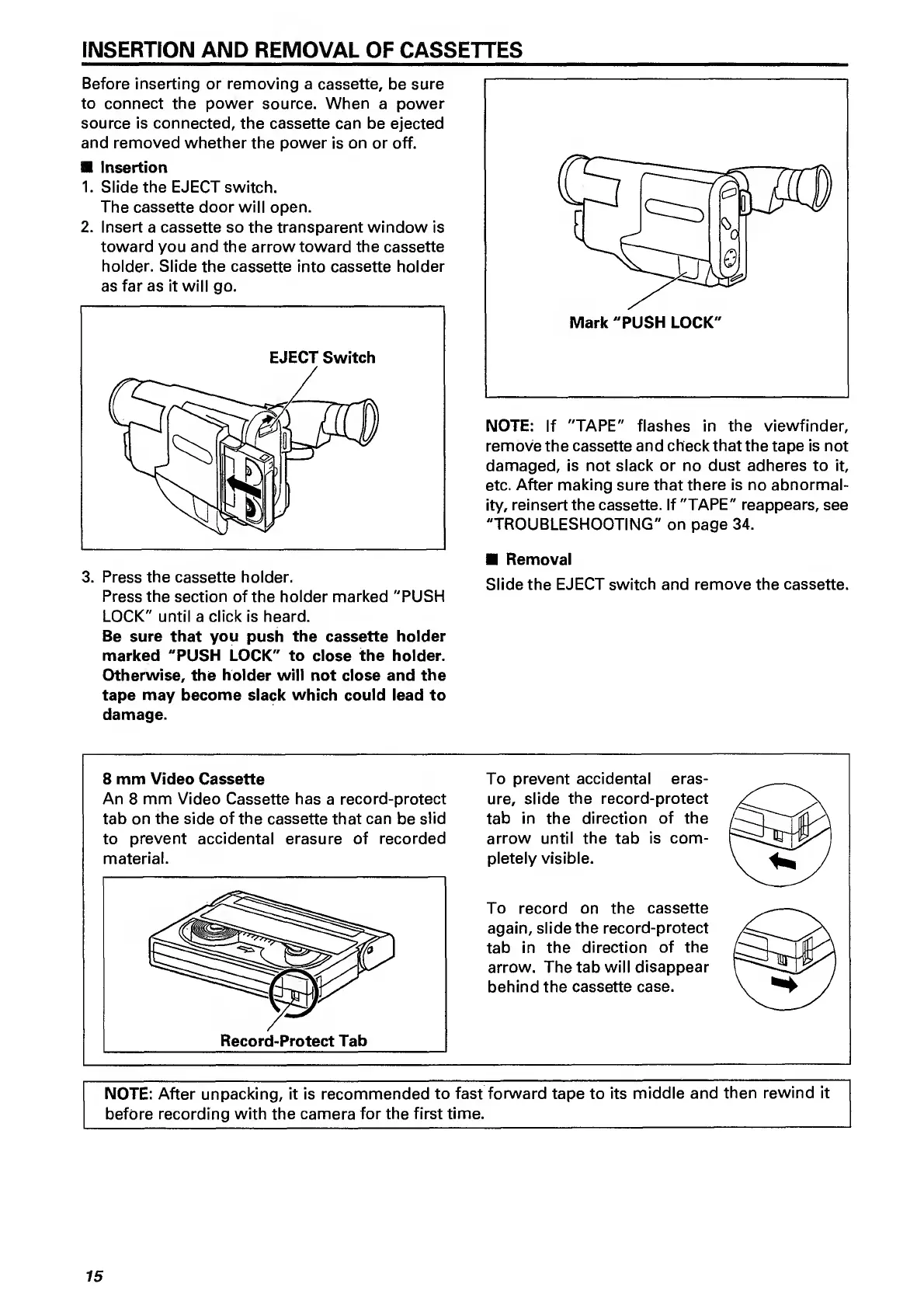
Insertion
1.
Slide
the
EJECT
switch.
The
cassette
door
will
open.
2.
Insert
a
cassette
so
the
transparent
window
is
toward
you
and
the
arrow
toward
the
cassette
holder.
Slide
the
cassette
into
cassette
holder
as
far
as
it
will
go.
3.
P
ress
the
cassette
holder.
Press
the
section
of
the
holder
marked
"PUSH
LOCK"
until
a
click
is
heard.
Be
sure
that
you
push
the
cassette
holder
marked
"PUSH
LOCK"
to
close
the
holder.
Otherwise,
the
holder
will
not
close
and
the
tape
may
become
slack
which
could
lead
to
damage.
NOTE:
If
"TAPE"
flashes
in
the
viewfinder,
remove
the
cassette
and
check
that
the
tape
is
not
damaged,
is
not
slack
or
no
dust
adheres
to
it,
etc.
After
making
sure
that
there
is
no
abnormal¬
ity,
reinsert
the
cassette.
If
"TAPE"
reappears,
see
"TROUBLESHOOTING"
on
page
34.
Removal
Slide
the
EJECT
switch
and
remove
the
cassette.
8
mm
Video
Cassette
An
8
mm
Video
Cassette
has
a
record-protect
tab
on
the
side
of
the
cassette
that
can
be
slid
to
prevent
accidental
erasure
of
recorded
material.
To
prevent
accidental
eras¬
ure,
slide
the
record-protect
tab
in
the
direction
of
the
arrow
until
the
tab
is
com¬
pletely
visible.
To
record
on
the
cassette
again,
slide
the
record-protect
tab
in
the
direction
of
the
arrow.
Thetab
will
disappear
behind
the
cassette
case.
NOTE;
After
unpacking,
it
is
recommended
to
fast
forward
tape
to
its
middle
and
then
rewind
it
before
recording
with
the
camera
for
the
first
time.
15

Related product manuals