EasyManua.ls Logo

Hitachi VM-E110E - Linear Time Counter.24; Memory.24

Hitachi VM-E110E
40 pages
Print Icon
To Next Page IconTo Next Page
To Previous Page IconTo Previous Page
Loading...
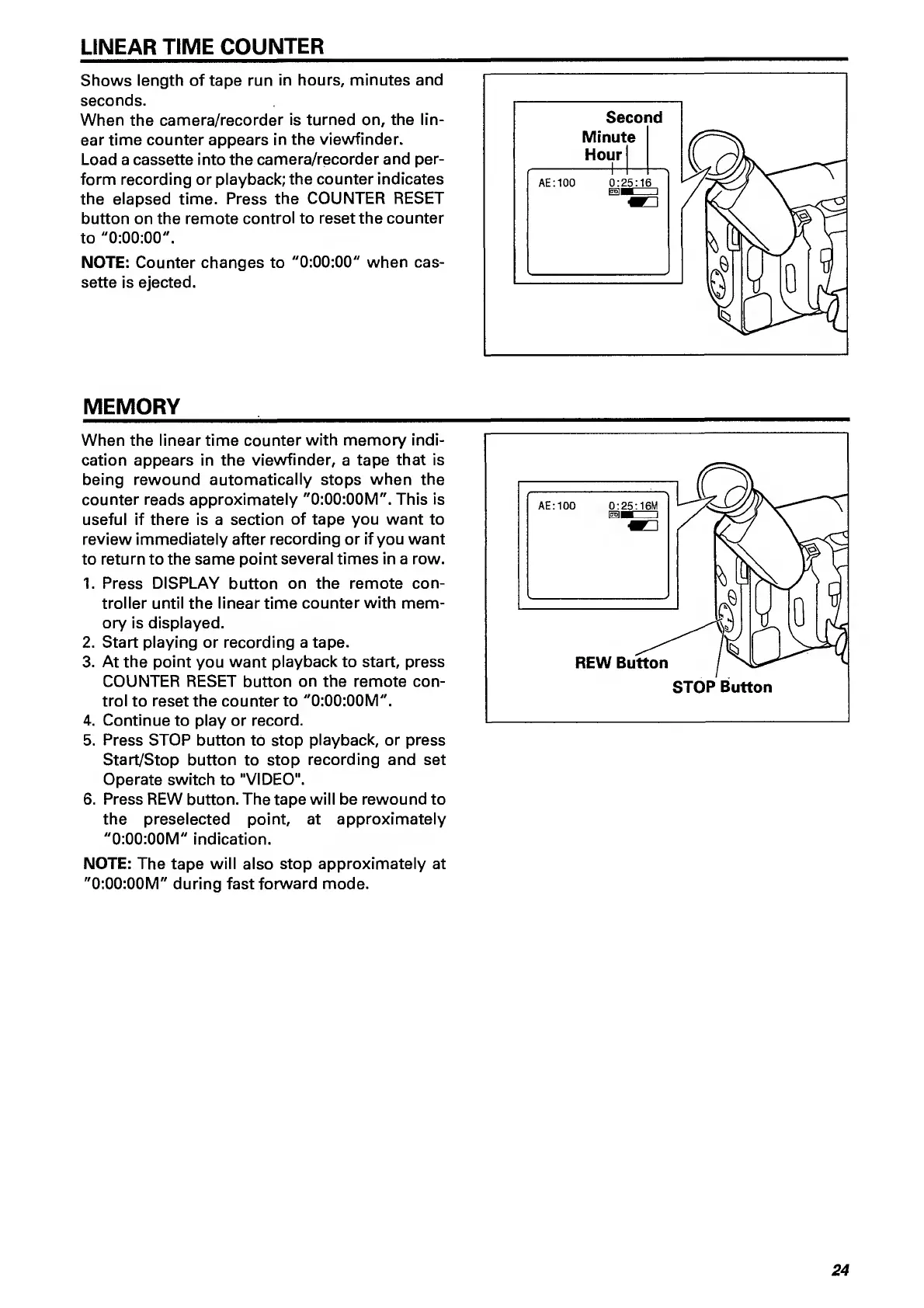
LINEAR
TIME
COUNTER
Shows
length
of
tape
run
in
hours,
minutes
and
seconds.
When
the
camera/recorder
is
turned
on,
the
lin¬
ear
time
counter
appears
in
the
viewfinder.
Load
a
cassette
into
the
camera/recorder
and
per¬
form
recording
or
playback;
the
counter
indicates
the
elapsed
time.
Press
the
COUNTER
RESET
button
on
the
remote
control
to
reset
the
counter
to
"0:00:00".
NOTE:
Counter
changes
to
"0:00:00"
when
cas¬
sette
is
ejected.
MEMORY
_
When
the
linear
time
counter
with
memory
indi¬
cation
appears
in
the
viewfinder,
a
tape
that
is
being
rewound
automatically
stops
when
the
counter
reads
approximately
"0:00:00M".
This
is
useful
if
there
is
a
section
of
tape
you
want
to
review
immediately
after
recording
or
if
you
want
to
return
to
the
same
point
several
times
in
a
row.
1.
Press
DISPLAY
button
on
the
remote
con¬
troller
until
the
linear
time
counter
with
mem¬
ory
is
displayed.
2.
Start
playing
or
recording
a
tape.
3.
At
the
point
you
want
playback
to
start,
press
COUNTER
RESET
button
on
the
remote
con¬
trol
to
reset
the
counter
to
"0:00:00M".
4.
Continue
to
play
or
record.
5.
Press
STOP
button
to
stop
playback,
or
press
Start/Stop
button
to
stop
recording
and
set
Operate
switch
to
"VIDEO".
6.
Press
REW
button.
The
tape
will
be
rewound
to
the
preselected
point,
at
approximately
"0:00:00M"
indication.
NOTE:
The
tape
will
also
stop
approximately
at
"0:00:00M"
during
fast
forward
mode.
24

Related product manuals