EasyManua.ls Logo

Hitachi VM-E110E - Page 23

Hitachi VM-E110E
40 pages
Print Icon
To Next Page IconTo Next Page
To Previous Page IconTo Previous Page
Loading...
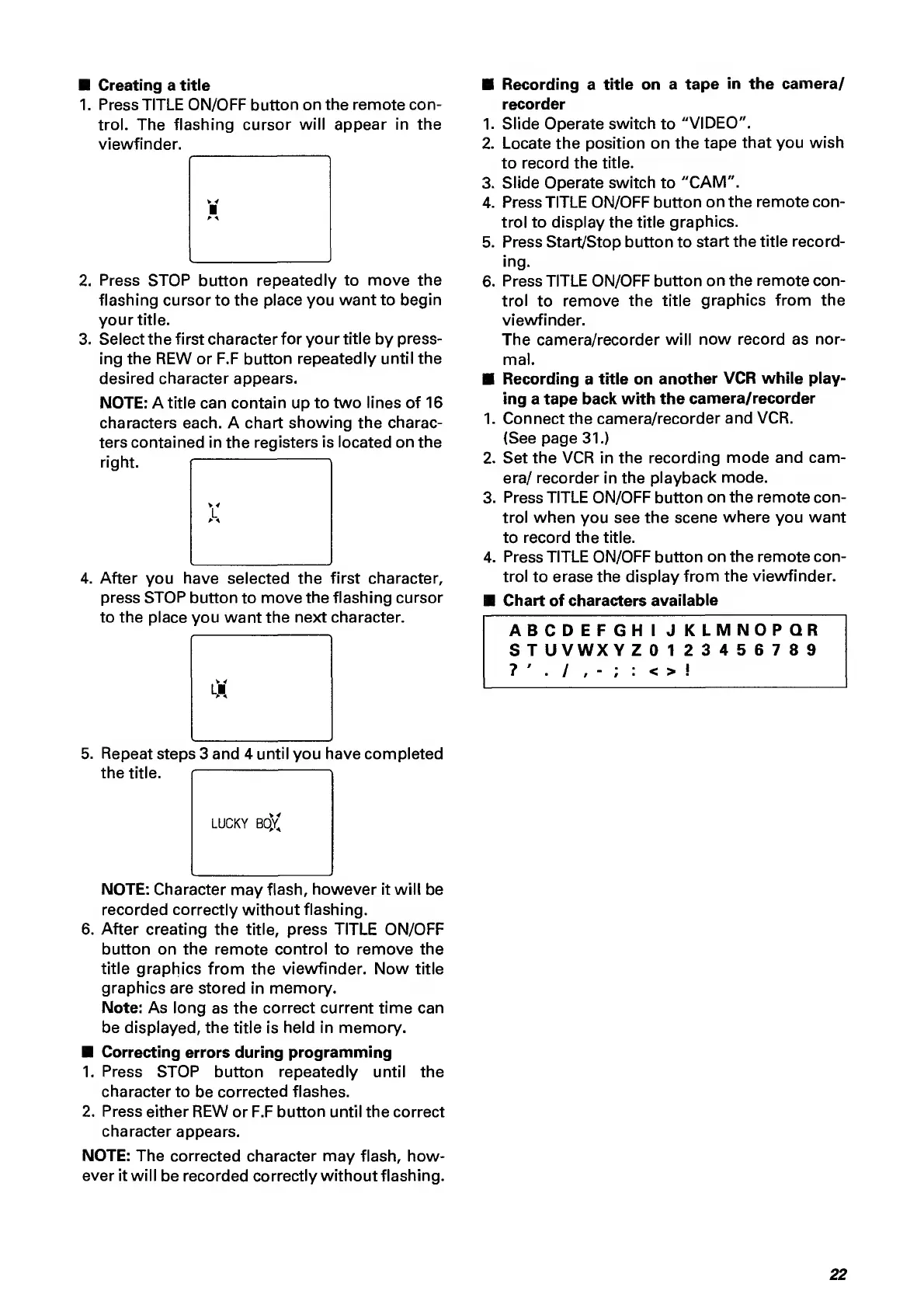
Creating
a
title
1.
P
ress
TITLE
ON/OFF
button
on
the
remote
con¬
trol.
The
flashing
cursor
will
appear
in
the
viewfinder.
2.
Press
STOP
button
repeatedly
to
move
the
flashing
cursor
to
the
place
you
want
to
begin
your
title.
3.
Select
the
first
character
for
your
title
by
press¬
ing
the
REW
or
F.F
button
repeatedly
until
the
desired
character
appears.
NOTE:
A
title
can
contain
up
to
two
lines
of
16
characters
each.
A
chart
showing
the
charac¬
ters
contained
in
the
registers
is
located
on
the
right.
i
1
4.
A
fter
you
have
selected
the
first
character,
press
STOP
button
to
move
the
flashing
cursor
to
the
place
you
want
the
next
character.
5.
Repeat
steps
3
and
4
until
you
have
completed
the
title.
LUCKY
BOY
NOTE;
Character
may
flash,
however
it
will
be
recorded
correctly
without
flashing.
6.
After
creating
the
title,
press
TITLE
ON/OFF
button
on
the
remote
control
to
remove
the
title
graphics
from
the
viewfinder.
Now
title
graphics
are
stored
in
memory.
Note:
As
long
as
the
correct
current
time
can
be
displayed,
the
title
is
held
in
memory.
Correcting
errors
during
programming
1.
Press
STOP
button
repeatedly
until
the
character
to
be
corrected
flashes.
2.
Press
either
REW
or
F.F
button
until
the
correct
character
appears.
NOTE:
The
corrected
character
may
flash,
how¬
ever
it
will
be
recorded
correctly
without
flashing.
Recording
a
title
on
a
tape
in
the
camera/
recorder
1.
Slide
Operate
switch
to
"VIDEO".
2.
Locate
the
position
on
the
tape
that
you
wish
to
record
the
title.
3.
Slide
Operate
switch
to
"CAM".
4.
Press
TITLE
ON/OFF
button
on
the
remote
con¬
trol
to
display
the
title
graphics.
5.
Press
Start/Stop
button
to
start
the
title
record¬
ing.
6.
Press
TITLE
ON/OFF
button
on
the
remote
con¬
trol
to
remove
the
title
graphics
from
the
viewfinder.
The
camera/recorder
will
now
record
as
nor¬
mal.
Recording
a
title
on
another
VCR
while
play¬
ing
a
tape
back
with
the
camera/recorder
1.
Connect
the
camera/recorder
and
VCR.
(See
page
31.)
2.
Set
the
VCR
in
the
recording
mode
and
cam¬
era/
recorder
in
the
playback
mode.
3.
Press
TITLE
ON/OFF
button
on
the
remote
con¬
trol
when
you
see
the
scene
where
you
want
to
record
the
title.
4.
Press
TITLE
ON/OFF
button
on
the
remote
con¬
trol
to
erase
the
display
from
the
viewfinder.
Chart
of
characters
available
ABCDEFGHIJKLMNOPQR
S
T
UVWXY
Z
0123456789
22

Related product manuals