8.4 Operation of Auxiliary Function (FA
) in Panel Operator
The auxiliary function is used to perform functions related to setting and adjusting the servo drive.
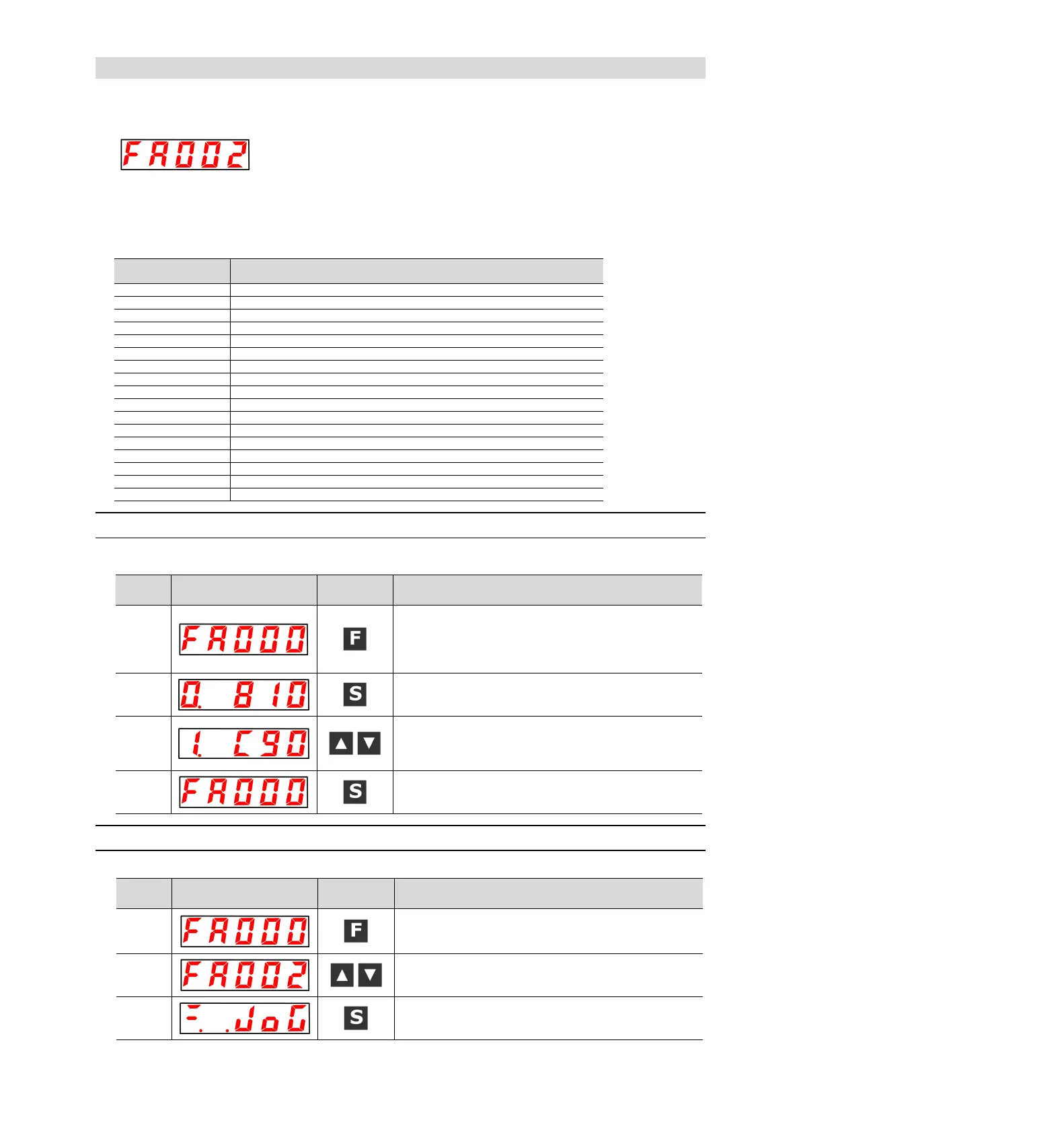
Displays the number beginning with FA on the panel operator.
Display Example (JOG Run)
The following describes the operation steps when using the panel operator. Please refer to the contents of
each function for confirmation items and relevant parameters before execution.
■ List of auxiliary function execution modes
Autotune Analog (Speed/ Torque) Reference Offset
Manually adjust the speed reference offset
Manually adjust torque
reference
offset
Autotune Motor Current Detection Signal Offset
Write inhibit setting of parameters
Displays the motor model information.
Displays the servo software version
Load inertia/mass detection
8.4.1 Display of alarm records (FA000)
Please refer to the following contents besides the operation steps
Press the F key to select the auxiliary function. If the
parameter number does not show FA000, press the UP or
DOWN key to show "FA000".
In case of dual-axis drive, long press F key more than 3
seconds, and Axis A and Axis B will be switched alternately.
Press S key to display the latest alarm.
Every time the DOWN key is pressed, an old alarm is
displayed back. Each time the UP key is pressed, a new alarm
will be displayed in the future. The larger the number in the left
digit, the older the alarm displayed.
Press the S key again to return to the display of "FA000".
8.4.2 JOG operation (FA002)
Please refer to the following contents besides the operation steps
Press the F key to select the auxiliary function.
In case of dual-axis drive, long press F key more than 3
seconds, and Axis A and Axis B will be switched alternately.
UP or DOWN key display "FA002".
Press S key, and the display content is shown in the left
figure.


 To Next Page