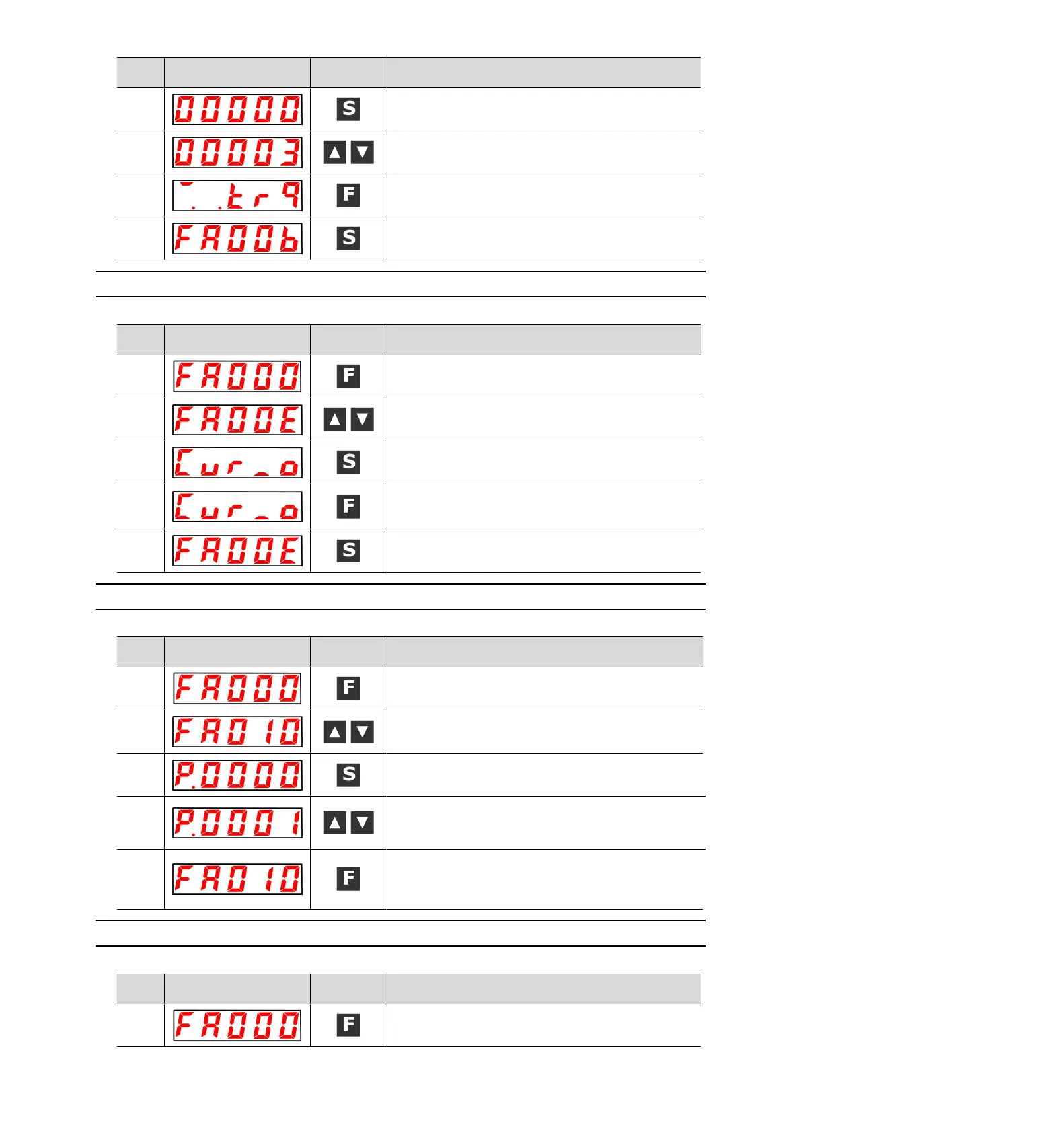
Press the S key to display the current offset.
Press the UP or DOWN key to adjust and stop the servo motor.
This value is the offset.
"donE" will flash and then switch to the display on the left when
the f key is pressed.
Press the S key again to return to the display of "FA00b".
8.4.11 Automatic Adjustment of Offset of Motor Current Detection Signal
(
FA00E
)
Please refer to the following contents besides the operation steps
Press the F key to select the auxiliary function.
UP or DOWN key display "FA00E".
Press S key, and the display content is shown in the left figure.
When the F key is pressed, the offset is automatically adjusted.
After the adjustment is completed, the left display will be
returned after flashing "donE".
Press the S key again to return to the display of "FA00E".
8.4.12 Write inhibit setting of parameters(FA010)
Please refer to the following contents besides the operation steps
Press the F key to select the auxiliary function.
UP or DOWN key display "FA010".
Press S key, and the display content is shown in the left figure.
Press the UP or DOWN key to set to any of the following values.
"P.0000": Allowed to Change [Factory Settings]
"P.0001": no change
Press F to confirm the setting. After the setting is completed,
flash "donE" and return to the display on the left.
(Note) "Error" is displayed if it is set to a value other than
"P.0000" and "P.0001".
8.4.13 Displays the motor model (FA011)
Please refer to the following contents besides the operation steps
Press the F key to select the auxiliary function.


 To Next Page