SecurView DX Workstation V12.0 Quality Control Manual
Chapter 4: Testing the Displays
Page 22 MAN-09466 Revision 001
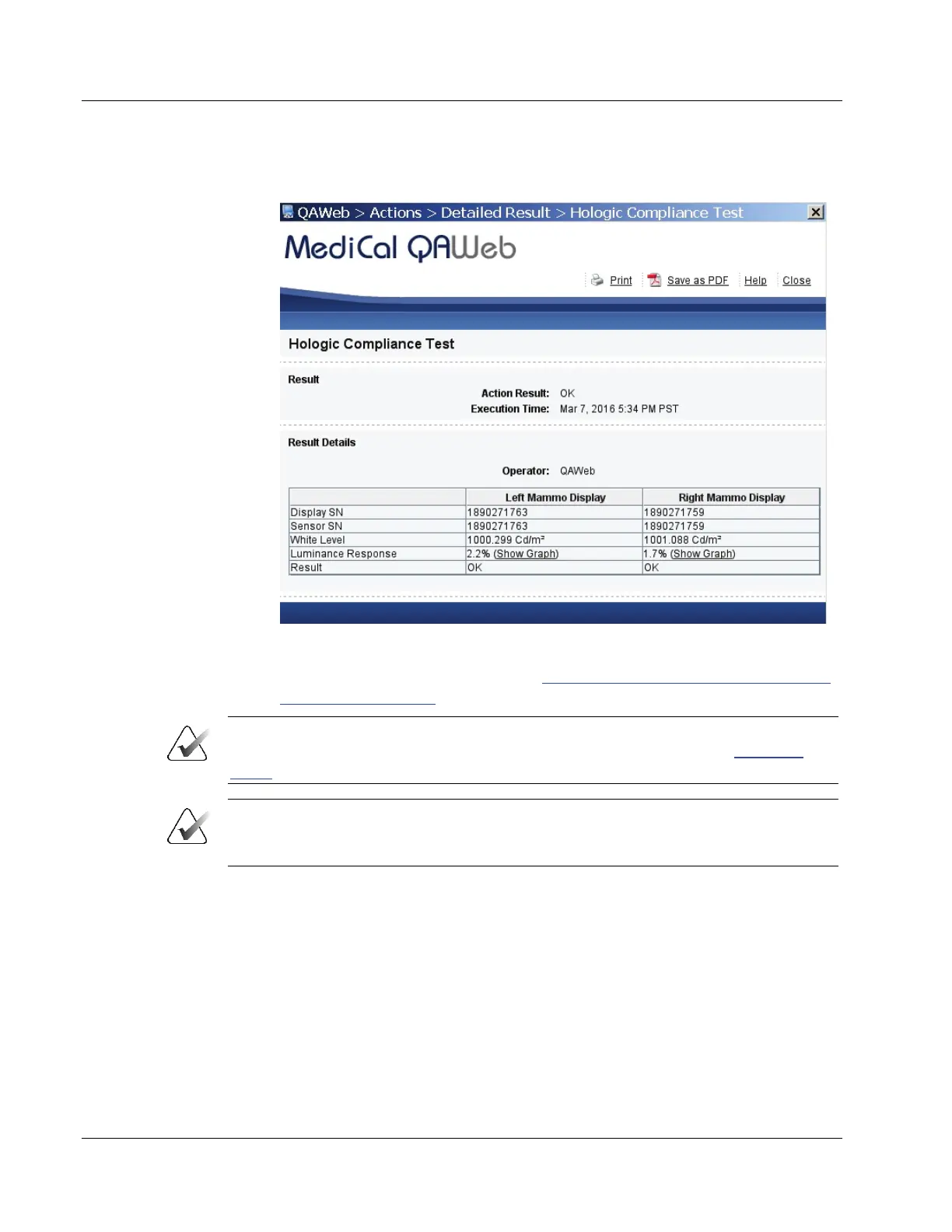
d. Select View Detailed Result. A window opens with the detailed results.
Figure 10: Hologic Compliance Test – View Detailed Result Window
e. Record the value for Action Result in
Appendix B: SecurView Weekly QC Form for
Radiologic Technologists on page 43.
Important
If the details of a test contain no results, follow the instructions in section Corrective
Action on page 11.
Note
You may Print the results or Save as PDF for a local copy from this window. Select
Close once you are finished.
f. Select Close to return to the Hologic Compliance Test window.
g. Close all open MediCal QAWeb windows.












 To Next Page