SecurView DX Workstation V12.0 Quality Control Manual
Chapter 4: Testing the Displays
Page 28 MAN-09466 Revision 001
6. Medical Physicist – To view the numerical results of the Hologic Compliance Test:
a. On the Workstation > Status window, select Info next to ‘Hologic Compliance Test’.
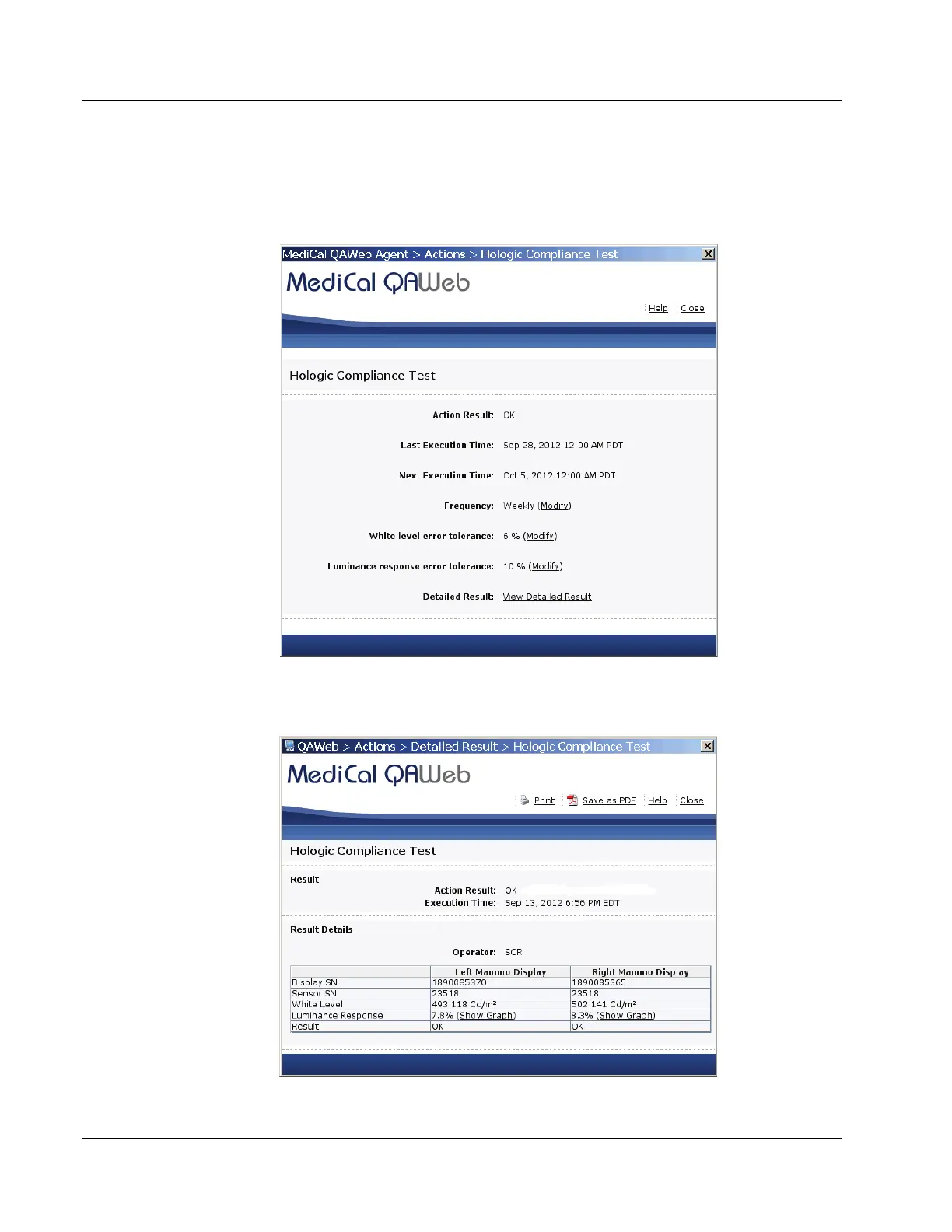
The most recent results for the test display as shown in the following example.
Figure 17: Hologic Compliance Test Window
b. Select View Detailed Result. A window opens with the detailed results.
Figure 18: Hologic Compliance Test – View Detailed Result Window












 To Next Page