EasyManua.ls Logo

Honeywell CentraLine EAGLEHAWK NX - User Manual

Honeywell CentraLine EAGLEHAWK NX
78 pages
Print Icon
To Next Page IconTo Next Page
Loading...
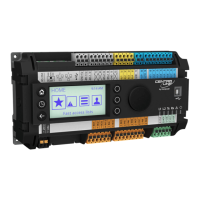
EAGLEHAWK NX Controller
Onboard - HMI
User Guide
® U.S. Registered Trademark EN2Z-1053GE51 R0119
Copyright © 2019 Honeywell Inc. • All rights reserved

Questions and Answers

  • H
    Heather JensenJul 25, 2025
    What to do if Honeywell Controller Status/Alarm LED stays on after starting?
    • A
      Ashley OrtegaJul 25, 2025
      If the Status/Alarm LED on your Honeywell Controller remains lit after powering up, it could indicate a hardware problem, a fault in the application, the controller starting without an application, or the operator manually stopping the application. Try powering down the XCL8010 and then powering it back up. If the problem persists, check and reload the application. If the issue continues even after reloading the application, the hardware may need to be replaced.
  • J
    Jill RichardsJul 31, 2025
    Why is the Tx LED flashing and Rx is OFF on Honeywell Controller?
    • K
      Kristen MendozaJul 31, 2025
      If the Tx LED is flashing and the Rx LED is off on your Honeywell Controller, it means that the controller is trying to establish an RS485-1 connection but is not receiving a response. This could be due to an incorrect RS485-1 baud rate, another controller having the same device number on RS485, a wiring problem, or a hardware defect.
  • W
    William VangAug 6, 2025
    What to do if Rx Led is flashing and Tx is OFF on Honeywell Controller?
    • K
      Karen GreeneAug 6, 2025
      If the Rx LED is flashing and the Tx LED is off on your Honeywell Controller, it indicates that RS485-1 communication is switched off, but the controller is still receiving data from other controllers. You should switch on RS485-1 communication using the CENTRALINE NX WORKBENCH PC tool. If this does not resolve the issue, the hardware may be defective.
  • S
    Steve AndersonAug 12, 2025
    How to fix Honeywell Controller when both RS485-1 LEDs are OFF?
    • T
      Tanya AdamsAug 12, 2025
      If both RS485-1 LEDs are off on your Honeywell Controller, it indicates that there is no RS485-1 communication. Check the RS485-1 termination switch.
  • P
    pattersonjoseAug 18, 2025
    How to troubleshoot Honeywell Controller when Power LED is OFF?
    • A
      Amber PetersonAug 19, 2025
      If the Power LED is off on your Honeywell Controller, the power supply may not be working correctly. Check the power supply voltage and wiring.

Summary

APPLICABLE LITERATURE

BASIC OPERATION PROCEDURES

USER INTERFACE DESCRIPTION

Describes the controller's integrated and external user interfaces and their components.

LOGIN AND USER OPTIONS

Covers user login, PIN management, and auto-logout delay settings.

VIEWING AND EDITING INFORMATION

Details navigation through menus, highlighting items, and viewing/editing controller information.

ADJUSTING AND SAVING VALUES

Explains how to modify and save controller values, options, and settings.

COMMAND SYMBOLS AND SOFT KEYS

Illustrates the use of command symbols and soft keys for performing operations.

EVERYDAY OPERATIONS

OPERATING SCHEMATICS

Presents diagrams illustrating the controller's operational flow and key functions.

FAST ACCESS LISTS AND ALARMS

Covers viewing fast access lists and managing alarms, including datapoints and alarm lists.

DATAPOINTS AND SYSTEM SETTINGS

Details managing datapoints (manual mode) and configuring system settings like date, time, and auto-save.

TIME PROGRAMS AND SCHEDULES

Explains management of calendars, schedules, switch points, and special events.

TROUBLESHOOTING AND LED STATUS

TROUBLESHOOTING GUIDE

Offers guidance for identifying and resolving common operational issues and errors.

POWER AND STATUS LEDS

Explains the meaning of controller LEDs for status indication and troubleshooting.

Honeywell CentraLine EAGLEHAWK NX Specifications

General IconGeneral
ModelEAGLEHAWK NX
TypeController
Input Voltage24 V AC/DC
Enclosure RatingIP20
ProgrammingNiagara Framework
Memory512 MB RAM, 4 GB Flash
Communication ProtocolsBACnet, Modbus, LON, KNX
Operating Temperature-20°C to 50°C
Storage Temperature-40°C to 70°C (-40 to 158°F)
Relative Humidity5% to 95% non-condensing
Web ServerYes
Operating SystemNiagara AX

Related product manuals