96
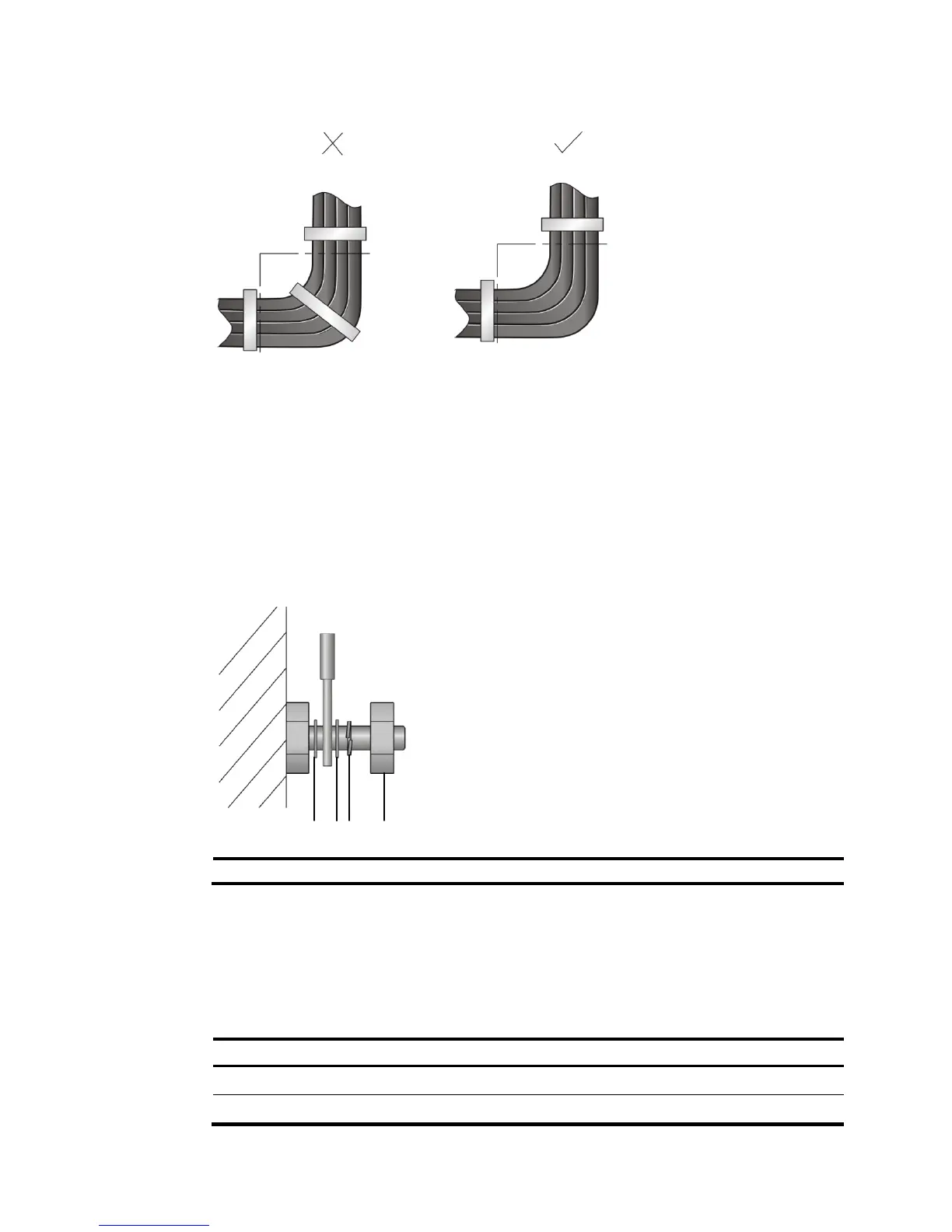
Figure 56 Binding cables where they must be bent
• Route, bind, and attach excess cables for easy and safe maintenance and correct operation.
• Do not tie power cords to slide rails.
• When you connect a cable to an articulated part, such as connecting a grounding cable to a
cabinet door, leave enough slack in cables and make sure they are not stressed from any movement
of the part.
• Cables must be protected at points where they might rub or come in contact with sharp edges or
heated areas. Use high temperature cables near heat sources.
• Securely fasten cables and take adequate measures to prevent loose connections.
Figure 57 Securely fastening cables
(1) Flat washer (2) Spring washer (3) Nut
• Fasten heavy or rigid power cords at the connectors to relief stress.
• Do not use tapping screws to fasten the connecting terminals.
• Bind together cables that are the same type and routed in the same direction.
Figure 55 lists the c
able bundling specifications.
Table 58 Tie-binding parameters
Cable bundle diameter (mm)



 To Next Page