99
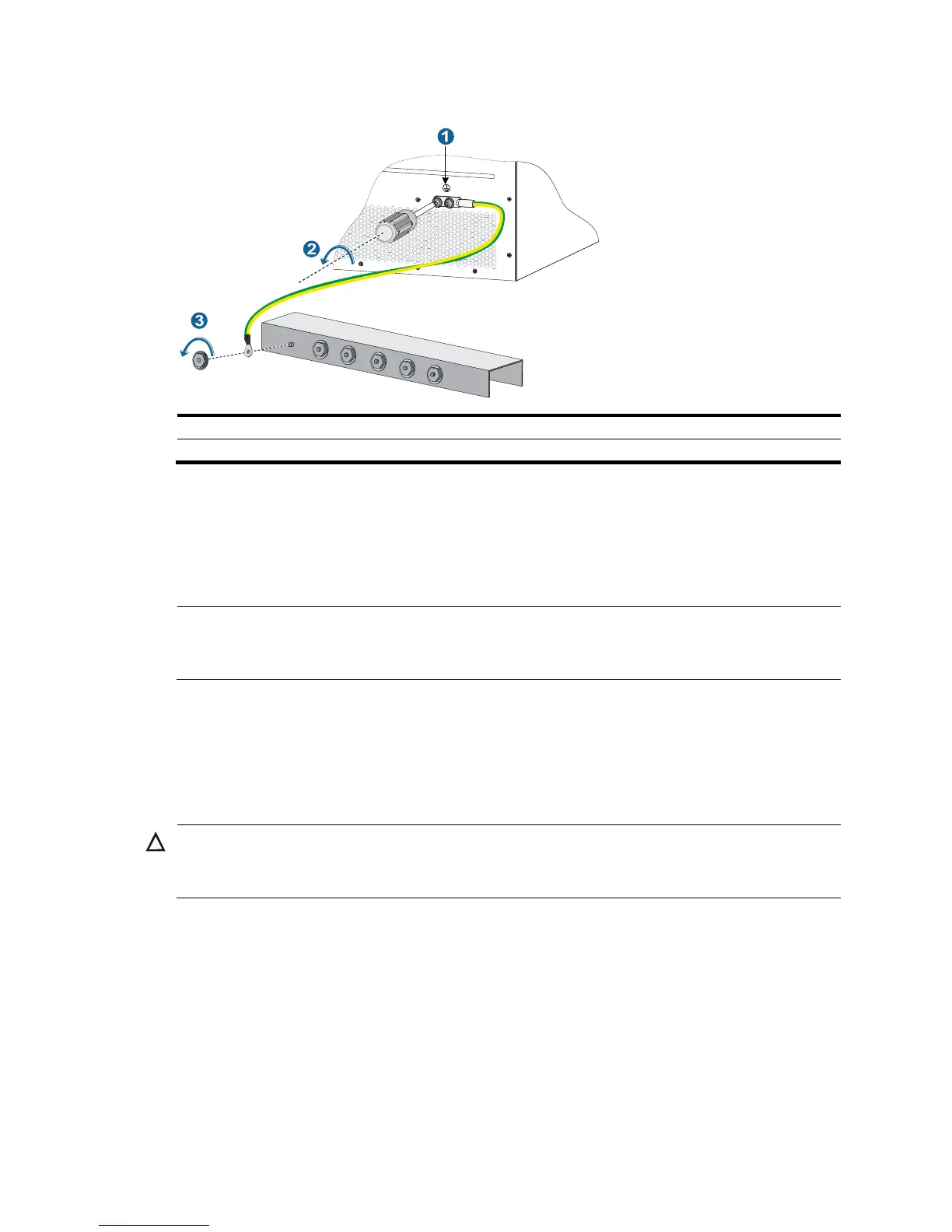
Figure 58 Removing the grounding cable
(1) Grounding sign (2) Remove the grounding cable from the chassis
(3) Loosen the hex nut on the
3. Put the grounding cable into the accessories box.
Removing the twisted pair and optical fiber
You must remove twisted pairs and optical fibers from all the interfaces of the switch.
NOTE:
out an optical fiber from an optical transceiver module, cover the connector of the optical
fiber with a dust cap to keep the connector clean.
Repackaging the switch accessories
Repackaging the power supply
CAUTION:
Before removing a power supply, switch off the circuit breakers at the input end of all power cords, and
remove all the power cords to avoid device damage and bodily injury.
To repackage a power supply:
1. Prepare the packing bag and box of the power supply. Make sure the bag is clean, dry, and not
damaged.
2. Remove all power supplies from the chassis, and then install blank filler panels to the empty slots.
For how to remove a power supply and install a blank filler panel, see "Replacement procedures."
3. Put the power supply into th
e bag.
4. Put the packed power supply and power cord into the box. Place the power supply in a correct
direction onto the foam cushion in the box. Otherwise, the power supply cannot be completely
seated into the foam cushion.



 To Next Page