26
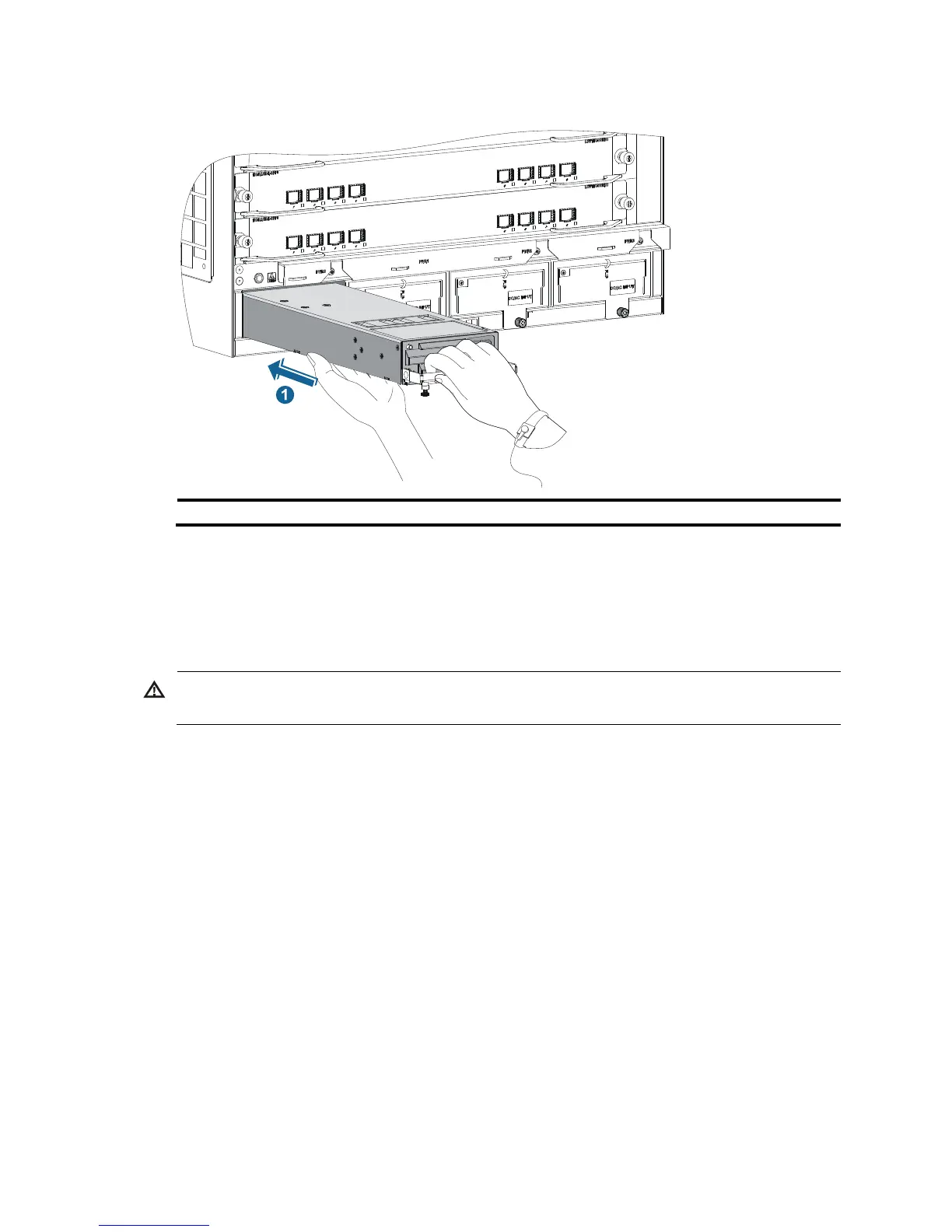
Figure 22 Installing an AC power supply in a horizontal slot
(1) Install the power supply to the chassis.
Connecting the power cord
Connecting an AC power cord
ARNING!
Before connecting the power cord, make sure the circuit breaker on the power cord is switched off.
To connect an AC power cord:
1. Connect the power cord to the power receptacle of the power supply.
2. Use a cable tie to secure the power cord to the cable management bracket.
{ Figure 23 shows how to connect the power cord for a vertical slot switch (10508, 10508-V, and
10512) .
{ Figure 24 shows how to connect the power cord for a horizontal slot switch (10504).
3. Connect the other end of the power cord to the AC power receptacle of the power source and
switch on the circuit breaker.
4. Verify the power supply input status LED.
If the LED is on, the power cord is correctly connected. For description of power supply status LEDs,
see "Appendix C LEDs."



 To Next Page