101
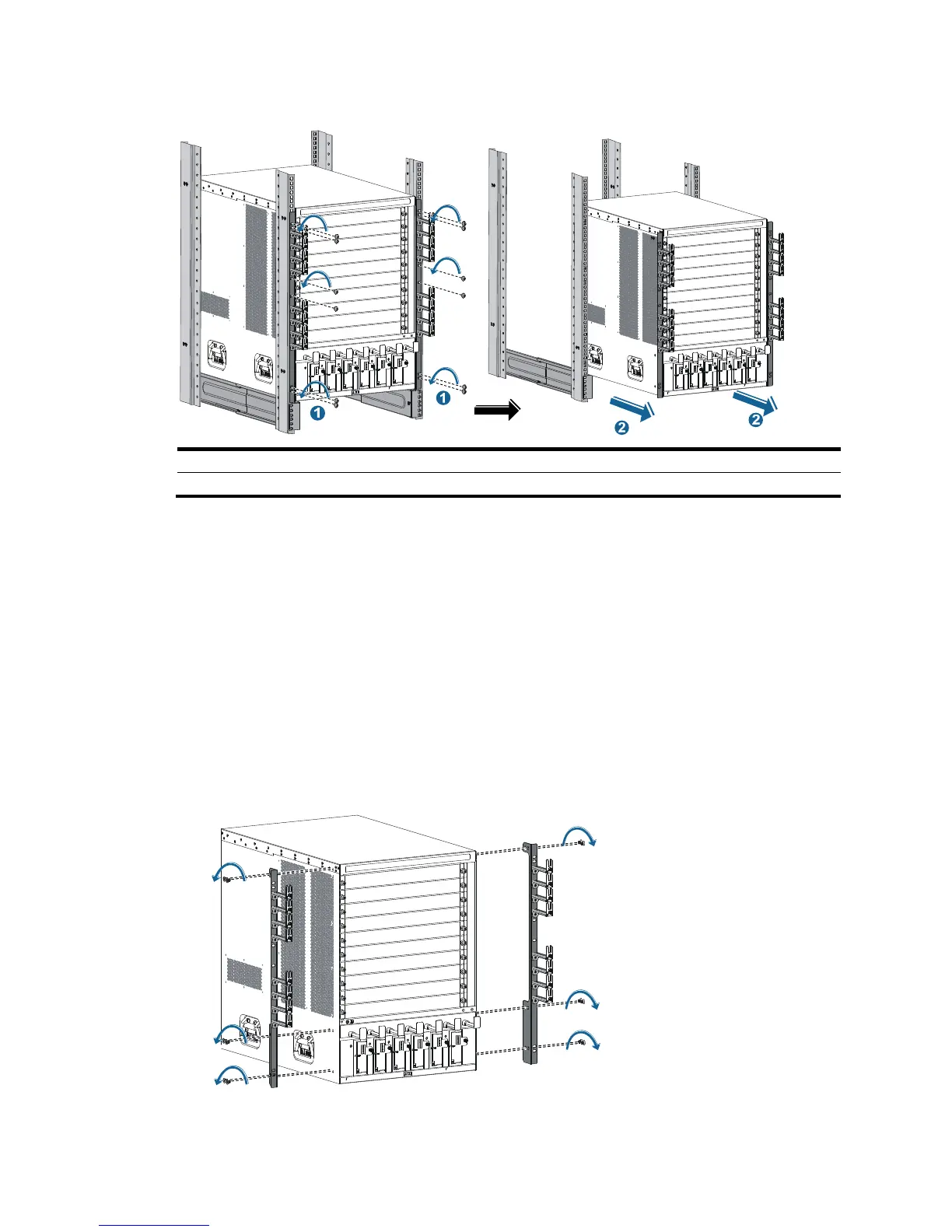
Figure 59 Removing the chassis (10508) from the rack
(1) Loosen the captive screws that attach the mounting brackets to the rack
(2) Slide the chassis outwards alon
5. Put the chassis onto the pallet base of the wooden carton.
Removing cable management brackets and mounting brackets
Before repackaging the switch chassis, remove the cable management brackets and mounting brackets
from the chassis.
Removing the mounting brackets
1. Prepare the packing box of the mounting brackets. Make sure the box is clean, dry, and not
damaged.
2. As shown in Figure 60, use
a Phillips screwdriver to loosen the screws that attach the mounting
brackets to the chassis, and then remove the mounting brackets.
Figure 60 Removing the mounting brackets from the chassis (10508)



 To Next Page