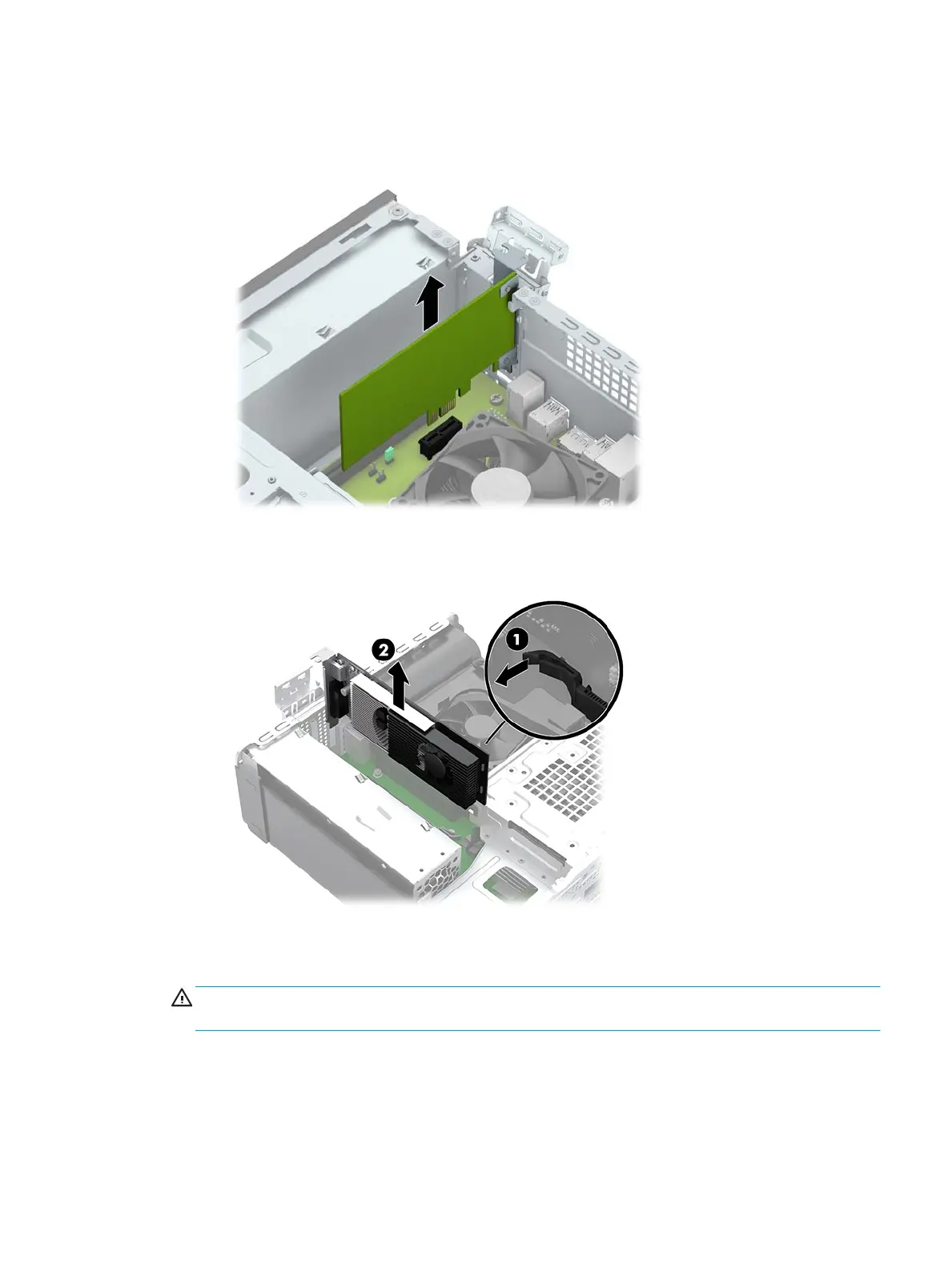
c. If you are removing a PCI Express x1 card, hold the card at each end, and carefully rock it back and
forth until the connectors pull free from the socket. Pull the expansion card straight up from the
socket.
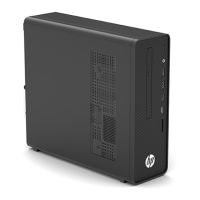
d. If you are removing a PCI Express x16 card, pull the retention arm on the back of the expansion
socket away from the card (1) and carefully rock the card back and forth until the connectors pull
free from the socket. Pull the expansion card straight up from the socket (2).
6. Store the removed card in anti-static packaging.
7. If you are not installing a new expansion card, install an expansion slot cover to close the open slot.
CAUTION: After removing an expansion card, you must replace it with a new card or expansion slot
cover for proper cooling of internal components during operation.
Expansion card 19


 To Next Page