HP 81110/04A Quick Start Getting Started 87
Getting Started
Examples
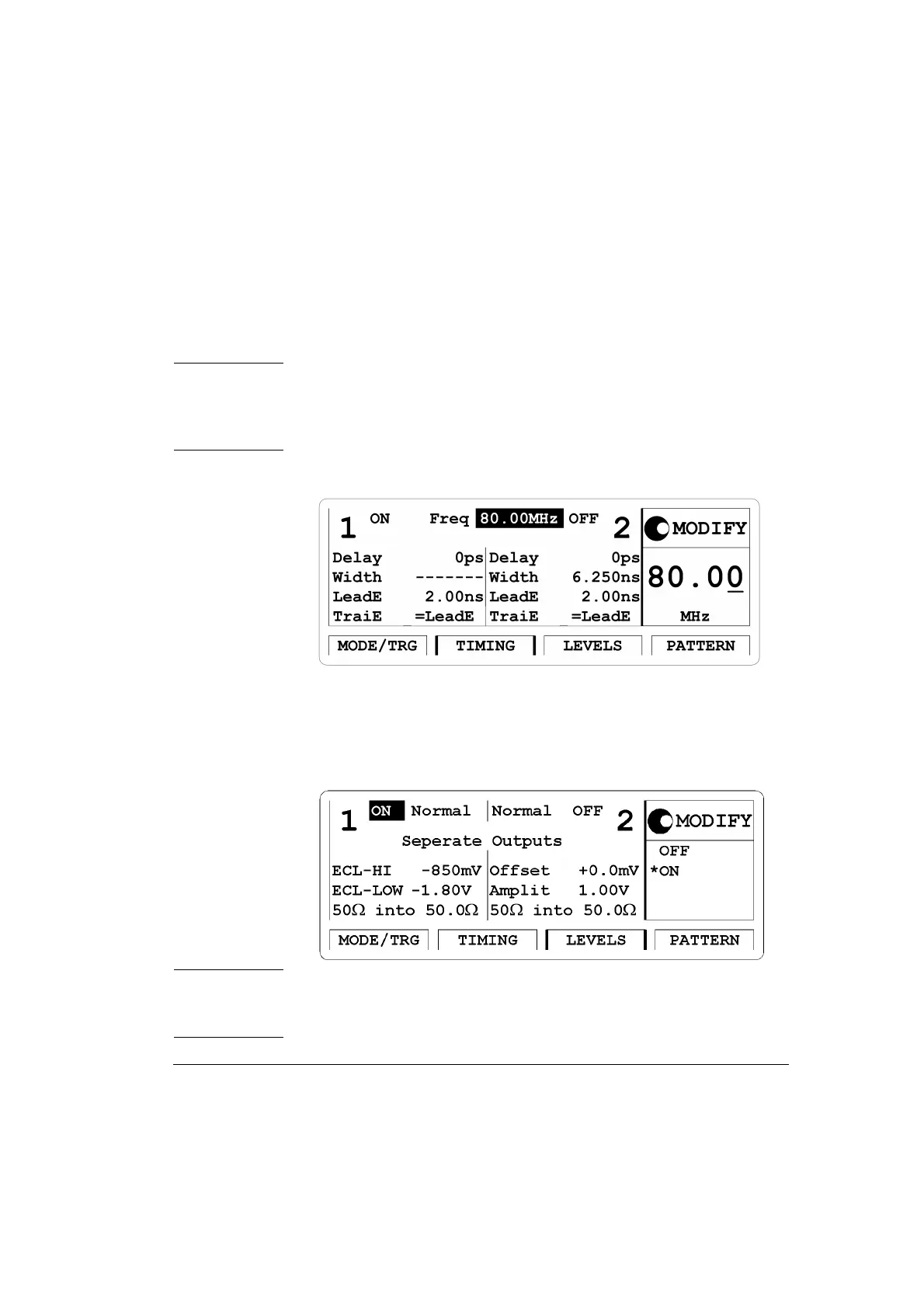
3 Press the |TIMING| softkey to enter the Timing menu. Switch ON the
Output 1.
Enter frequency of 80 MHz.
NOTE: It is recommended to set the width for channel 2 to 6.250 ns to
avoid a parameter conflict when switching on this channel.
The
‘-------’ in the output 1 width entry field relate to the NRZ data
output format selection.
Figure 38 Current TIMING Screen (for HP 81110A)
4 Press the |LEVELS| softkey to enter the Levels menu. Change Offset
and
Amplitude mode to ECL levels by selecting Set ECL in the
Modify Area.
Figure 39 Current LEVELS Screen
NOTE: HP 81110A with HP 81112A 3.8V/330 MHz Output channels
installed have fixed 50
Ω source impedance and does not offer to
adjust for a load impedance different then 50 Ω.



 To Next Page