92 Getting Started HP 81110/04A Quick Start
Getting Started
Examples
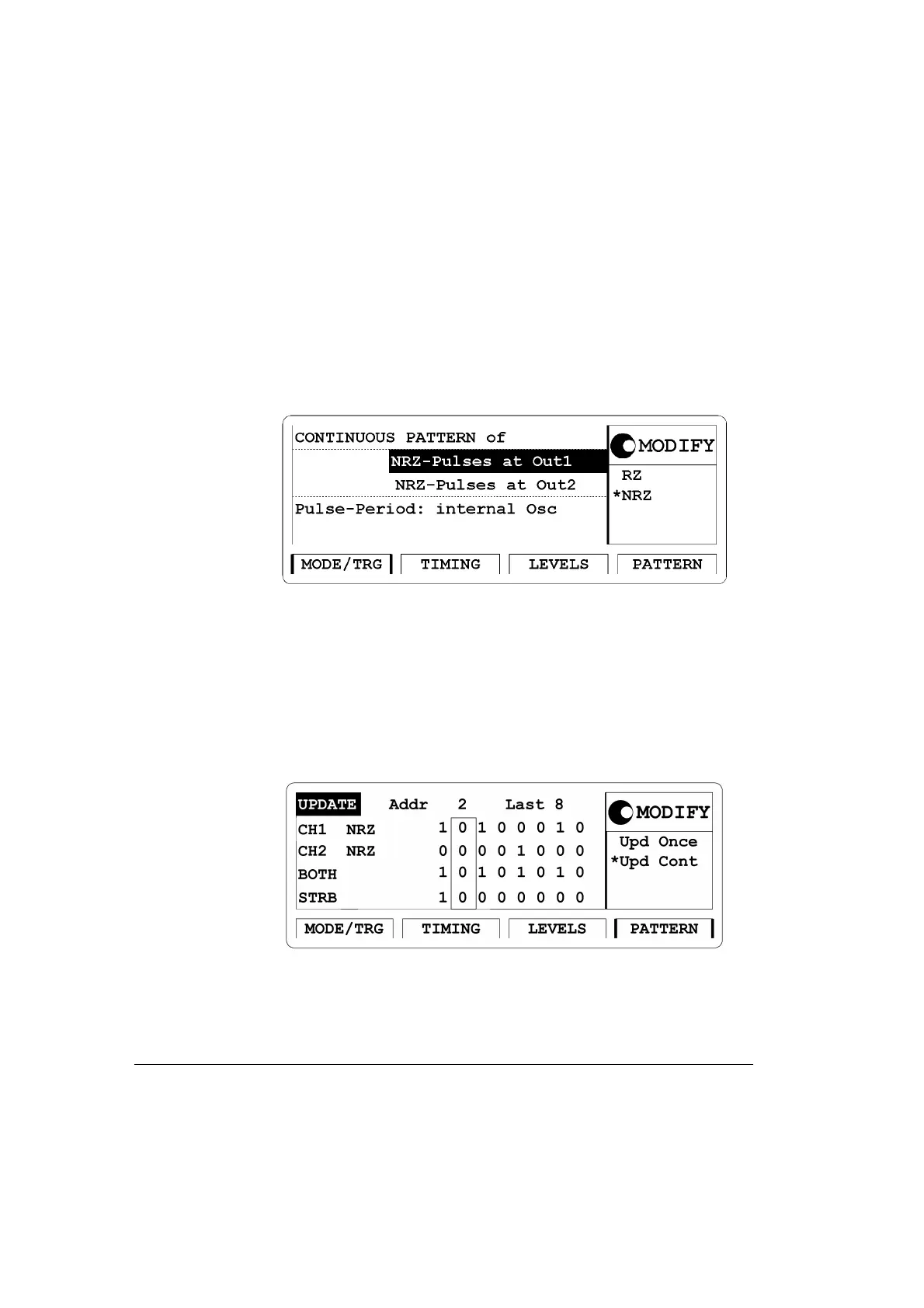
2 Press the |MODE/TRG| softkey to enter the Operating/Trigger Mode
Menu. Select
CONTINUOUS PATTERN of. Select NRZ-Pulses at Out
1 and
NRZ-Pulses at Out 2 using the MODIFY knob.
Figure 42 Current MODE/TRG Screen
3 Press the |PATTERN| softkey to enter the Pattern menu. Set up the bit
pattern as follows. Enter 8 for Last.
Move to bit-editing window for CH1 and enter pattern
10100010 for
channel 1. Move down to CH2 and select first address by turning the
know counterclockwise and enter pattern
00001000 for channel 2.
Figure 43 Current PATTERN Screen



 To Next Page