HP 81110/04A Quick Start Getting Started 93
Getting Started
Examples
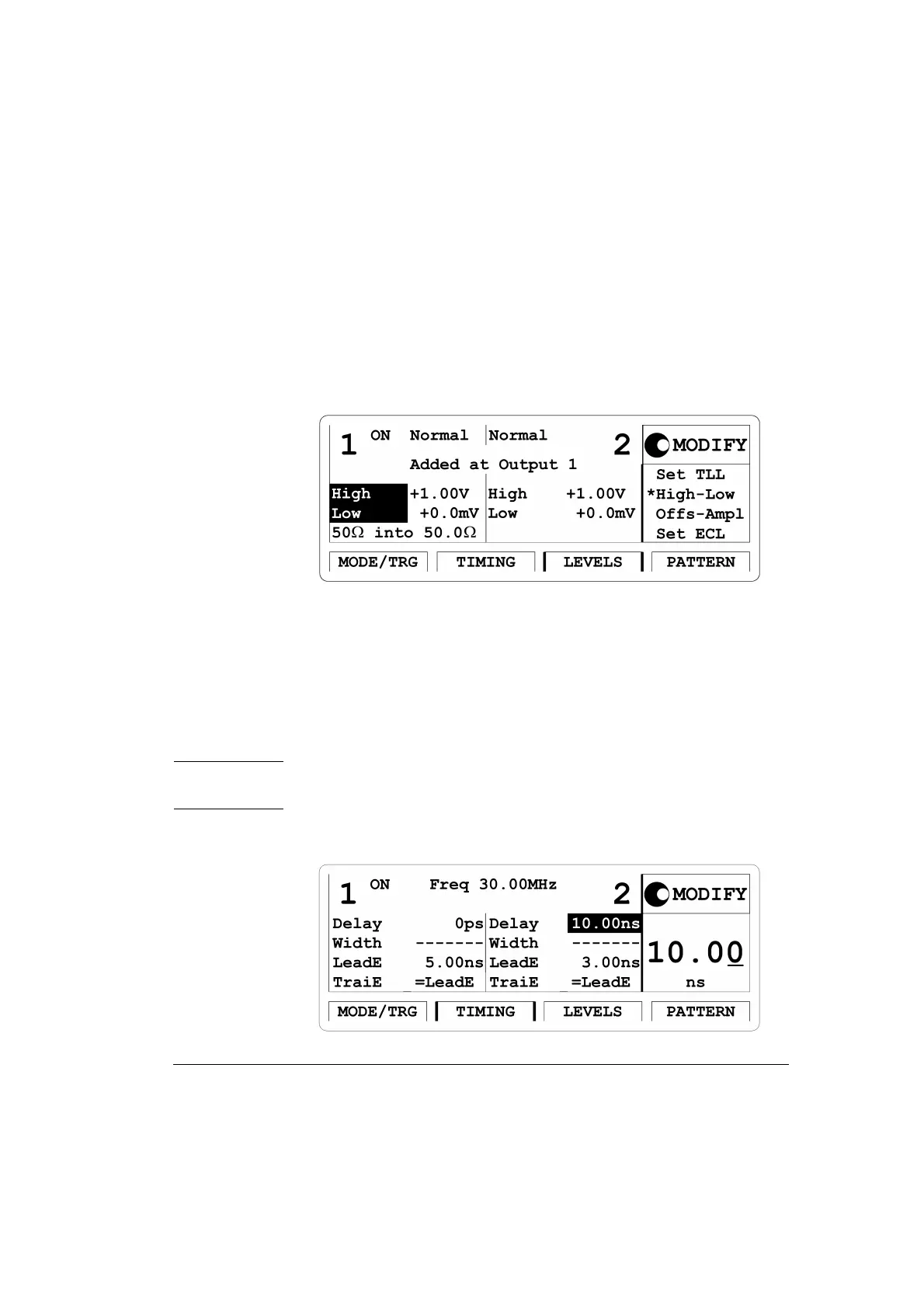
4 Press the |LEVELS| softkey to enter the Levels menu. Switch ON both
channels. Change
Separate Outputs to Added at Output 1. Set high
level to
1.00 V and low level to 0.0 mV for both outputs.
Figure 44 Current LEVELS Screen
5 Press the |TIMING| softkey to enter the Timing menu. Enter a
frequency of
30 MHz and a delay of 10 ns for Output 2. Vary output 2
delay to displace the pulse as required.
Output 2 has additional 2.5 ns delay in channel addition mode. Also,
the typical tranisiton times are 5 ns. So, enter transistions of 5 ns for
Output 1 to achieve same transition time shape in the added signal.
NOTE: The ‘-------’ in the width entry fields relate to the NRZ data output
format selection.
Figure 45 Current TIMING Screen



 To Next Page