Removal and replacement procedures 35
7.
Remove the PCI slot release lever.
To replace the component, reverse the removal procedure.
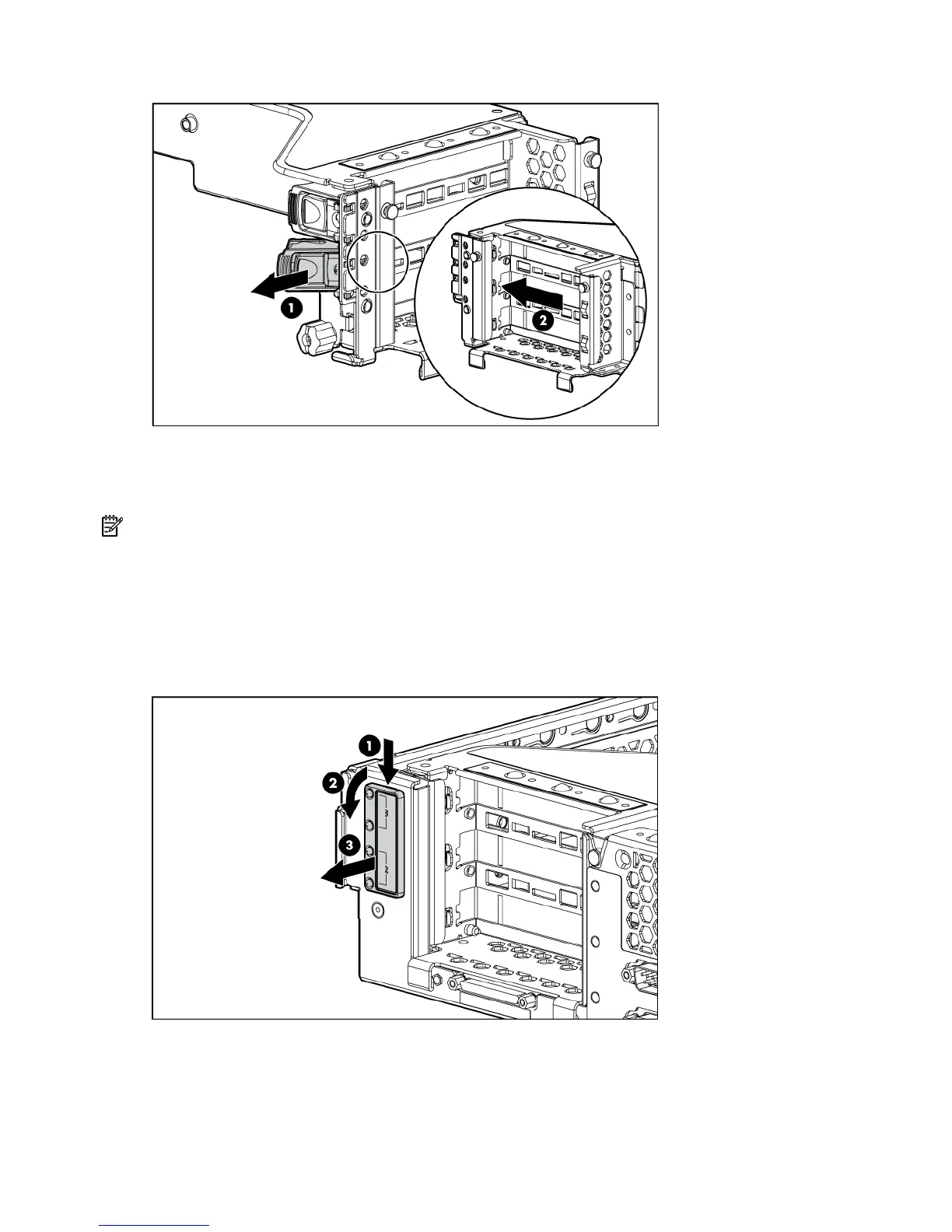
PCI lightpipe and cover
NOTE: This component is available only with the optional, hot-plug PCI riser cage.
To remove the component:
1. Power down the server (on page 20).
2. Extend or remove the server from the rack ("Extend the server from the rack" on page 19, "Remove
the server from the rack" on page 20).
3. Remove the access panel ("Access panel" on page 22).
4. Remove the PCI lightpipe cover.


 To Next Page
 Loading...