Removal and replacement procedures 37
NOTE: Cables are removed for clarity.
To replace the component, reverse the removal procedure.
Power button/LED board
To remove the component:
1. Power down the server (on page 20).
2. Extend or remove the server from the rack ("Extend the server from the rack" on page 19, "Remove
the server from the rack" on page 20).
3. Remove the front bezel.
4. Remove the access panel ("Access panel" on page 22).
5. Remove the BBWC battery pack.
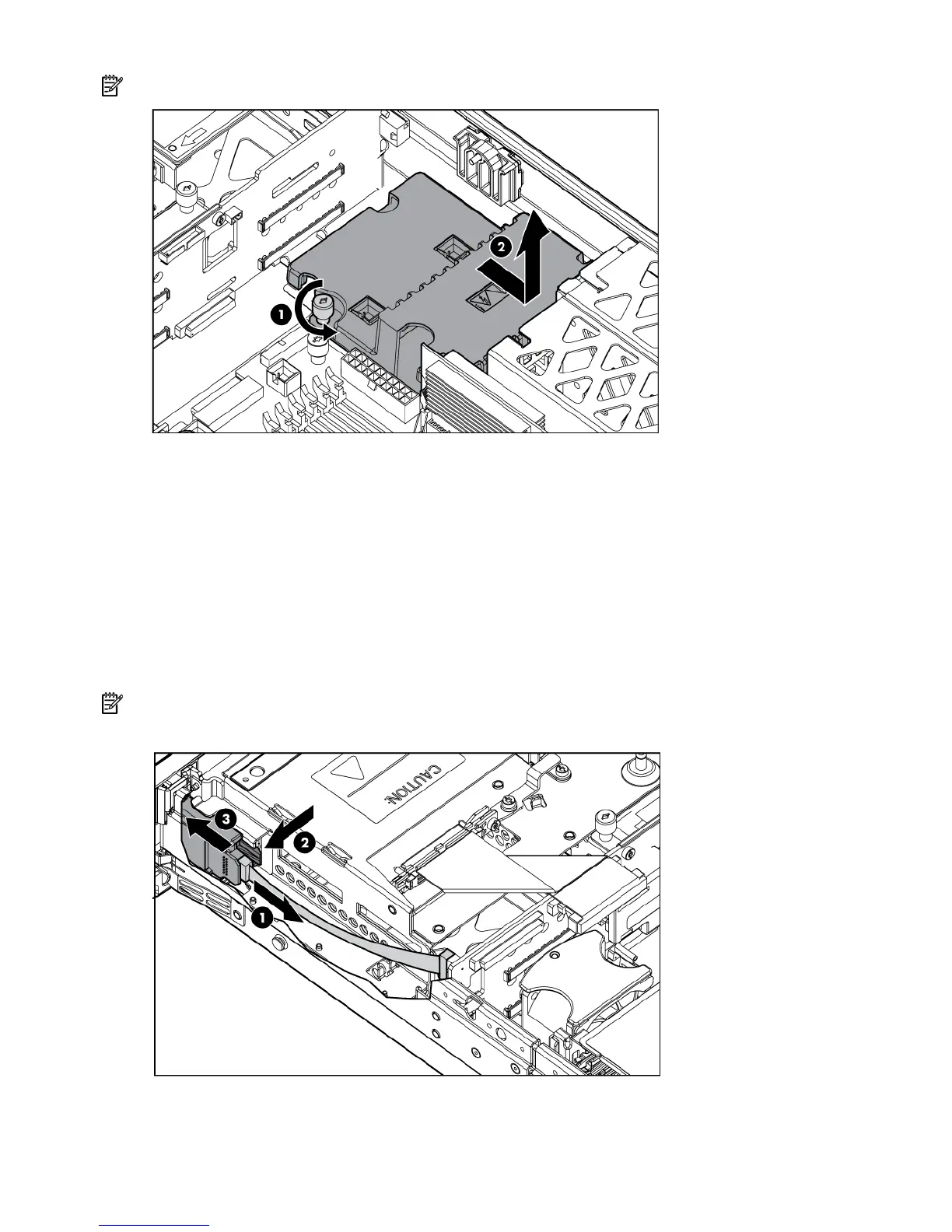
NOTE: This feature applies only to SCSI models.
6. Remove the power button/LED board.
To replace the component, reverse the removal procedure.


 To Next Page
 Loading...