Removal and replacement procedures 53
4.
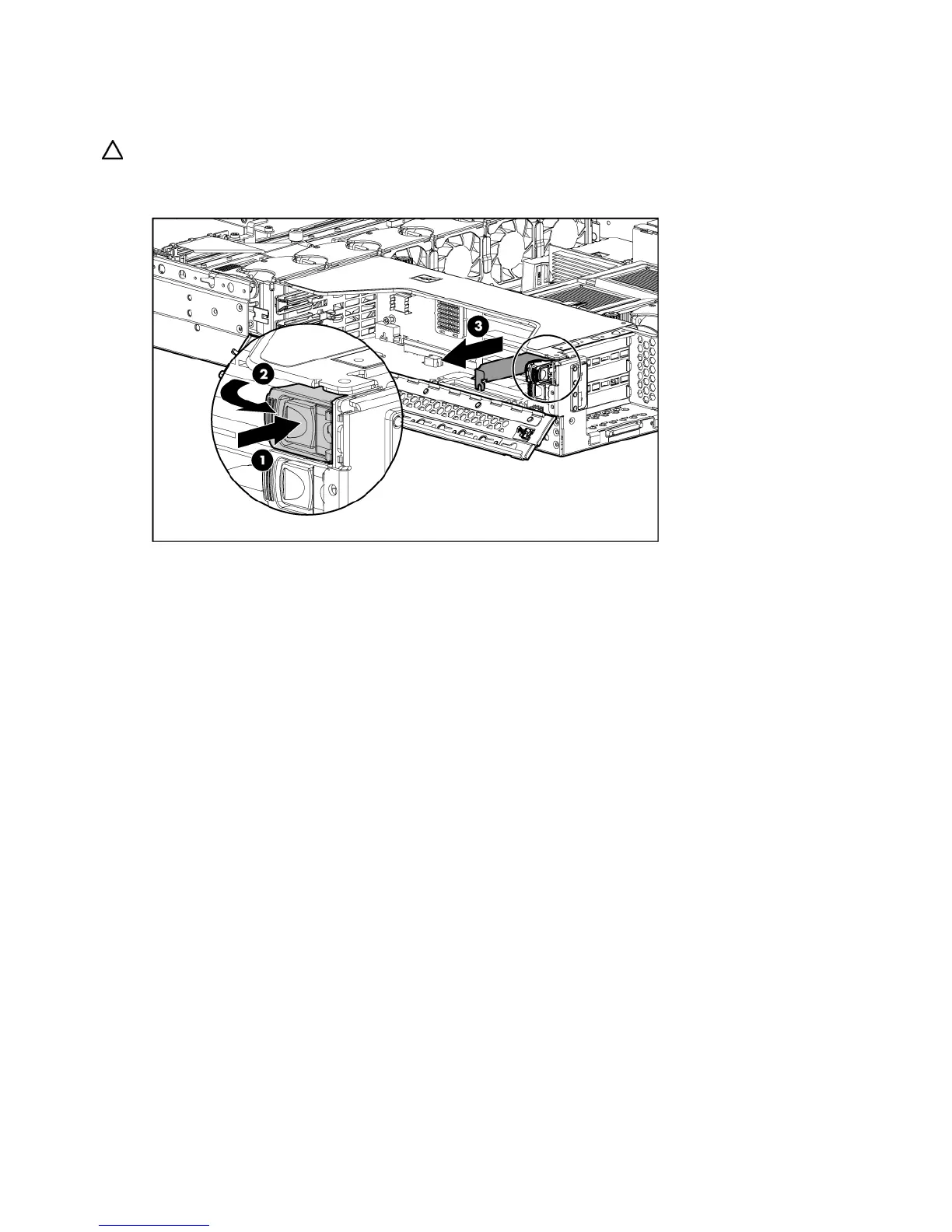
Press the PCI Hot Plug button ("Internal PCI Hot Plug LEDs and button" on page 90) to remove power
from the slot. When the green power LED on the slot stops flashing, power has been removed from
the slot.
CAUTION: To prevent improper cooling and thermal damage, do not operate the server unless all PCI slots
have either an expansion slot cover or an expansion board installed.
5. Remove the expansion slot cover.
To replace the component, reverse the removal procedure.


 To Next Page
 Loading...