EasyManua.ls Logo

Huawei SUN2000 MB0 Series - User Manual

Huawei SUN2000 MB0 Series
139 pages
Print Icon
To Next Page IconTo Next Page
Loading...
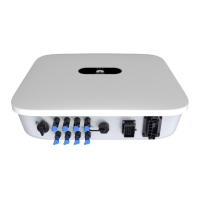
SUN2000-(12K-25K)-MB0 Series
User Manual
Issue 01
Date 2023-04-30
HUAWEI DIGITAL POWER TECHNOLOGIES CO., LTD.

Table of Contents

Questions and Answers

  • A
    amanda72Sep 12, 2025
    What causes external fan abnormal on Huawei SUN2000 MB0 Inverter?
    • N
      nlewisSep 12, 2025
      An abnormal external fan on your Huawei Inverter means the fan is short-circuited, has insufficient power, or the air channel is blocked. First, shut down the fan and turn off the DC switch. Check for damage to the fan blades and remove any foreign objects around the fan. Then, reinstall the fan, turn on the DC switch, and wait for the inverter to start. If the alarm persists after 15 minutes, replace the external fan.
  • N
    Nicholas TaylorSep 12, 2025
    What does abnormal PV module configuration mean on Huawei Inverter?
    • T
      Todd PriceSep 12, 2025
      Abnormal PV module configuration on your Huawei Inverter means: the PV string power or the number of optimizers connected in series in a PV string exceeds the upper threshold; the number of optimizers connected in series in a PV string is less than the lower threshold, the PV string output is reversely connected, or the output of some optimizers in the PV string is reversely connected; under the same MPPT, the number of optimizers connected in series in PV strings connected in parallel is different, or the output of some optimizers in PV strings is reversely connected. Check whether the total number of PV modules, number of PV modules in a PV string, and number of PV strings meet requirements and whether the PV module output is reversely connected.
  • R
    Rachel GonzalesSep 10, 2025
    What does phase wire short-circuited to PE mean on Huawei Inverter?
    • C
      Cory WhiteSep 10, 2025
      If your Huawei Inverter is showing 'Phase wire short-circuited to PE', it means the impedance of the output phase wire to PE is low, or the output phase wire is short-circuited to PE. You should check the impedance of the output phase wire to PE, find the low impedance point, and fix the problem.
  • A
    Alyssa GonzalezSep 9, 2025
    What to do if Huawei SUN2000 MB0 Inverter displays faulty power collector?
    • T
      Tammy GreenSep 9, 2025
      A faulty power collector message on your Huawei Inverter indicates the power meter is disconnected. Check that the configured power meter model matches the actual model, the power meter's communication parameters match the inverter's RS485 settings, and that the power meter is powered on and the RS485 communication cable is connected.
  • C
    Christopher AllenSep 8, 2025
    Why is my Huawei SUN2000 MB0 Inverter showing unstable grid frequency?
    • S
      Scott MorrisSep 8, 2025
      An unstable grid frequency alarm on your Huawei Inverter indicates that the power grid frequency's rate of change doesn't meet local requirements. If it occurs occasionally, it may be a temporary grid issue, and the inverter should recover automatically. If the alarm persists, check whether the power grid frequency is within the acceptable range. If not, contact the local power operator.
  • D
    Dr. Emily VaughnAug 23, 2025
    What to do if Huawei Inverter upgrade failed?
    • A
      Anthony ReynoldsAug 23, 2025
      If your Huawei Inverter displays an upgrade failure or version mismatch, try performing the upgrade again. If it fails multiple times, contact your dealer or Huawei technical support.
  • L
    Latoya YoungSep 6, 2025
    Why is my Huawei SUN2000 MB0 Inverter showing grid voltage imbalance?
    • C
      Chad JonesSep 6, 2025
      A grid voltage imbalance alarm on your Huawei Inverter indicates that the difference between power grid phase voltages is too high. If the alarm is occasional, it might be a temporary grid issue, and the inverter should recover automatically. If the alarm persists, check whether the power grid voltage is within the acceptable range and contact the local power operator if it isn't. If the alarm continues long-term, check the AC output power cable connection. If the cable is correctly connected but the alarm persists and affects energy yield, contact the local power operator.
  • A
    Amber FloresSep 5, 2025
    What does AC Overcurrent mean on Huawei Inverter?
    • J
      Janice SmithSep 5, 2025
      An AC Overcurrent alarm on your Huawei Inverter means the inverter's output current briefly exceeded the limit due to a significant drop in power grid voltage or a short circuit. The inverter will automatically try to recover once the issue is resolved. If the alarm persists and affects energy production, check for a short circuit in the output. If you can't fix it, contact your dealer or Huawei technical support.
  • S
    stephanie11Sep 4, 2025
    What causes string current backfeed on Huawei Inverter?
    • T
      Tiffany FriedmanSep 4, 2025
      String current backfeed on your Huawei Inverter means there are not enough PV modules connected in series, causing the terminal voltage to be lower than other strings. 1. Check if the number of PV modules is less than other strings. If so, wait until the PV string current drops below 0.5 A, turn off all DC switches, and adjust the number of PV modules. 2. Check if the open-circuit voltage of the PV string is abnormal. 3. Check if the PV string is shaded.
  • R
    Ronald VaughanSep 3, 2025
    Why is my Huawei SUN2000 MB0 Inverter showing grid underfrequency?
    • V
      victor01Sep 3, 2025
      A grid underfrequency alarm on your Huawei Inverter indicates that the power grid frequency is lower than local requirements. If the alarm is occasional, it might be a temporary grid issue, and the inverter should recover automatically. If the alarm persists, check whether the power grid frequency is within the acceptable range. If not, contact the local power operator. If it is, modify the grid underfrequency protection threshold via the app, SmartLogger, or NMS with the consent of the local power operator.

Summary

About This Document

Purpose

Describes inverter models, safety, installation, and specifications.

Intended Audience

Identifies who the manual is for, including installers and users.

Symbol Conventions

Defines symbols used in the document for warnings and notes.

Change History

Details changes made between document issues.

Safety Information

General Safety Statements

General safety statements and company liability.

Personal and Electrical Safety

Precautions for personal safety and electrical operations.

Environmental and Mechanical Safety

Safe installation environments and mechanical handling precautions.

Safe Handling Procedures

Safe procedures for moving, using ladders, and hoisting.

Overview

Model Number Description

Explains the product model naming convention.

Networking Application and Power Grid Types

Describes networking configurations and supported power grid types.

Appearance, Indicators, and Working Modes

Shows physical appearance, ports, explains LEDs, and describes operating modes.

Label Description

Explains labels and warnings on the inverter enclosure.

Storage Requirements

Installation

Installation Scenarios and Position Requirements

Describes installation types and site/position selection criteria.

Space Requirements and Tools

Specifies installation clearances, angle, and lists required tools.

Pre-Installation Checks and Moving

Procedures for checks, moving the inverter, and packing.

Inverter Installation Procedures

Step-by-step guides for wall and support mounting the inverter.

Electrical Connections

Connection Precautions and Cable Preparation

Safety precautions and instructions for preparing cables for connection.

PE Cable Connection

Procedure for connecting the protective earthing (PE) cable.

AC Output Power Cable Connection

Steps for connecting the AC output power cable.

Specific Signal Cable Connections

How to connect RS485, rapid shutdown, grid scheduling, and NS protection signal cables.

Power-On and Commissioning

Pre-Power-On Checks and Inverter Power-On

Checklist before power-on and step-by-step guide to powering on the inverter.

Plant and Account Creation

Steps to download app, register accounts, and create a plant.

Setting Functions via Commissioning

How to set inverter parameters like grid-tied point control.

AFCI Functionality and Plant Status Viewing

Arc Fault detection and how to view plant status in the app.

System Maintenance

System Power-Off and Routine Maintenance

Procedures for safely powering off the system and routine maintenance.

Troubleshooting Common Alarms

Common alarms, possible causes, and troubleshooting steps.

Inverter Handling and Component Replacement

Steps for handling, removing, packing, disposing, and replacing inverter parts.

Technical Specifications

MB0-ZH Model Specifications

Technical data for specific MB0-ZH inverter models.

MB0 Model Specifications

Technical data for MB0 inverter models.

General and Communication Specifications

General physical specs and wireless communication parameters.

Connecting to the Inverter

Accessing Device Commissioning Screen

Accessing the device commissioning screen via app.

WLAN Connection and Installer Login

Connecting to inverter WLAN and logging in as installer.

Resetting Password

Locating Insulation Resistance Faults

Alarm Details and Fault Location

Displays details of insulation resistance alarms and fault location.

Rapid Shutdown

Triggering Rapid Shutdown Methods

Describes various methods to trigger rapid shutdown.

Acronym and Abbreviation

AFCI

Definition of Arc-Fault Circuit Interrupter.

LED

Definition of Light Emitting Diode.

MPP

Definition of Maximum Power Point.

MPPT

Definition of Maximum Power Point Tracking.

PE

Definition of Protective Earthing.

PID

Definition of Potential Induced Degradation.

PV

Definition of Photovoltaic.

Huawei SUN2000 MB0 Series Specifications

General IconGeneral
TypeString Inverter
Max Input Voltage1100 V
MPPT Voltage Range200 V - 1000 V
Number of MPPTs2
Max Input Current per MPPT26 A
Rated Output Frequency50 Hz / 60 Hz
Max Efficiency98.6%
Operating Temperature Range-25°C to +60°C
Protection DegreeIP65
CoolingNatural Convection
Power Factor Adjustment Range0.8 leading to 0.8 lagging
Cooling MethodNatural Convection
Protection LevelIP65
ModelSUN2000
Rated Output Voltage230 V / 400 V
Humidity0% - 100%
CommunicationRS485

Related product manuals