EasyManua.ls Logo

HunterDouglas Duette - User Manual

HunterDouglas Duette
51 pages
Print Icon
To Next Page IconTo Next Page
Loading...
Installation
Operation
Care
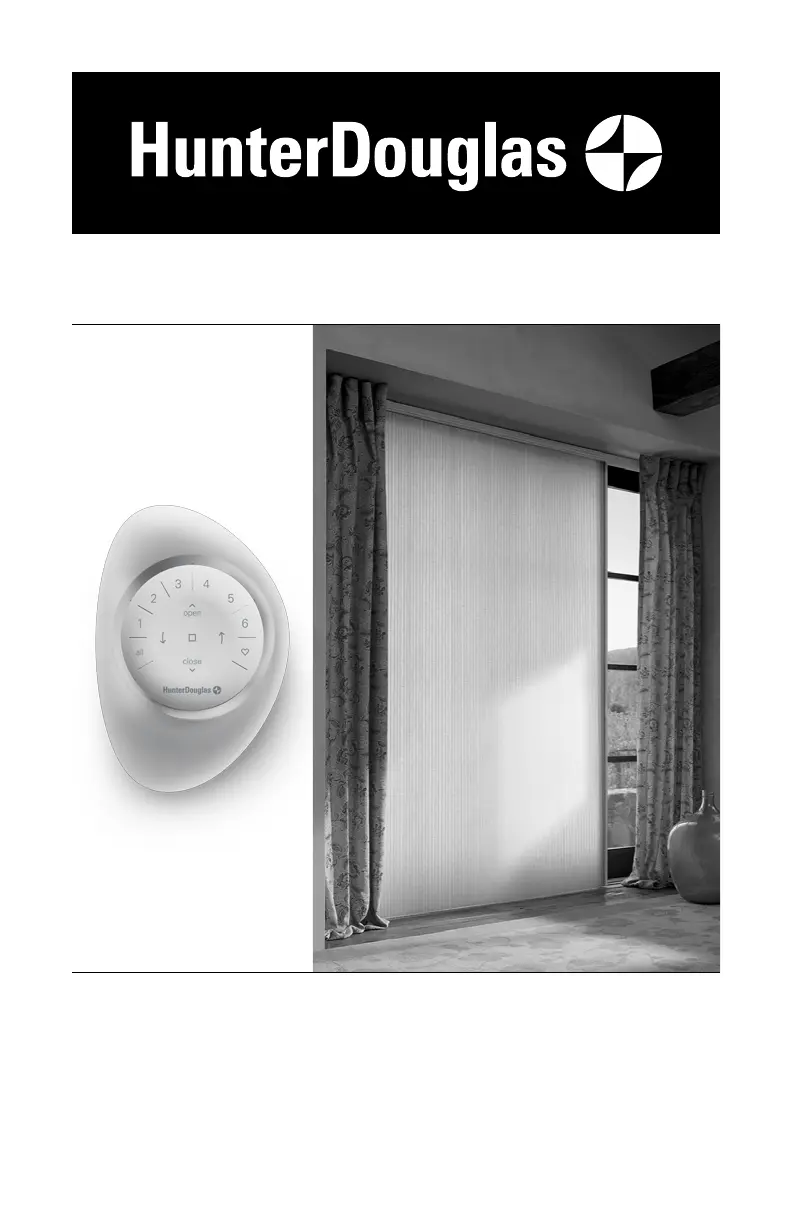
Duette
®
Honeycomb Shades
Vertiglide
Side Stack Design
PowerView
®
Gen 3 Automation

Other manuals for HunterDouglas Duette

Questions and Answers

  • N
    Nicole CastanedaAug 30, 2025
    What to do if HunterDouglas Duette shade will not stay up?
    • S
      Sue McknightAug 30, 2025
      If your HunterDouglas Indoor Furnishing shade will not stay in the raised position, engage the cordlock by pulling the cord toward the outside of the shade to lock it in place.
  • S
    Shelby PetersonSep 8, 2025
    How do I insert the rechargeable battery wand into HunterDouglas Window Blinds?
    • T
      Terry ParksSep 8, 2025
      To properly insert the rechargeable battery wand into your HunterDouglas Window Blinds, match the direction of the arrow on the underside of the battery wand with the arrow on the battery mount. Then, insert the nose of the battery wand into the cavity of the battery mount.
  • M
    Matthew HowardAug 29, 2025
    Why HunterDouglas Duette Indoor Furnishing shade raises or lowers unevenly?
    • M
      Mrs. Kim DukeAug 29, 2025
      If your HunterDouglas Indoor Furnishing shade raises or lowers unevenly, or the bottom rail is uneven when fully raised, start by checking that the headrail and installation brackets are level and aligned, using shims if necessary. Also, check for any obstructions in the shade's path that may cause misalignment when lowering. Try lowering the shade completely and then raising it to allow it to self-correct. If the issue persists, you may need to adjust the shade.
  • E
    Ethan DennisSep 22, 2025
    What to do if HunterDouglas Window Blinds don't stay in position?
    • B
      Brandon JonesSep 22, 2025
      If your shade does not stay in position after operating the moving rail, you may need to adjust the cord tension. Slide the cord tensioner away from the end plate to slightly increase the tension.
  • R
    Rebecca WalshSep 9, 2025
    Why don't my HunterDouglas Window Blinds stack evenly?
    • D
      David OrrSep 9, 2025
      If adjacent HunterDouglas Window Blinds shades do not stack evenly, and one shade is stacking tighter than another, it may have been reset. Try lowering and raising the shades to loosen the stack.
  • G
    grace84Sep 13, 2025
    How to fix HunterDouglas Indoor Furnishing battery-powered shade when it doesn't operate using the manual control button?
    • M
      Michelle RodriguezSep 13, 2025
      If your HunterDouglas Indoor Furnishing battery-powered shade isn't working with the manual control button, start by checking the batteries in the battery wand(s). Make sure they are new or fresh, and replace them if needed. Also, ensure that all cable connections between the power cable from the shade and the battery wand(s) are securely connected.
  • P
    Phyllis MurraySep 18, 2025
    What to do if HunterDouglas Window Blinds are operating slowly?
    • E
      Edward MorenoSep 18, 2025
      If your shade is operating slowly or not traversing completely, the batteries in the battery wand may be low and need replacing. Also, check that the power source is securely connected to the power cable and that the cables are not pinched.
  • A
    andradederekAug 27, 2025
    What to do if HunterDouglas Window Blinds won't snap into brackets?
    • S
      Shawn MillerAug 27, 2025
      Check that the installation brackets are level and aligned. Adjust and/or shim to level if necessary. Also, ensure the headrail is completely inserted into the installation brackets.
  • J
    Jeff CraigAug 26, 2025
    How to increase clearance for HunterDouglas Window Blinds installation brackets?
    • P
      Patricia TaylorAug 26, 2025
      For outside mounts, use extension brackets or spacer blocks to provide adequate clearance. For inside mounts, reposition the installation brackets to add clearance.
  • S
    Stephen KellyAug 25, 2025
    How to fix HunterDouglas Window Blinds that are not vertically aligned?
    • J
      John SmithAug 26, 2025
      Ensure that the installation brackets are level and aligned. Shim the installation brackets to level the headrail if needed. Check that the headrail is completely inserted into the installation brackets. You can also adjust the screws on the moving rail bracket.

Summary

Getting Started

Product Overview and Features

Introduces the Duette Vertiglide shade, its components, and the dual operation feature.

Installation Tools and Preparation

Lists necessary tools, fasteners, and initial preparation steps before installation.

Installation Guide

Installation Overview and Mounting Types

Defines mounting types (inside/outside), terminology, and general installation approach.

Outside Mount Installation

Detailed steps for mounting brackets, headrail, and bottom bracket for an outside installation.

Inside;Ceiling Mount Installation

Detailed steps for mounting brackets, headrail, and bottom bracket for an inside or ceiling installation.

Fabric Stack and Cord Mechanism

Procedures for installing the fabric stack, fabric carriers, and setting the cord tension.

Power Source and Control Setup

Covers mounting the PowerView control button and connecting various power sources.

Valance Attachment and Types

Covers identifying valance types, attaching clips, and installing aluminum or wood valances.

Operation and Maintenance

Using PowerView App and Remote

Guides on programming, basic operation, and advanced features of the PowerView system.

Shade Reset and Limit Adjustments

Explains calibration reset, shade programming reset, and electronic limit adjustments.

Shade Removal and Cleaning

Provides instructions for removing the shade and various cleaning procedures.

Troubleshooting

Common Operational Problems

Addresses issues like shade not operating, slow movement, remote response, and binding.

PowerView Remote and Battery Issues

Troubleshoots remote response problems and battery replacement/recharging.

Alignment and Limit Adjustments

Solves alignment issues and guides on adjusting shade limits.

Declarations and Safety

Regulatory Compliance Statements

Contains FCC, ICES-003, NMB-003, and CE compliance statements.

Critical Child Safety Warnings

Provides critical safety warnings regarding the risk of strangulation from blind cords for children.

Lifetime Guarantee

Warranty Coverage and Service

Details warranty coverage, exclusions, and the process for obtaining service.

HunterDouglas Duette Specifications

General IconGeneral
BrandHunterDouglas
InstallationInside mount, outside mount
MaterialFabric
Light ControlVaries from sheer to opaque
Operating SystemsPowerView Automation
Specialty ShapesYes
StyleModern
UV ProtectionUp to 99%
Light Control OptionsSheer, semi-sheer, semi-opaque, opaque
OperationManual or motorized
CustomizationFabric, Color, Opacity, Operating System
Energy EfficiencyExcellent; cellular design traps air for insulation

Related product manuals