1-9
Scanner Assembly
032-0330-EN Rev K
39.
40
41
3/16
42
40
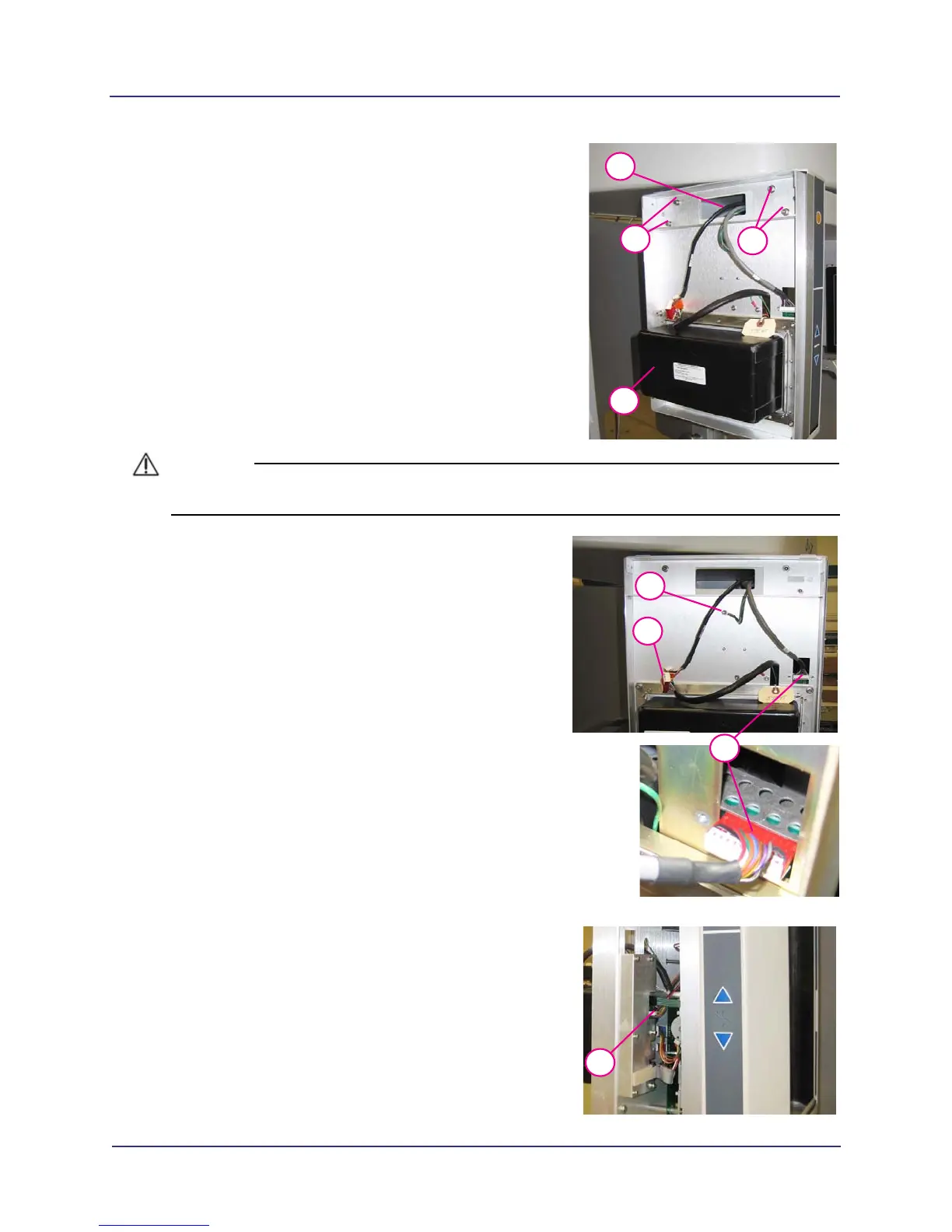
With an assistant, align X-ray source assembly
mounting pins.
40. Attach assembly using the four mounting screws
previously removed from red shipping plate along with
four split washers.
41. Draw the 3 cables out through the opening. Ensure
that the cables are not stretched or damaged.
• black cable (2 connectors)
• grey cable (single connector)
• green ground cable (ground lug)
42. Record label information that is required on Installation
Sheet (Serial Number, etc.).
CAUTIONCAUTION
When mating connectors, do not force-fit together.
43.
43
44
45
Attach ground lug by removing mounting nut and
installing lug over the star-lock washer. Replace
mounting nut.
44. Attach together, black cables with the two
connectors.
45. Attach grey wire with red/white connector as shown.
Ensure red side of connector is facing upward.
46.
46
Attach ribbon cable back to the beam limiter
assembly.



 To Next Page