2-11
Calibration and Laser Adjustments
032-0330-EN Rev K
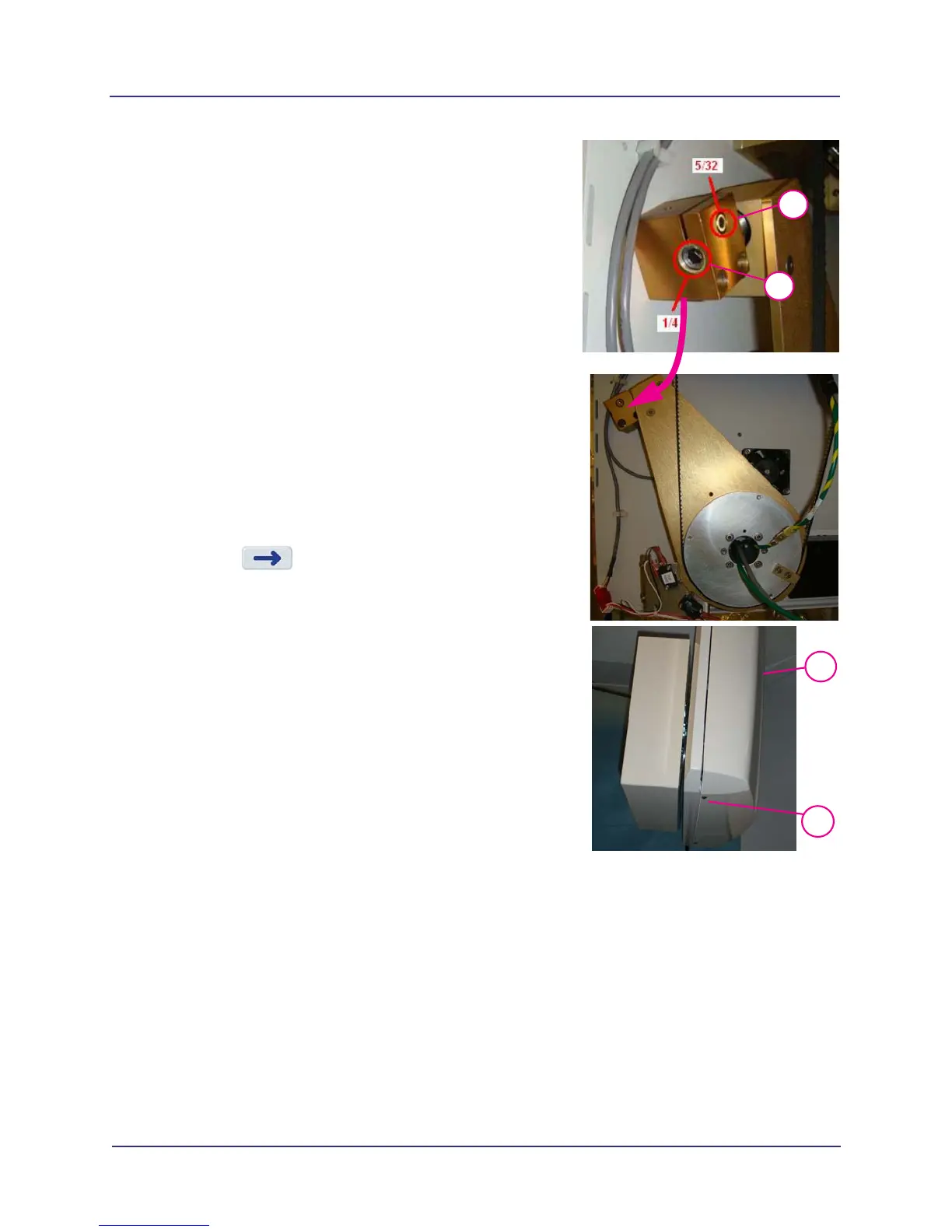
a. On the receptor assembly, loosen the 5/32” set
screw.
b. The 1/4” adjustment screw is used to adjust the
detector pivot.
Turning the adjustment screw one full turn is an
adjustment of 0.3.
Typically, turn screw counter-clockwise to add
to the displayed number and clockwise to
subtract from the displayed number (facing the
screw).
c. A hex shape consists of 6 flat sides. Measure the
turns by hex flats which equal 0.05 per flat. Six
flats equal 0.3.
d. Tighten the 5/32” set screw after the adjustment is
made.
e. In GeoCal, press OK to rerun in portrait position.
Repeat as needed until portrait calibration
passes.
10. Press to display Complete screen.
11.
3/32
11
12
Install receptor cover. Ensure mounting tabs are
seated in top of cover.
12. Attach mounting screws.
13. Re-run GeoCal with cover installed and ensure
GeoCal passes. If GeoCal fails, repeat procedure. Call
Technical Support if failure continues.
14. Remove the GeoCal fixture.
NOTE: If a grinding noise is evident when the panel rotates
between landscape and portrait positions, contact
Technical Support.
Shutter Calibration
It is recommended that Shutter Cal be performed once a week to ensure optimal image quality. This
calibration is also necessary if a mechanical adjustment is made to the beam limiter or if image quality has
degraded.
The Shutter Cal runs several tests in both landscape and portrait (V17 systems only) positions. A pie chart
displays status.
9a
9b



 To Next Page