3-8
i-CAT FLX Installation Manual
032-0330-EN Rev K
Fixed IP Addresses
NOTE: It is recommended that all site-provided servers and workstations use fixed IP addresses.
SmartScan STUDIO Manager and Integration Services have to maintain continuous connection with the
i-CAT FLX scanner controller. It is highly recommended that a fixed IP address, either static IP or DHCP
Reservation, is assigned to the scanner controller to ensure a continuous connection. It is the
responsibility of the site IT department to determine which method they want use to assign IP
addresses. Follow the appropriate procedures below based on the method the site IT department wants
to use to assign IP addresses:
• Static IP Addresses
• DHCP Reservation Addresses
CAUTIONCAUTION
If a fixed IP address cannot be obtained (site IT department wants to use DHCP (Dynamic)
Addressing), the site should be made aware that, if the IP address changes, they may experience
system down time and will have to contact Technical Support. This situation can be reduced if the
site sets a longer DCHP lease time. However, it is highly recommended that fixed IP addresses
are used.
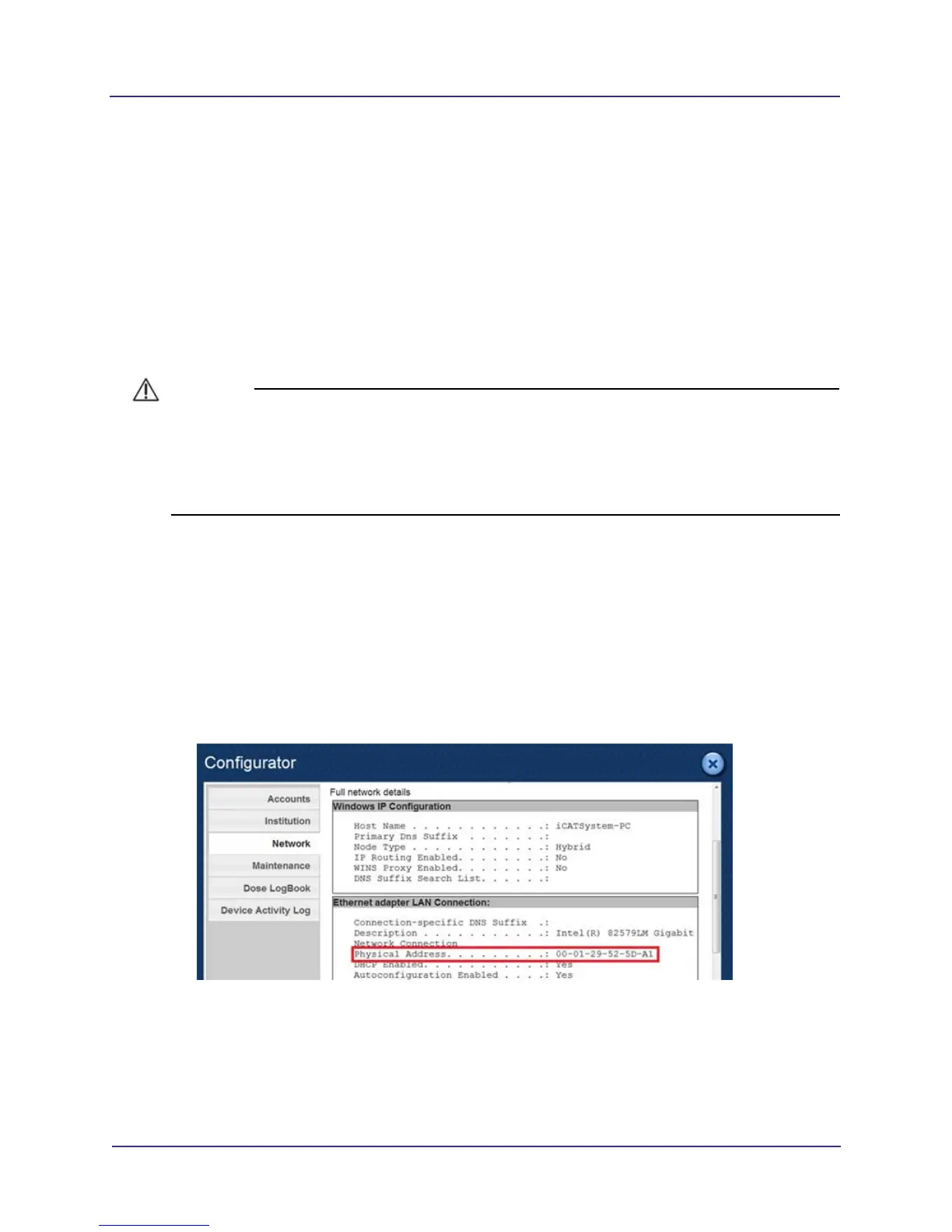
Obtain MAC Address of Scanner Controller
If site IT personnel request the Media Access Control (MAC) address of the scanner controller,
obtain this address as follows:
1. Log into SmartScan STUDIO and select Configurator.
2. Select Network option, then select Full network details.
3. Locate the Physical Address entry. Record physical address so that the site can assign a fixed
IP address for the scanner controller.
Configure Static IP Addresses
1. Obtain the following addresses from the site IT department:
• IP Address of scanner controller
• Subnet Mask



 To Next Page