C-1
032-0330-EN Rev K
Appendix
C
Setup of Alternative Network
Configurations
The following procedures describe setup needed to support the following alternative network configurations.
You may need to work with the site’s IT representative to complete a procedure.
• Remote Image Root Setup for Domain Environment
• Remote Network Share Using Windows Workgroup Environment
Remote Image Root Setup for Domain Environment
Use this procedure to enable access SmartScan STUDIO Integration Services to use a network share.
1. Set Permissions on remote network share
The network share needs to add permission to the Network Service account of the machine running the
SmartScan STUDIO Integration Services.
The steps in this section are performed at the computer that will contain the remote Image Root folder.
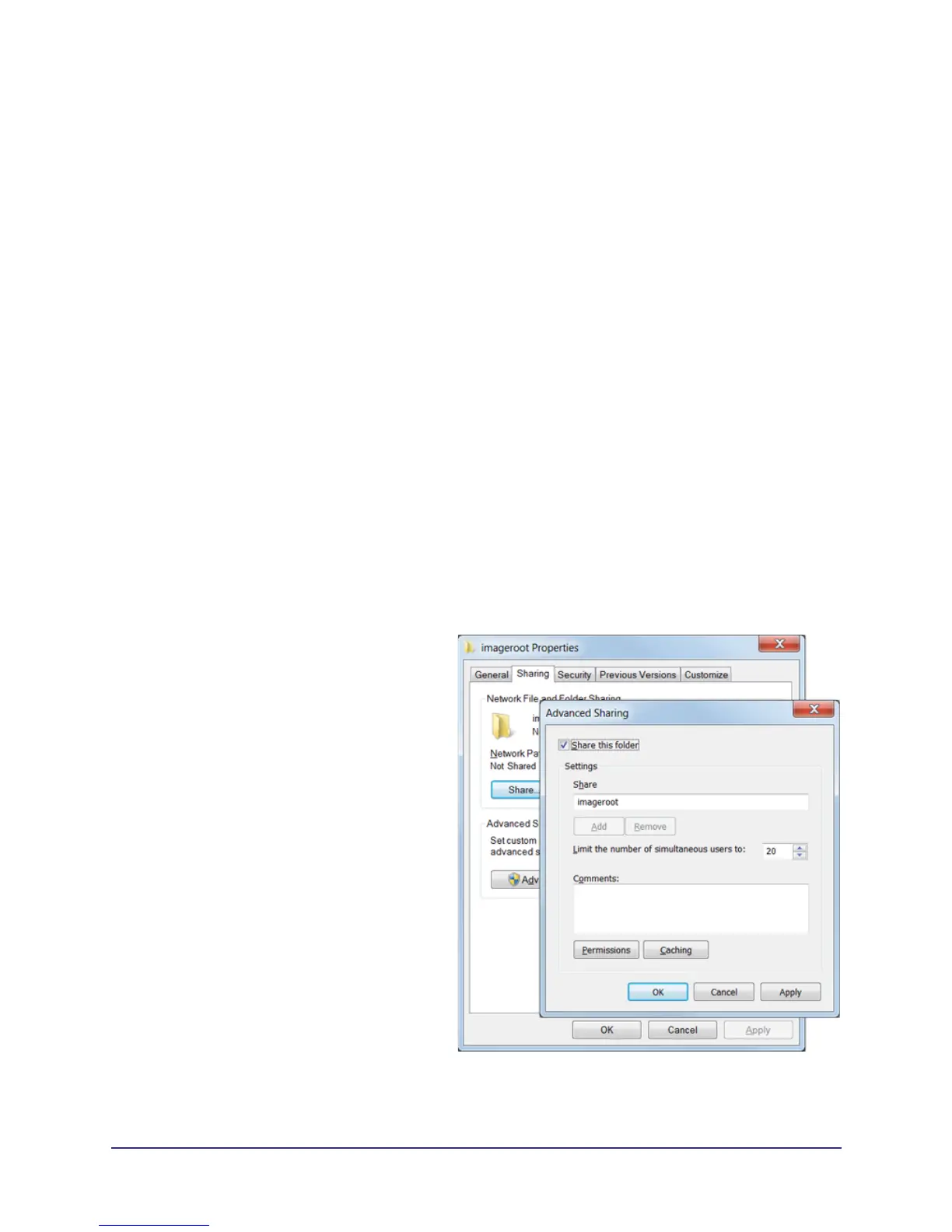
1. At the remote computer, on the C: drive, create a folder named imageroot.
2. Share the imageroot folder.
a. Right-click imageroot and select
Properties.
b. Select Sharing tab, then click
Advanced Sharing.
c. Click Share this folder check box.
d. Click Permissions button, then click
Add button on the Permissions window.



 To Next Page