C-2
i-CAT FLX Installation Manual
032-0330-EN Rev K
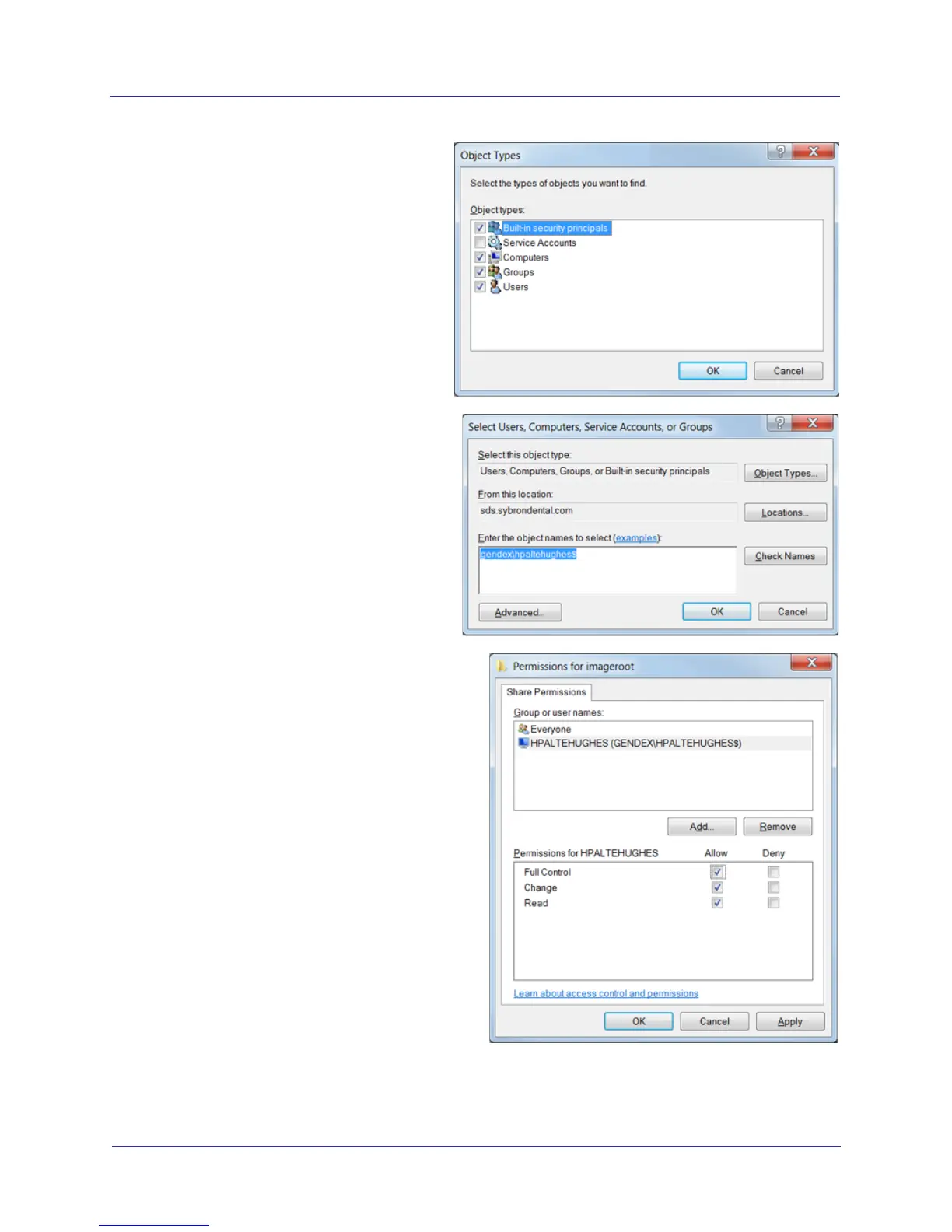
e. Click Object Types button, then click to
check the Computers check box. Click
OK.
f. Enter the domain and machine name of
the server running SmartScan STUDIO
Integration Services.
NOTE: The machine name must end in
a dollar sign. Example:
gendex\hpaltehughes$
g. Click OK.
h. Grant full access to the machine
account. Select user name, then select
Allow check box for Full Control,
Change, and Read options. Click OK.
i. Click OK to save the sharing settings.



 To Next Page