4-13
QA Tests
032-0330-EN Rev K
7. When prompted, press the Scan button on the operator control box. An audible alarm is sounded
and the X-ray ON light is illuminated during radiation exposure.
The scanner acquires data and a status indicator shows acquisition and image creation progress.
When image processing is complete, image is displayed.
QA PAN Test Evaluation
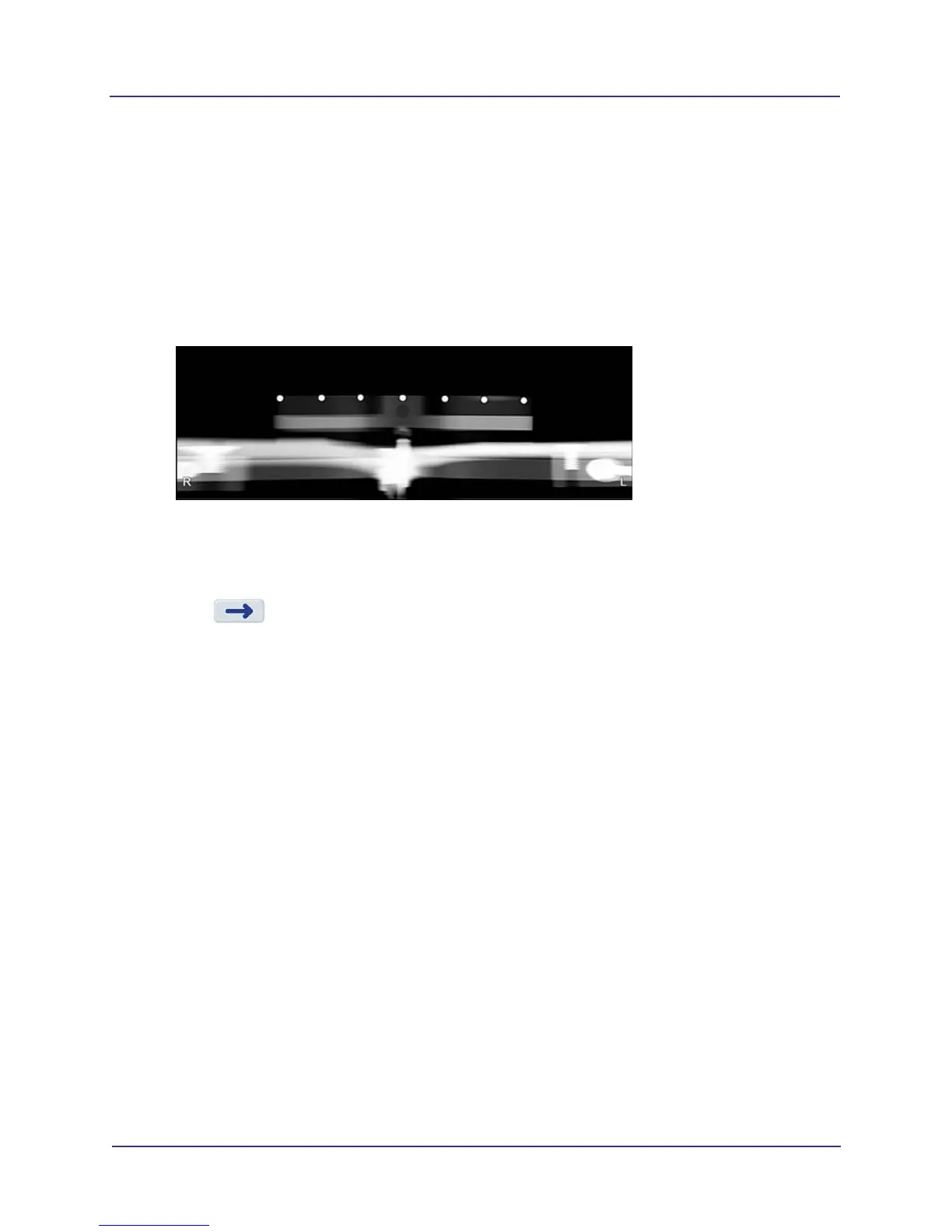
1. Review image. Use brightness and contrast controls as needed to enhance image. All seven metal
balls should become visible.
Elongation of the metal balls indicate that the phantom is not in the middle of the focal trough due
to poor chair alignment. Ensure PAN phantom is set up properly and repeat test. If a good image
cannot be obtained, perform a chair calibration. See Patient Chair Alignment (page 2-5).
2. Press to display Complete screen and select option to exit.
Safety Checks (Optional)
Safety checks must be performed on systems installed in locations that must comply with VDE 0751-1 and/
or IEC 62353 standards. Refer to the Service Manual for procedures.



 To Next Page