4-1
032-0330-EN Rev K
Chapter
4
QA Tests
Run QA Tests
Run the following QA Tests. See Service Menu Options chapter for instructions on logging in and accessing
Utilities.
• QA Line Pair Test
• QA Material Test
• QA Air Water Test
• QA Pan Test
CAUTIONCAUTION
If the optional deadman handswitch is installed on the scanner, press and hold handswitch before
pressing the Scan button, and continue to hold handswitch down for the duration of the exposure
(X-ray light on). Early release of the handswitch stops the exposure and the Fault light turns on.
The patient will have to be re-scanned.
QA Line Pair Test
Set Up QA Phantom
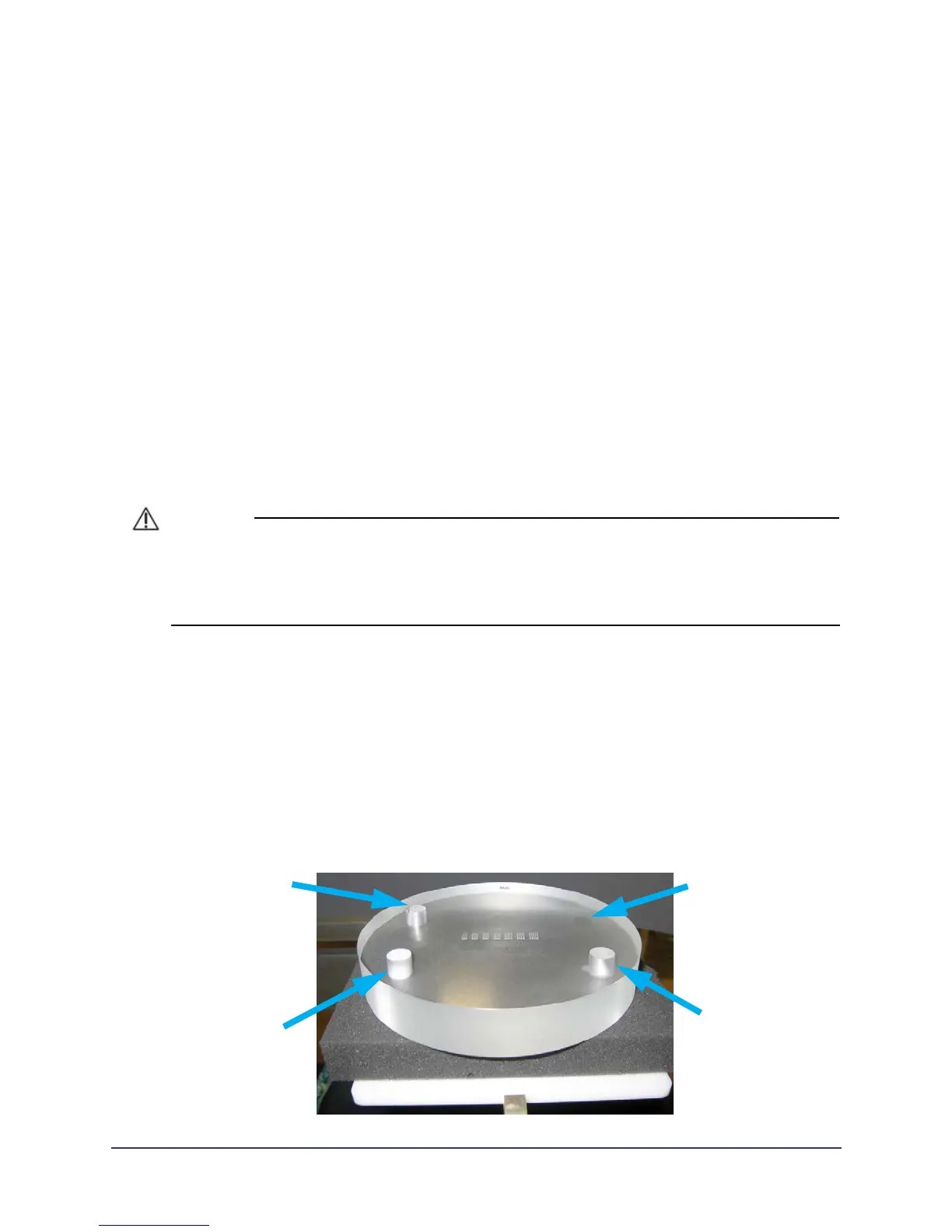
1. Remove chin cup and insert phantom platform.
2. Place QA phantom on platform. Use a piece of foam beneath the phantom to elevate it. Make sure
phantom is level.
3. Center the QA phantom on the platform with the air hole positioned at the left rear of the gantry. The
embedded metal strips should align left to right.
AIR HOLE
ACRYLIC
TEFLON
LDPE



 To Next Page