1-1
032-0330-EN Rev K
Chapter
1
Scanner Assembly
NOTE: Do NOT begin installation of any equipment or software unless the Preinstall Checklist (ISI-MKTG-
CS-0007) has been completed for the site.
Install Scanner
There are two methods used for shipping the scanner, assembled and non-assembled. Start with one for
the non-assembled scanner. Start with step 13 for scanners that are shipped assembled. Before moving the
scanner into place, ensure that the area is clean and that there is ample room to work.
WARNING
This scanner has assemblies that require a two person lift. Failure to comply may cause bodily
injury. Two adults are required to unpack and assemble this scanner.
CAUTIONCAUTION
Follow instructions on all shipping labels to ensure proper handling of the scanner. For scanners
that are shipped assembled, the chair column must be removed from the scanner before moving
scanner into place. Remove four screws at rear of chair column to remove column. Moving
scanner with the chair column attached may cause damage to the equipment.
1.
1
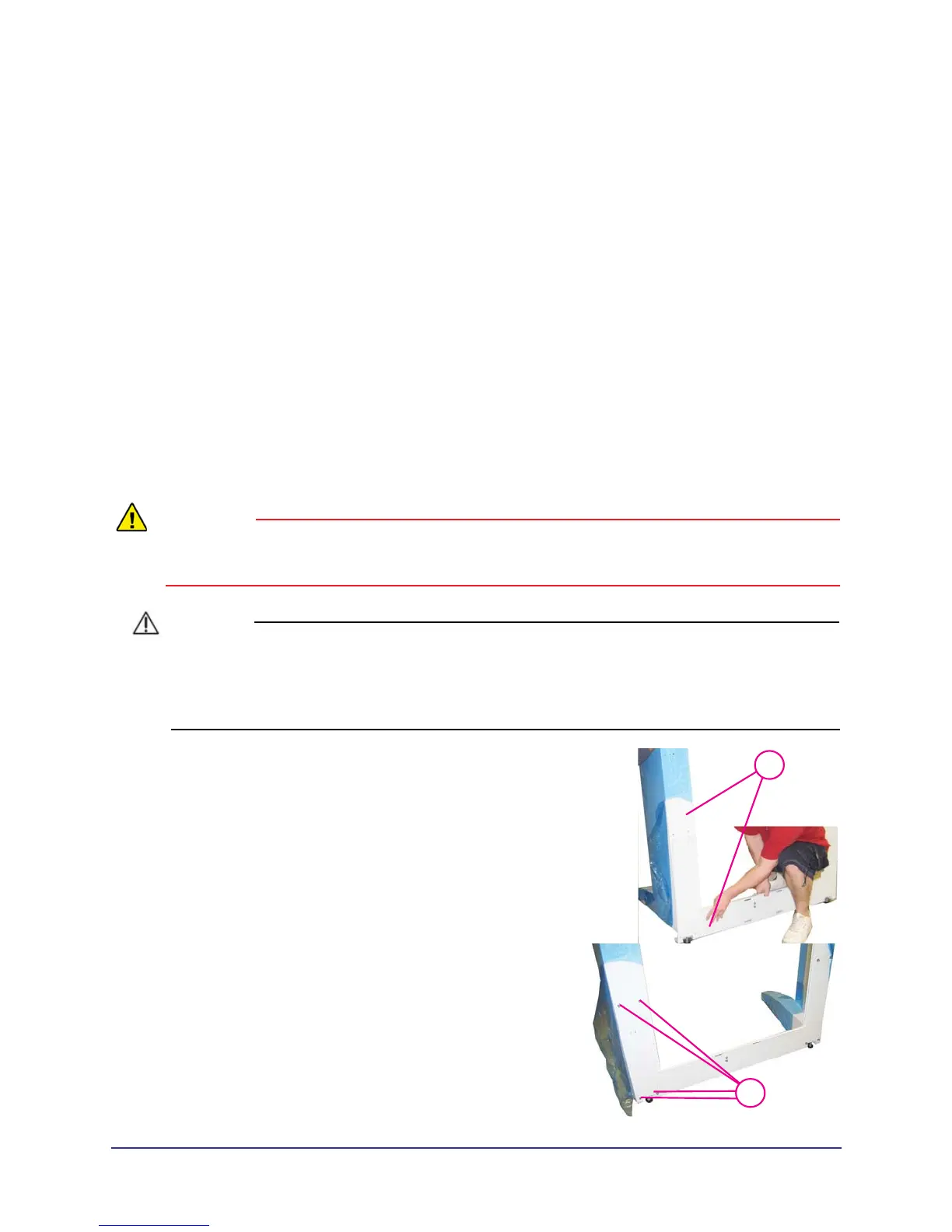
With the help of an assistant, install the lower plate
under the two leg assemblies, as shown.
2.
2
3/16
Attach with mounting hardware, four SHCS 1/4-20 x 5
long with1/4” split washers, both sides.



 To Next Page