C-6
i-CAT FLX Installation Manual
032-0330-EN Rev K
Remote Network Share Using Windows Workgroup Environment
Use this procedure to enable access to a network shared Image Root folder on a remote network.
1. Configure Remote Network Folder for Storing Image Root Data
The remote Image Root computer is a Windows-based file server that provides a network folder for storing
image root data. In order for the network share to be accessible, the following steps must be performed.
The following steps are performed at the computer that will contain the remote Image Root folder.
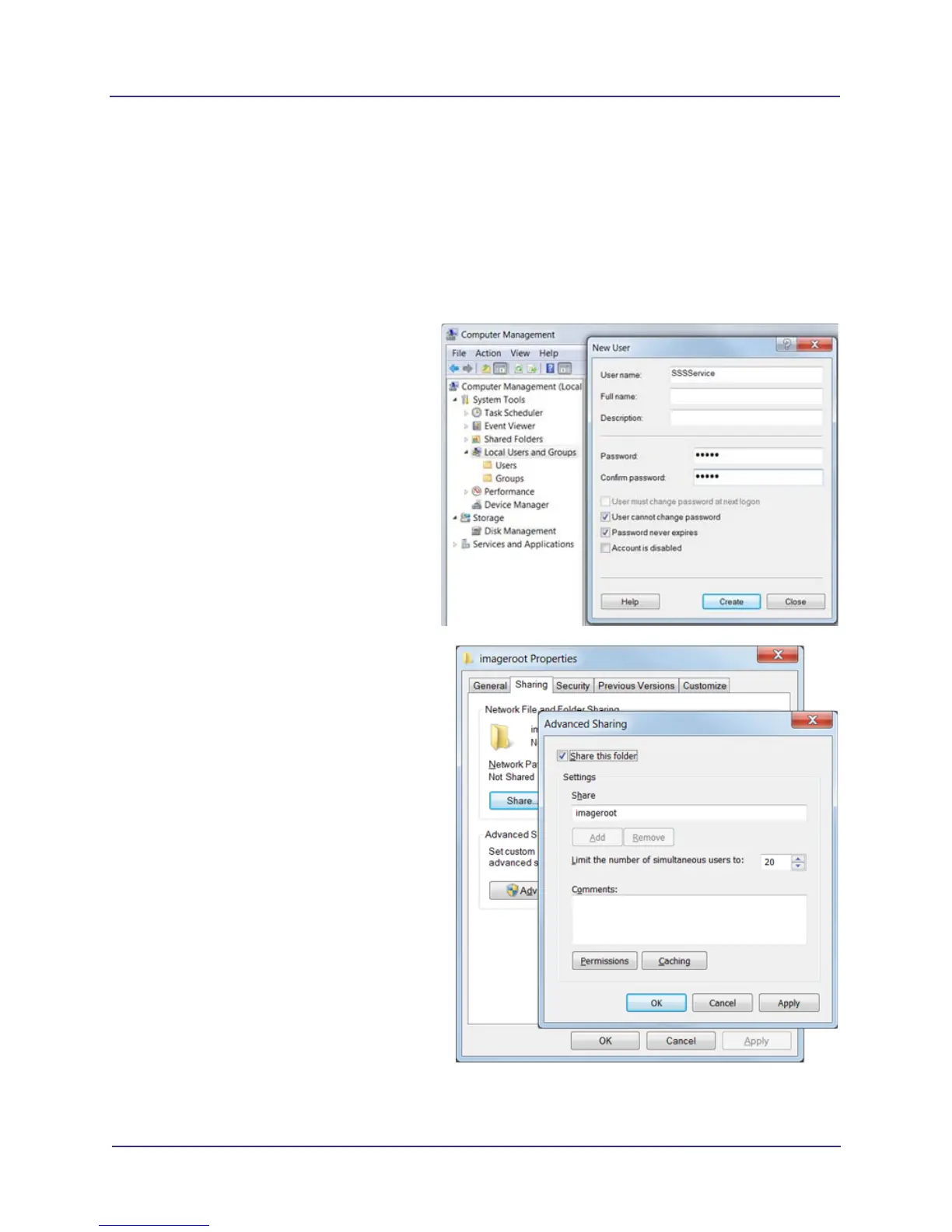
1. Create a user with a password.
a. Select Control Panel ->
Administrative Tools->Computer
Management.
b. Open Local User and Groups.
c. Right-click the Users folder and select
New User.
d. Create a user with a password
(username = SSSService, password
=12345).
e. Click Create.
2. On the C: drive, create a folder named
imageroot.
3. Share the imageroot folder.
a. Right-click imageroot and select
Properties.
b. Select Sharing tab, then click
Advanced Sharing.
c. Click to check the Share this folder
check box.
d. Click Permissions button, then click
Add button on the Permissions
window.



 To Next Page