2-10
i-CAT FLX Installation Manual
032-0330-EN Rev K
5. If the Geometric Calibration Processing Failure message is displayed, the detector pivot is out
range. The error message displays the allowed value (+/-0.050 degrees) and the actual value.
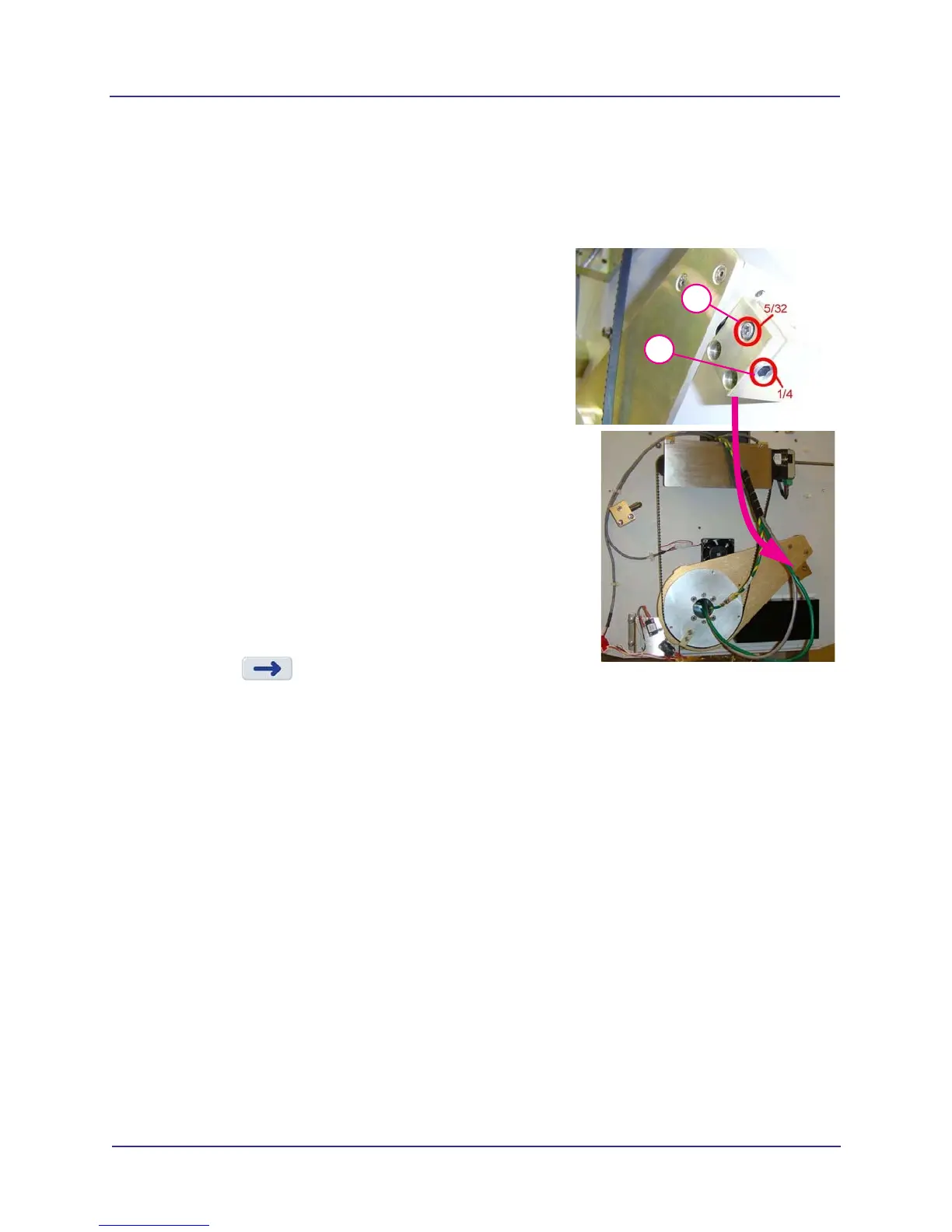
To adjust detector pivot in landscape position:
a. If receptor cover is installed, remove both mounting screws (3/32”) from the bottom and
remove cover from mounting tabs, which are located at the top.
b. On the receptor assembly, loosen the 5/32” set
screw.
c. The 1/4” adjustment screw is used to adjust the
detector pivot.
Turning the adjustment screw one full turn is an
adjustment of 0.3.
Typically, turn screw counter-clockwise to
subtract from the displayed number and
clockwise to add to the displayed number
(facing the screw).
d. A hex shape consists of six flat sides. Measure
the turns by hex flats which equal 0.05 per flat.
Six flats equal 0.3.
e. Tighten the 5/32” set screw after the adjustment
is made.
f. In GeoCal, press OK to rerun in landscape
position. Repeat as needed until landscape
calibration passes.
6. Press to initiate portrait calibration. The
panel rotates.
7. When prompted, press the Scan button on the operator control box. An audible alarm is
sounded and the X-ray ON light is illuminated during radiation exposure.
8. If the portrait calibration passes, the message Step 2 Complete is displayed. Go to step 10.
9. If the Geometric Calibration Processing Failure message is displayed, the detector pivot is out
of range. The error message displays the allowed value (+/-0.050 degrees) and the actual
value. To adjust detector pivot in portrait position:
5b
5c



 To Next Page