1-17
Scanner Assembly
032-0330-EN Rev K
The webpage URLs may need to be changed depending on the region of the world where the scanner is
being installed. The default settings are for the United States.
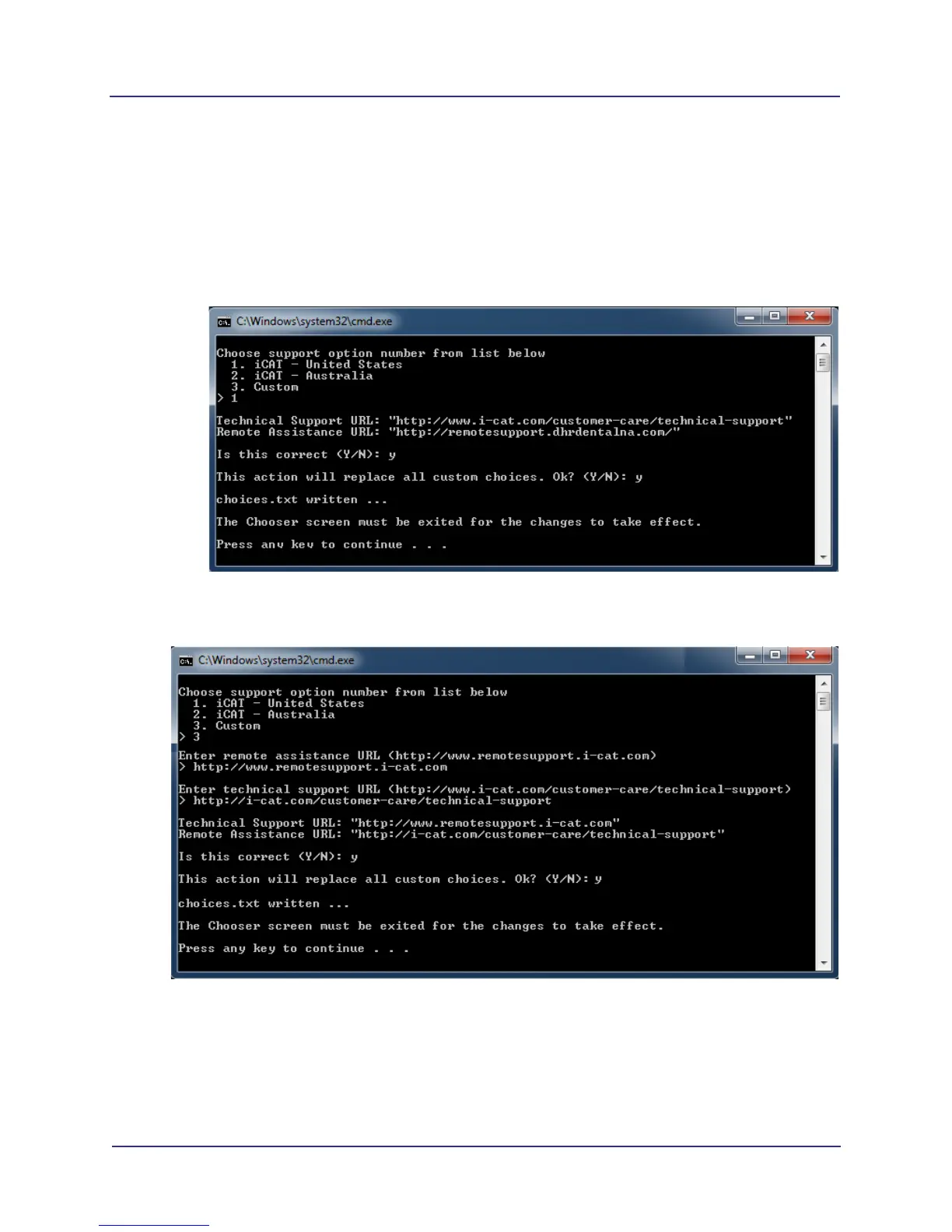
1. Log in to the scanner controller and select Set Support URLs from the menu.
2. Select an option and press Enter. Follow prompts to make selections.
Specific Country Options - Select the correct option to re-set default options for the United
States (1) that are pre-loaded, or set the default options for Australia (2). See example below.
Custom Option - Select this option to enter custom URLs for remote assistance and technical
support options. See example below.
3. After entering changes, you must logout for the changes to take effect.
4. Log in and select the Technical Support and Remote Assistance options to check that the
URLs are set correctly.



 To Next Page