c. Using the following instructions for your installation tool to remove the
microprocessor.
v If using Installation Tool A, gently twist the handle clockwise to the
closed position and lift the microprocessor out of the socket.
v If using Installation Tool B, gently twist the handle of the installation
tool clockwise until it locks in the “H” or “L” position, depending on
the size of microprocessor, and then lift the microprocessor out of the
socket.
d. Lift the microprocessor out of the socket.
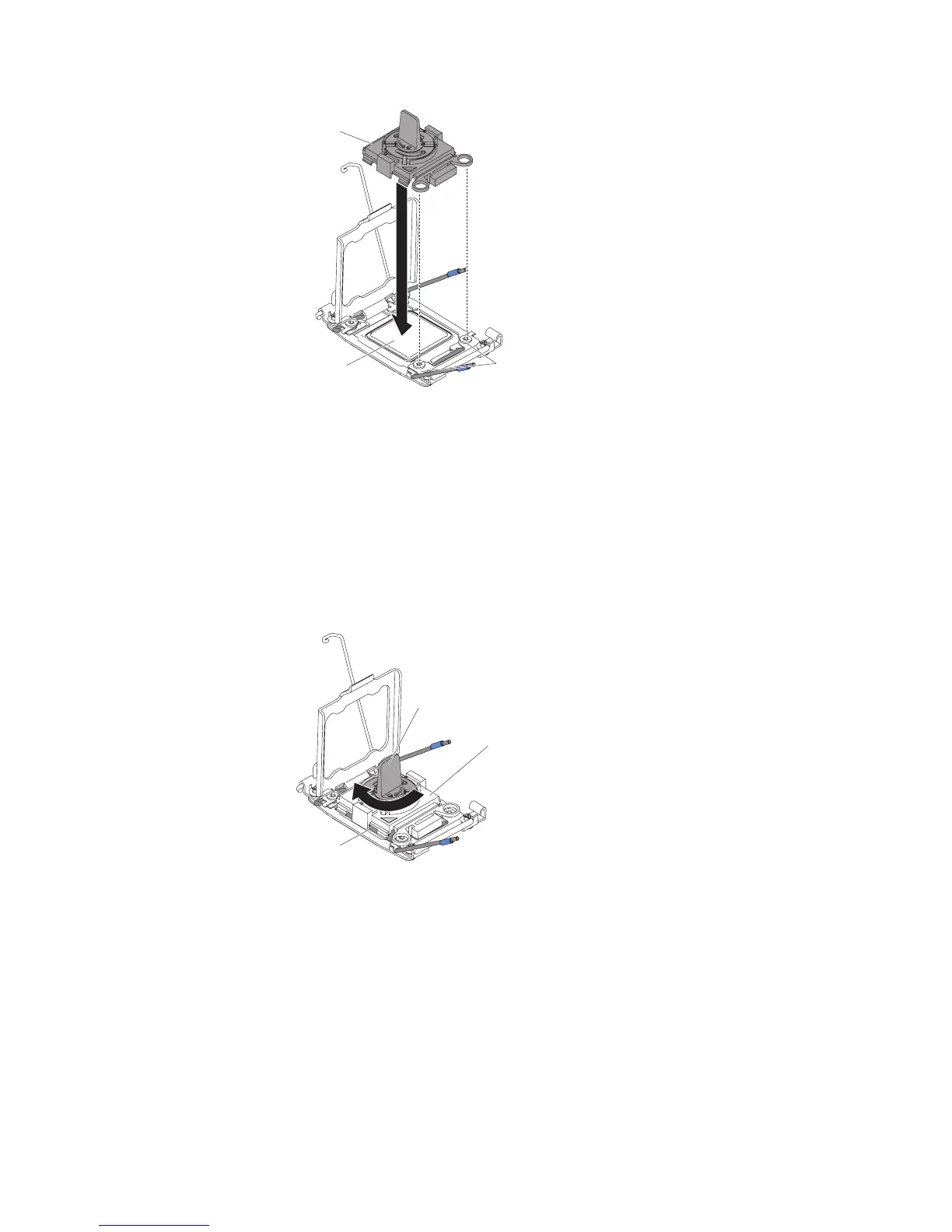
Installation tool
Alignment
pins
Microprocessor
Figure 218. Installation tool alignment
Handle
Installation
tool
Microprocessor
Figure 219. Installation tool handle adjustment
314 IBM System x3550 M4 Type 7914: Installation and Service Guide


 To Next Page
 Loading...