3
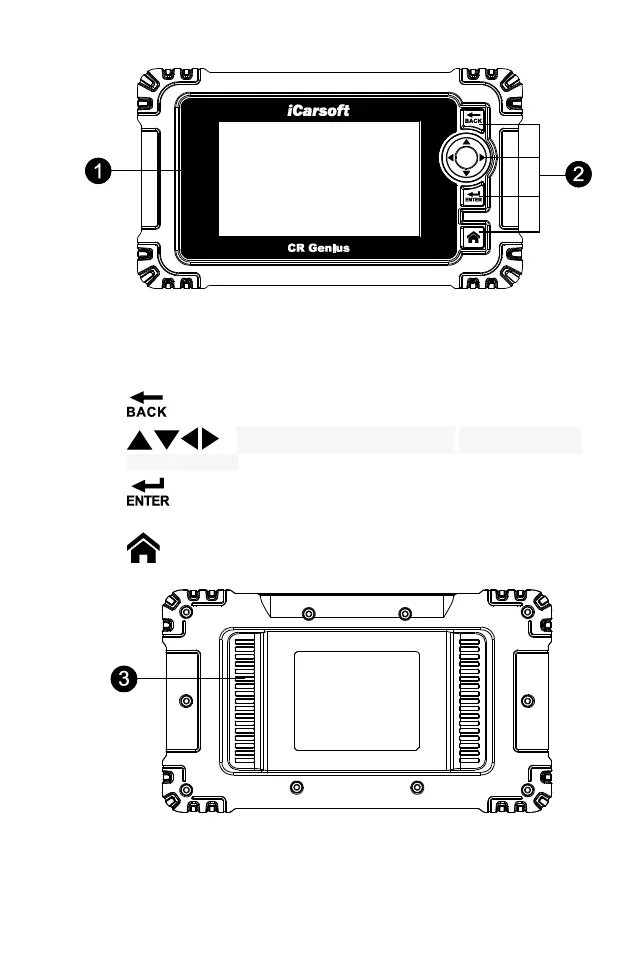
Figure 2-1 Display Tablet Front View
1. 5.0” LCD Capacitive Touchscreen.
2. Button part:
--- BACK Button: Returns to previous menu.
--- Up, down, left and right buttons: Move the cursor up,
down, left or right for selection.
--- ENTER Button: Confirms a selection (or action) from a menu
list.
--- Home Button: Return to the main menu.
Figure 2-2 CR Genius Display Tablet Back View
3. Heat Sink.










 To Next Page